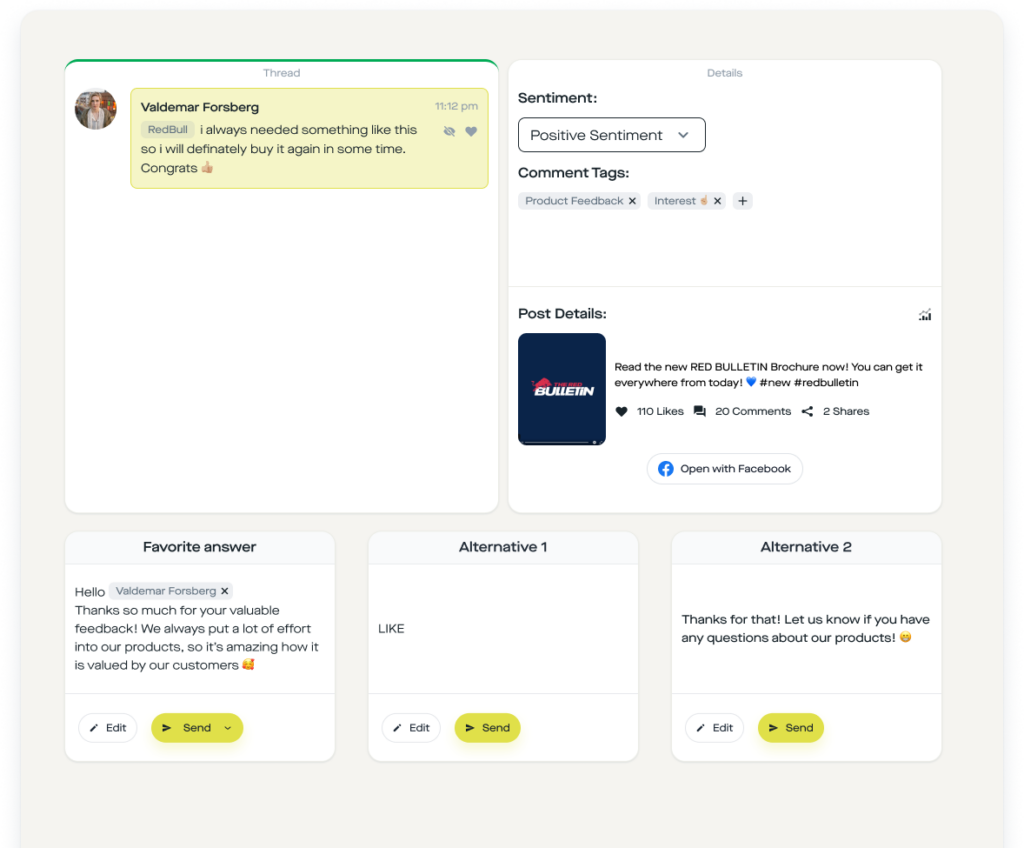
TL;DR: An Instagram discount code DM automation automatically sends every commenter under your post your discount code plus product link in direct messages, without you ever having to reply manually. In this copy-paste guide we build the flow (comment trigger → send message → send link with click tracking → urgency reminder) in less than 10 minutes with replient.ai. Result: 24/7 sales via Instagram DMs, Meta-official, GDPR-compliant and without ManyChat compliance risk.
My brother Markus and I did performance marketing for D2C brands for years, including brands like SNOCKS, Health Routine and Zauberfein. During that time we learned: the most expensive mistake an e-commerce shop can make on Instagram is an ad creative with 400 comments like "Code?" or "How much is the discount?" and no reply. Right under those posts are the people who want to buy. Every hour without an answer is lost contribution margin. At Zauberfein, Maierl and Health Routine we once calculated internally and literally put a price tag on comments: unanswered coupon requests often cost more per day during the hottest phase of an Instagram campaign than the ad budget itself.
That's why I'm showing you the exact flow we build today with replient.ai, with screenshots from the builder, reliable external numbers and an e-commerce FAQ at the end. No theory blah, just a template you can copy in ten minutes.
Why you shouldn't post discount codes publicly in the comments anymore
The typical reaction of many shops to "Code?" comments looks like this: social media manager opens the inbox, replies with "SPAR10 for 10% off" directly under the comment, and hopes the fan actually clicks the shop link in bio. This setup is broken for three reasons:
- You give away your margin. Once a discount code is public under a post, within hours it appears on coupon sites and is redeemed by people who never saw your campaign. You're effectively paying discounts for traffic that would have bought anyway.
- You lose your conversion in the "link in bio" detour. According to Baymard Research the average cart abandonment rate is currently around 70.2% (Baymard Institute, 2025), every additional click between campaign impression and checkout means measurable revenue loss. "Read comment → leave app → open bio → tap shop link → find product → enter code" is exactly that extra route.
- You can't assign the discount to anyone. No attribution, no retargeting, no CRM entry. The fan remains anonymous, even though they just actively signaled they want to buy.
An Instagram discount code DM automation flips the mechanics: the code lands privately in that one fan's DM, along with a tracked deep link directly to the product. No coupon portal sees it, no app-switch friction, and you have the complete conversion journey in your dashboard.

What does a discount code DM automation deliver in numbers?
Three data points that support the business case:
- Instagram reach in the DACH region: According to Statista, around 37 million people actively use Instagram in Germany (Statista, 2025), and for many e-commerce target groups Instagram is the most important social channel.
- Instagram Reels as a reach turbo: Instagram Reels deliver, according to the Socialinsider Instagram Benchmarks, significantly higher reach rates than static posts (Socialinsider, 2025). Reels are therefore the ideal ad slot for discount campaigns, and it is precisely under Reels that most "Code?" comments appear.
- Cart abandonment: Baymard lists cart abandonment rates between around 68 % and 80 % from different studies (Baymard, 2025), every friction on the way to checkout costs real money. A DM automation sends the deep link directly into the app the fan is already in, and shortens the purchase path to two taps.
The complete discount code DM flow: What we're building today
We are building a flow that does exactly what you see on every good American D2C account: fan comments "CODE" under the ad post → seconds later a personal message lands in their Instagram inbox with the discount code, the product link and an urgency reminder 24 hours later. All without a single manual reply.
The flow consists of five components:
-
Comment Trigger, comment detection with keyword (e.g.
CODE,RABATT,SPAR10) -
Send Private Message, personal DM greeting with
{{username}}variable - Send Link, button with click tracking to the product including code
- Time Delay, wait 24 hours
- Send Private Message, Urgency reminder ("Your code expires tomorrow")
Each of these building blocks is an individual node in the replient.ai Flow Builder that you connect by drag and drop. The initial setup takes about ten minutes, after that you simply duplicate the template for each new product or campaign.
Module 1: Configure the comment-to-DM trigger
In the replient.ai Flow Builder you choose the trigger "Someone comments on your post" (comment on post). This trigger has three scope modes:
-
Any post, the trigger monitors all posts on your account (useful for global campaigns like
ALLEKUNDEN10) - Specific post, you select exactly one or several posts (useful for a single ad creative or a launch)
- Caption contains, the trigger fires on all posts whose caption contains a specific text (useful for automatic launches via caption text)
For discount code flows I almost always recommend Specific post. Why: discount codes are usually meant to be distributed only under the one ad or product post, not under community postings or behind-the-scenes content. Also, you generally want to track a different code per ad creative.
In the field Comment text contains you enter your keyword, and this is the second important point: matching in replient.ai is case-insensitive and partial. If you store CODE as a keyword, the flow also triggers on "Code please?", "code10 please" or "Could you give me a CODE 🙏". Whitespace trimming is built in, and you can set multiple keywords in an OR logic, for example CODE, RABATT, GUTSCHEIN, SPAR10 in parallel. For very precise setups there are additionally the modes is exactly (exact match) and matches regex (regular expression) for power users.
Agency practice tip: Include not only the official code keyword, but also all typical typos and informal variants in your matching. Fans type on their phones, so "Cdoe", "Coupon", "Gutschin" and emoji-flooded comments are common. Our standard set for discount flows is now: CODE, RABATT, GUTSCHEIN, COUPON, SALE, % plus the specific campaign name (e.g. SPRING24). Result: we get about 15 to 25% more triggering comments than with a single keyword.
Block 2: Personalized DM with {{username}}
As soon as the trigger fires, replient.ai automatically sends a DM to the commenter. In the Flow Builder you drag the action Send private message under the trigger and connect the nodes.
Here is the text snippet you can copy (of course adapt to your brand voice):
Hey @{{username}} 👋
Thanks for your interest, great that you want to join!
Your personal discount code:
👉 SPAR10 (10% off your next order)
It is valid for 24 hours from now across our entire shop.
Below you will find the direct link to the product.
The variable {{username}} is automatically replaced by the fan's Instagram handle. That sounds trivial, but it is the difference between a "standard automation" and a "personally sent message". According to the Salesforce State of the Connected Customer study, customers across industries expect personalized interactions and measurably punish impersonal mass communication (Salesforce, 2024). The username in the greeting is the most cost-effective personalization lever you can use.
Block 3: Send Link with click tracking
The third building block is the core for e-commerce: the Send Link step. Here you add your product link and button text. Important: replient.ai automatically generates an internal tracking URL from every sent link, a short ID of 12 alphanumeric characters. Every click lands in your automation statistics, including a timestamp. That way you know exactly which fan received the code and redeemed it, and you can later clearly distinguish in the dashboard between 'code sent' and 'code clicked'.
Practical configuration tips:
- Keep button text short: Instagram limits button labels to 40 characters. "Buy now with code" is noticeably more clickable than "Here is the link to your 10% discount on all products".
-
Deep link with built-in code: If your shop supports it, include the discount code directly as a URL parameter (e.g.
?discount=SPAR10). Many shops (Shopify, WooCommerce, Shopware) then activate the code automatically in checkout, the fan never has to enter it manually. - Up to 3 buttons per message: You can also add a second button "View collection" or a third "FAQ", this is useful if your flow should promote the product and an info page at the same time. The Instagram Graph API does not allow more than three buttons.
Block 4: Time Delay (create urgency)
Now comes the step that is missing in most ManyChat tutorials, and that significantly increases your conversion rate: Time Delay. After the Send Link step you drag a time delay node into the flow and set it to 24 hours. After that comes a second Send Message step:
Hey {{username}}, quick reminder, your discount code SPAR10 expires in a few hours. ⏰
If you haven't redeemed it yet:
👉 [Direct link to product]
Why this works: the fan actively commented 24 hours ago, so the intent was there. But in those 24 hours 600 other things happened, and your code got lost at the bottom of the DM list. A single reminder brings that lead back to the top of the inbox, and the urgency, "expires in a few hours", is not a marketing trick but honest information. The mechanics are exactly what good abandoned-cart emails have done for years, only we run them in this channel with much higher attention.
Component 5: optional extras (tag, follower check, AI agent)
If you want to run the flow more professionally, you can add three more nodes in replient.ai:
-
Add Conversation Tag, sets a tag like
discountcode-issuedon this DM conversation. That way you can later use the inbox filter to find all fans who received a code, and send them a targeted new campaign. - Check if Follower, only available for Instagram: the flow checks before the reminder whether the fan followed your account in the last 24 hours. If yes → "Welcome to the community, here is your exclusive bonus code." If not → standard reminder. Important: the follower check only works after the first DM interaction, not directly in the comment trigger, this is a peculiarity of the Instagram Graph API, not a limitation of replient.
- AI Agent Auto-Reply, if the fan asks a follow-up question in DM ("Does the code also apply to sale items?"), the trainable AI agent takes over. It is trained with your brand documents and can reply directly, without you having to take over manually.
A real moment from practice: A few weeks ago my brother Markus had to manage six brands at the same time during a Black Friday campaign, and he was, in true agency fashion, sitting on the toilet with his phone, because under an ad 140 code requests per hour were coming in. Before replient.ai that meant: 140 × open inbox → read username → copy text snippet → paste → press Enter. In several languages. Result: three hours of sleep loss for a single brand and zero urgency reminders, because there simply was no time for them. Today the exact same flow runs as a template in replient, Markus sleeps through the night, and the conversion rate on the code is still higher than with the manual setup, because the reminder is no longer forgotten.
Manual vs. automated: the math for e-commerce brands
A quick ROI check that comes up in every kickoff call with Shopify brands: Is a DM automation tool worth it, or can you just handle the replies manually?
Assume you run three ads per week, and under each you collect an average of 60 code requests. That is 180 requests per week, or about 720 per month. Manually, a social media manager needs around 45 seconds per reply on average, including switching between the Instagram app, copying the username, and inserting a text snippet, without reminders. That is 9 hours of pure monthly effort just for manually sending discount codes.
The manual approach therefore effectively costs you about half a workday per month only for a partial task in the social media team, time that is better invested in creative production or community building. Automation, by contrast, requires a one-time ten-minute setup and then runs 24/7 in the background. According to Meltwater industry analyses, Instagram is the channel with the highest interaction density for D2C brands (Meltwater, 2024), and not automating exactly that is hard to justify today.
Legal: Meta-official, GDPR-compliant, no password access
This section is for your legal department, your CMO, or simply your own peace of mind.
replient.ai is an official Meta Business Partner and works exclusively with the Instagram Graph API (Meta Developers, 2025). That means, plainly:
- No browser bots. replient.ai does not operate a fake Instagram browser, mobile farms, or virtual users. All actions run through the official Meta interfaces, the very interfaces Meta itself intended for business tools.
- No password access. You will never be asked for your Instagram password during onboarding. Instead, you connect your business account via the official Meta OAuth flow. replient never sees your credentials.
- GDPR compliant with DPA. According to Art. 28 GDPR you need a data processing agreement (DPA) with any tool that processes DMs or comments on your behalf. replient.ai provides this, hosts the data in the EU, and as an Austrian company can be used without routing through third countries. That is the key difference to many US tools, for which, under a strict interpretation, you would need an international data transfer mechanism.
- One tag per flow = one audit log. Every sent DM is traceable in your dashboard, every click on a tracking link appears in the stats, every automation has an owner, all neatly documented in case of an inquiry.
If you currently use ManyChat or a similar tool, it is doubly worthwhile from a GDPR perspective to check the alternative. Many US DM tools do not have an official DPA in German, host exclusively in the US, and are a known risk factor for cease-and-desist notices.
Typical mistakes we see in brand calls
From about 200 onboarding calls with D2C brands, three recurring patterns have emerged that make the difference between "the flow just runs" and "the flow actually sells":
-
Too generic keywords, keywords like just
Infoor?get triggered under every comment and flood fans who did not even want a code. Always be specific:CODE,RABATT,SPAR10,SALE. Plus the campaign name. - No reminder, the most important step that gets ignored. Internally, in several brand tests we saw that the 24-hour reminder delivers about one third of purchases that otherwise would never have happened. Without a reminder the code fizzles out in the 8 a.m. inbox.
-
Shop link without code, the second most common mistake: the direct link points to the homepage, not to a landing page with the discount pre-applied. The fan has to type the code manually, and forgets it on the way. Always deep-link with
?discount=parameter, always directly to the relevant product page.
Integration with your shop: Shopify, WooCommerce, Shopware, Billbee
The good news: the integration between replient.ai DM Automation and your shop is possible completely without webhook programming, as long as your shop system supports deep links with discount parameters. All major systems currently do:
-
Shopify, Deep link format:
https://deinshop.com/discount/SPAR10?redirect=/products/dein-produkt -
WooCommerce (with Smart Coupons or Coupon URL plugin), Format:
https://deinshop.de/?apply_coupon=SPAR10&add-to-cart=1234 - Shopware 6, via promotion link or landing page with preloaded coupon
- Shoplify/Shopware/WooCommerce via Billbee, uses the native discount parameters of the respective target shops
Each of these links becomes a button in the send-link step. The fan taps, lands in checkout with the discount already activated, and you keep the entire purchase path within the Instagram session, without a login dialog, without typing in the code.
If you sell on an external platform like Hotmart, Digistore24 or Elopage, proceed the same way: create a tracking link with a discount parameter, insert it into the send-link step, done.
Advanced flow variants
Once the basic flow is running, you'll quickly notice that you want to vary it for different campaigns. Three variants from our agency practice that have proven successful:
Variant A – Exclusive-for-follower codes: You combine the discount code flow with the Check if Follower step. If the fan already follows, give a bonus code with 15% instead of 10%. If not, standard code plus a friendly note "As a follower you even get 15%". This is a clean, privacy-friendly way to reward follower growth without excluding anyone.
Variant B – A/B test between two codes: You build two separate automations with their own keywords (TEAM10 and FRESH10) under the same post. Both lead to different tracking links. After one week you compare click and conversion rates in the dashboard. This kind of hands-on A/B test for discount levels is practically impossible to run without automation.
Variant C – Story reply as an additional trigger: You build the same flow again with the trigger type Story Reply instead of Comment. Fans who reply to your release story get exactly the same DM. Why separate? In our experience story-reply fans are even warmer than comment fans, and there a reminder already works after 6 instead of 24 hours, because the purchase impulse is more short-lived.
For the Story Reply trigger we have a dedicated template in our library, feel free to check the Story Reply Discount Code Template as soon as it fits your workflow.
Frequently Asked Questions
Is an Instagram discount code DM automation free?
Instagram itself provides the Graph API free of charge, but you need a tool that builds and runs the flow. replient.ai offers a free trial that lets you set up the discount-code flow completely and try it with a test post before you switch to a paid plan. Important: there is no "free forever" with reputable tools for a simple reason, every outgoing DM incurs API costs at Meta that the tool pays.
Is this GDPR compliant?
Yes, if you use an EU-hosted tool with a data processing agreement (DPA) under Art. 28 GDPR. replient.ai is an Austrian company, provides the DPA by default and hosts the DM data in the EU. You sign the DPA during onboarding, document the tool in your record of processing activities and keep the opt-out option open (the fan can end the DM conversation or block the account at any time, this is the built-in Instagram opt-out).
Does replient.ai ask for my Instagram password?
No. You connect your Instagram business account via the official Meta OAuth flow. replient.ai never sees your password and does not need it. Any tool that asks for your Instagram password is a red flag, Meta forbids this kind of access in its platform terms of use and bans accounts that are caught doing it.
Is replient.ai an official Meta Business Partner?
Yes. replient.ai uses only the official Instagram Graph API and is registered as a Meta Business Partner. That is the key compliance difference to browser-bot tools that simulate the Instagram frontend. Bots are regularly blocked, business partners are not, because they do exactly what Meta built the API for.
Can I send different discount codes to different people?
Yes, in two ways:
-
Multiple automations in parallel: You create a separate automation per post or keyword, for example
NEWSLETTER10on one post,WELCOME15on another. Each automation sends its own code. - Follower branching: With the Check if Follower step you can distribute two different codes in the same flow, for example 10% for non-followers and 15% for followers.
Dynamic codes per individual fan (that is, true one-time codes with an individual suffix) can be implemented via shop integration if your shop system can generate one-time codes via API. Shopify Plus and Shopware 6 support this natively.
Can I run multiple automations at the same time?
Yes. replient.ai allows unlimited automations per brand. Important: If multiple automations could trigger on the same comment (e.g. two codes that both react to RABATT), the Execution Priority applies. The automation created first wins. You can change this order in the automation settings if needed. A comment can only trigger one automation per configuration, this prevents fans from receiving multiple DMs about the same thing.
Can I still change the automation after it goes live?
Yes. You open the flow in the builder, change the text, keyword, or timing and save. The change takes effect immediately for all future triggers. Already sent DMs remain of course unchanged. A reminder scheduled in 12 hours will run with the old text if you do not pause it first. For larger changes we recommend briefly setting the automation to "Inactive", making the changes cleanly and reactivating it.
Which platforms support DM automation besides Instagram?
Instagram and Facebook support full DM automations via the Meta Graph API. For TikTok, LinkedIn, YouTube and Google Reviews, the respective API currently only allows comment automations (reply, hide, like), not direct messages. This is not a limitation of replient.ai, but a platform decision by the respective providers. For Instagram and Facebook you can build the same flow in parallel and share it between both platforms, an advantage you do not have with Instagram-only tools.
Summary: Your next step
An Instagram discount code DM automation is no longer a nice-to-have. If you run discount campaigns via Reels and feed posts, it is the difference between a campaign that costs you five hours of manual inbox work, and a campaign that handles itself while you work on creative. The flow is live in ten minutes, requires no programming, runs Meta-officially and is GDPR-compliant.
The 5-step flow at a glance:
- Comment Trigger, keyword-based, case-insensitive, multiple keywords possible
-
Send private message, personalized with
{{username}}, short discount code text - Send Link, deep link with discount parameter, click tracking integrated
- Time Delay, 24 hours for the urgency reminder
- Send private message, short expiration reminder with a renewed direct link
You can build the complete flow today in your replient.ai Flow-Builder, or alternatively use one of our other templates as a starting point, for example the Instagram giveaway template, the Spotify pre-save template or the overarching DM Automation Guide. If you are still unsure whether such a tool makes sense for your brand size, you will find in our article "When do you need automation?" a concrete calculation with tipping points by comment volume.