Summarize this with
 ChatGPT
 Claude
 Gemini
 Perplexity
You post a Reel, 200 comments ask for the link – and by the time you've replied, people have long since scrolled on. This is exactly where DM automation comes in: Instead of manually sending hundreds of direct messages, a tool takes over the sending via DM as soon as a specific trigger is activated.
This guide shows you how to set up Instagram DM Automation and Facebook DM Flows in compliance with GDPR, what tools are available, where the technical limits lie – and how to turn comments into real leads with Comment-to-DM Funnels.
What is DM Automation – and why will it be indispensable in 2026?
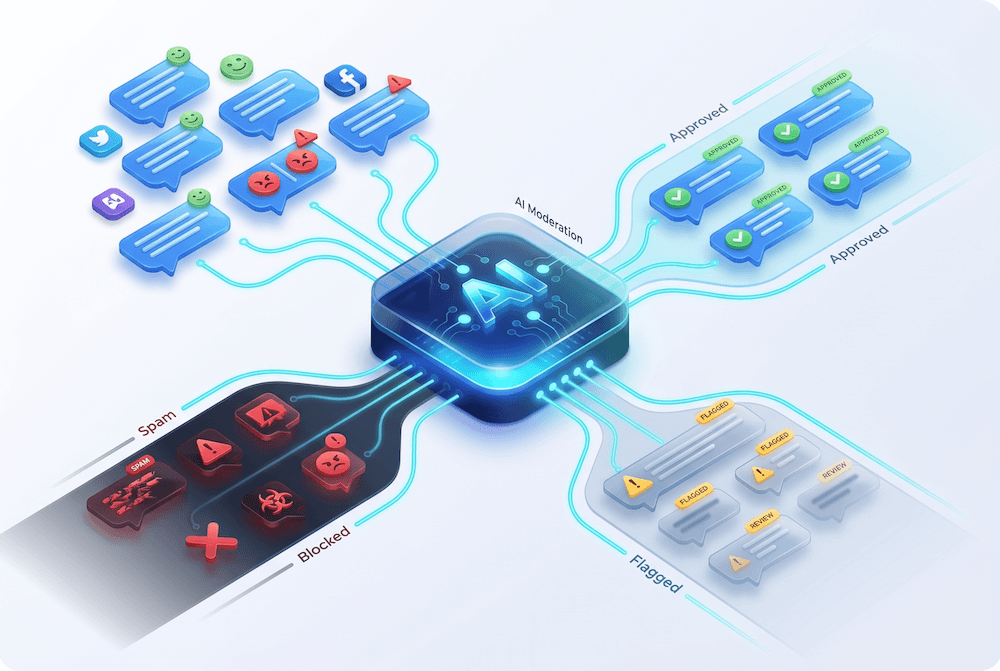
DM automation means: A user comments on a keyword under your Instagram post or Facebook page, and then automatically receives a direct message with the desired content – a discount code, a PDF, a product link or a personalized reply.
The principle works via the official Instagram Messaging API or the Facebook Pages API. No scraping, no bots – just a Meta-approved interface available to business and creator accounts. Genuine Instagram automation via the official API is secure and scalable – unlike unofficial Instagram Direct Message bots that put your account at risk.
Why this is no longer a nice-to-have in 2026: 75% of all consumers expect a reply within 24 hours. According to industry data, the conversion rate for Instagram DMs is 3–5x higher than with „link in bio“ approaches. And every minute you don't reply, you lose potential buyers to the competition.
The manual option? Works for up to about 50 DMs per day. After that, you need automation to efficiently respond to all inquiries – or an additional employee.
How does Instagram DM Automation work technically?
Instagram DM Automation is based on the Instagram Graph API, which Meta officially provides for business and creator accounts. For a tool to be allowed to send automated direct messages, it must be certified as a Meta Business Partner and comply with the API guidelines.
Trigger: What triggers a DM?
There are three main types of triggers that can initiate an automatic DM:
Keyword comments: A user comments a specific word (e.g. „DISCOUNT“ or „GUIDE“) under your Instagram post or Facebook post. The automation tool recognizes the keyword and automatically sends a direct message with the stored content.
Story replies: Someone replies to your Instagram story – the tool recognizes the interaction and sends the appropriate link or content via DM.
Inbound DMs: A user sends you a direct message with a specific keyword. The tool replies automatically – ideal for FAQs, price lists, or booking links.
The 24-hour rule
Meta only allows automated messages within a 24-hour window after the user's last interaction. This means you can't simply send mass DMs to followers who haven't responded for weeks. Automation must always be triggered by a user action.
For Comment-to-DM, the following also applies: A maximum of one automated private message may be sent per comment, and this must be done within 7 days of the comment.
Rate Limits der Instagram API
The Instagram Graph API limits automated DMs to 200 messages per hour per account . This is a fixed limit, regardless of the tool you use. Once the limit is reached, automation pauses for one hour. There are no exceptions for verified accounts or business profiles.
In practice, this mainly affects viral posts: If 500 people comment „LINK“ within 20 minutes, the first 200 get a DM immediately – the rest are placed in a queue. For 95% of all accounts, the rate limits are not a problem.
Facebook Pages: How does it work there?
On Facebook Pages, DM automation works via the Facebook Messenger API. The process is identical: Someone comments on your Facebook Page, the tool recognizes the keyword and sends a message via Messenger. Facebook comments with keyword triggers can be automated in the same way as on Instagram.
The advantage: Facebook has a larger messaging window and in certain cases also allows follow-up messages – for example, if the user has made a service request.
Comment-to-DM Funnels: How to Turn Comments into Leads
The most profitable use case for DM automation is the comment-to-DM funnel. The principle: You ask your Instagram followers to comment on a specific keyword in your post or reel – and automatically deliver the promised content via DM.
Why this works better than „link in bio“
With „link in bio“, the user has to go to your profile, find the link, open the page – at least three steps with a high drop-off rate. With a DM funnel, the link lands directly in the inbox. The user doesn't leave Instagram, and the conversion happens in the same moment.
An added benefit: Every comment boosts your Instagram engagement score. The algorithm ranks the post higher, shows it to more people – and you get organic reach on top of that.
Typical Comment-to-DM flows
Freebie/lead magnet: „Comment GUIDE and I'll send you the free PDF guide via DM.“ The user comments and automatically receives a DM with a download link or attached PDF. This is how you generate leads directly from Instagram – without an external landing page.
Discount code delivery: „Comment DISCOUNT for 10% off.“ The DM contains the personalized discount code plus a direct link to the shop. Particularly effective for e-commerce brands with high ad volume.
Lead qualification: „Comment CONSULTATION for a free initial call.“ The DM asks qualification questions (budget, timeframe, industry) before a booking link is sent. Perfect for coaches, consultants, and agencies.
Product info on demand: A user comments „What does this cost?“ under an ad. The automation recognizes the purchase intent and sends a DM with price, availability, and a direct link – including live data from the website.
Here's how to set up a Comment-to-DM flow (using replient.ai as an example)
- Open the replient.ai dashboard and navigate to Automations.
- Click „Add automation“ and assign a name (e.g. „Freebie DM flow“)
- Set the condition: „Comment contains“ → enter keyword (e.g. „GUIDE“)
- Switch to the Actions tab and select „Send private message“
- Write your DM – e.g.: „Hey, thanks for your comment! Here's the link to your guide.“
- Optional: Add a button that links directly to your website, or attach a PDF.
- Activate a public comment reply – e.g.: „Check your inbox – your guide is on its way!“ (with variations so the replies feel organic)
- Speichern & Aktivieren
From now on, replient.ai will automatically send a DM and reply to the comment as soon as someone comments on your keyword.
DM Automation and GDPR: What you need to know
Every direct message that processes personal data falls under the GDPR. This includes Instagram usernames, chat histories, profile pictures – all personal data within the meaning of Article 6 of the GDPR.
The three most important GDPR requirements
1. Data Processing Agreement (DPA): Every DM automation tool is a data processor. You need a DPA with the provider. With US tools like ManyChat, this is more complicated because the data is processed on US servers. EU-based tools like replient.ai (based in Austria) offer a clear advantage here – data processing within the EU, DPA available by default.
2. Legal basis for processing: If someone actively comments on a keyword and thereby requests a direct message, this generally constitutes consent pursuant to Art. 6 para. 1 lit. a GDPR. Important: Make it transparent that an automated response will be sent. Unsolicited mass direct messages without opt-in are not only an API violation but also a GDPR issue.
3. Privacy Policy: You must specify in your privacy policy which tool you use, which data is processed, and on what legal basis this occurs. This applies to ManyChat just as it does to any other automation tool.
The problem with US tools
ManyChat processes data on US servers. Since the end of the Privacy Shield, data transfers to the USA have become problematic from a GDPR perspective. Lawyers in Germany, Austria, and Switzerland (DACH region) explicitly warn against this: Without additional safeguards (e.g., standard contractual clauses), companies risk fines.
European alternatives address this problem at its root: replient.ai, an Austrian company, processes all data within the EU. Chatarmin and Superchat offer GDPR-compliant solutions for WhatsApp marketing.
For Instagram and Facebook DM automation combined with comment management, replient.ai is currently the only solution in the DACH market that covers both in one tool – comments AND DMs, on all relevant platforms, with EU data processing.
The best Instagram DM automation tools compared
ManyChat
ManyChat is a well-known tool for pure Instagram DM automation. Strengths: sophisticated flow builder with decision trees, multi-platform support (Instagram, Facebook, WhatsApp, SMS), large template ecosystem. Weaknesses: contact-based billing (starting at $15/month for 500 contacts, quickly rising to $65+ with growth), US servers (GDPR-critical), complex setup (5–10 hours of training).
replient.ai
replient.ai combines direct message automation with AI-powered comment management. The difference to pure direct message tools: The AI learns from your historical comments and your website to generate brand-compliant responses. DM flows are triggered by keywords and can include buttons, links, and PDFs. Instagram, Facebook, TikTok, LinkedIn, YouTube, and Google Reviews are supported in a central inbox dashboard. EU data processing (Austria), GDPR compliant. Starting at €0.02 per comment.
CreatorFlow
Specializing in Instagram-only DM automation. Strengths: Flat-rate pricing ($15/month), simple template setup, GDPR-compliant email collection in DMs. Weaknesses: No support for Facebook Pages, TikTok, LinkedIn, or YouTube. No comment management.
Meta Business Suite
Meta's free native solution. Allows saved replies (Instagram quick replies) and simple automatic answers to frequently asked questions. Sufficient for solopreneurs with low message volume. No keyword DM flows, no auto-hide, no AI training, no support for TikTok, YouTube, LinkedIn, or Google Reviews.
When to use which tool.
- Instagram only, DMs only, small audience: CreatorFlow or ManyChat Free
- Instagram + Facebook, DMs + Comments, GDPR compliance: replient.ai – DM Automation for E-Commerce, Agencies and Creators
- Multi-channel (+ WhatsApp, SMS), complex flows, automate everything: ManyChat Pro
- No budget, basics are enough: Meta Business Suite
5 DM automations you can implement immediately
1. The Freebie Funnel
Trigger: User comments „EBOOK“ under your reel. Action: DM with PDF attachment + follow-up question („Which topic do you want to learn more about?“). Goal: collect email address, generate leads, boost your Instagram engagement.
2. The discount code flow
Trigger: Keyword „DEAL“ or „DISCOUNT“ in the comment. Action: DM with personalized discount code + direct link to the shop. Goal: conversion straight from the feed. Particularly effective under ads, where social proof speeds up the purchase decision.
3. The FAQ autoresponder
Trigger: Keywords like „shipping“, „delivery time“, „returns“ in DMs or comments. Action: Automated reply with up-to-date information – with replient.ai, the data is automatically pulled from your website, so prices and promotions are always current. Goal: reduce support effort, cut response time to seconds.
4. The order status bot
Trigger: Keyword „ORDER“ or „STATUS“ via DM. Action: Automated reply with a link to shipment tracking or to the customer portal of the Facebook Page. Goal: relieve the support team, improve customer experience.
5. The Lead Qualifier
Trigger: Keyword „CONSULTATION“ in the comment. Action: DM sequence with 2–3 qualification questions → automatically send a Calendly link when the answers fit. Goal: only bring qualified leads into the conversation, avoid wasting time.
Automatic replies on Instagram vs. DM automation: The difference
Many people confuse Instagram quick replies (saved text snippets that you manually insert into DMs) with real Instagram DM automation (automatic sending without manual intervention).
Instagram's native automatic reply feature: You save text snippets in your Instagram settings and manually insert them into conversations. Useful, but not automated – you still have to open each DM individually and select the reply.
DM Automation (via API tool): The tool recognizes triggers (keyword, story reply, comment) and sends the DM fully automatically – even at night, on weekends, and with 500 simultaneous requests. This is the crucial difference: scalability. An automated response reaches the user in seconds, not hours.
For small accounts with 5-10 DMs per day, Instagram quick replies are sufficient. From 50+ messages per day, true automation becomes essential – anything else is a waste of time.
Common mistakes in DM automation (and how to avoid them)
Mistake 1: Unnatural messages. If every DM looks identical, it comes across as spam. Use variations in your automated replies – replient.ai offers multiple reply variations per automation to keep your communication on Instagram authentic.
Mistake 2: Not offering an opt-out option. Even with automated DMs, users should have the option to stop receiving further messages. This is not only GDPR compliant, but also protects against spam messages that could compromise your Instagram account.
Mistake 3: Overly aggressive sequences. Three follow-up DMs in 24 hours? That's the fastest way to get banned. Stick to one DM per trigger, and a maximum of one follow-up after a user response.
Mistake 4: No handoff to real people. Not every request can be answered automatically. Ensure that complex questions are handed off to your team. replient.ai solves this through tagging and email notifications for tagged comments.
Mistake 5: Ignoring API limits. 200 DMs per hour sounds like a lot – until your post goes viral. Use tools that support automatic queuing and utilize the official Instagram Graph API so that no one misses out.
Frequently Asked Questions about DM Automation
Can I automate DMs across all platforms?
Direct message automation via the official API is currently only available for Instagram and Facebook (Messenger). TikTok, LinkedIn, and YouTube do not offer an official messaging API for third-party tools. replient.ai supports comment management on all six platforms (Facebook, Instagram, TikTok, LinkedIn, YouTube, Google Reviews), but direct message automation is limited to meta-platforms – this is an API limitation, not a tool restriction.
Do I need a business account for Instagram DM automation?
Yes. The Instagram Messaging API is only available to business and creator accounts linked to a Facebook Page. Personal accounts do not have API access. Switching is free and takes two minutes in your Instagram settings.
Is DM Automation GDPR compliant?
Yes – if you do it right. The most important points: a data processing agreement (DPA) with the tool provider, a legal basis for data processing (consent through active user interaction), mention in the privacy policy, and ideally, EU data processing. US-based tools like ManyChat require additional safeguards.
Can I also collect emails via automated DMs?
Yes. You can ask for an email address in your direct mail flow before sending the lead magnet. If the user actively provides their email address, this is GDPR compliant. Some tools, like CreatorFlow, offer direct integration with email marketing tools such as Mailchimp or ConvertKit.
What happens if I exceed the API rate limits?
Automation will pause for one hour. There will be no account ban as long as you use the official Instagram Graph API (i.e., no scraping or unofficial bots). After the reset, the remaining DMs from the queue will be sent.
Does DM Automation also work with ads?
Yes – and that's one of the strongest use cases. Comments on your Instagram ads are often buying signals: price inquiries, availability requests, customer reviews. Responding automatically via DM turns ad comments into sales. replient.ai automatically recognizes purchase intent through tagging and can prioritize responses to highly relevant Facebook comments.
How does replient.ai differ from ManyChat?
ManyChat is primarily a direct message automation tool with a flow builder. replient.ai is an AI-powered comment and direct message management tool. The main difference: replient.ai trains its AI on your historical comments, website, and uploaded documents to generate brand-compliant responses. Direct message automation is one feature within a broader ecosystem that also includes auto-hide, sentiment analysis, smart tagging, and a central dashboard for six platforms. ManyChat covers more messaging channels (WhatsApp, SMS), while replient.ai offers superior comment management and EU data processing.
Who is DM automation right for? Target groups & use cases
E-Commerce Brands
If your Instagram ads receive hundreds of daily comments with price inquiries and product requests, DM automation is the most direct way to convert that interest into sales. An automated comment-to-DM flow can deliver prices, discount codes, and product links in real time – significantly increasing your conversion rate. The Zauberfein case study shows: +54% conversion rate and +48% ROAS through active comment and DM management.
Agencies
Agencies managing multiple Instagram accounts and Facebook pages need scalable solutions. Automating responses via keyword flows saves each brand 2-3 hours daily. With replient.ai, each brand can have its own automations, a unique brand voice, and its own AI training – all manageable through a central dashboard.
Influencer & Creator
For creators, DM automation is key to monetizing their community without sacrificing personal communication on Instagram. Whether it's affiliate links, coaching bookings, or freebies – manually sending DMs is no longer realistic once you reach 50k followers. Small businesses and solopreneurs also benefit: less time, more revenue.
B2B & service providers
While LinkedIn comments can't be automated via direct message, Instagram is increasingly being used as a lead generation channel in the B2B sector. Comment-to-DM flows with qualification questions and Calendly integration transform your Instagram engagement into qualified consultation appointments.
DM automation for Facebook: Specifics & opportunities
While Instagram DM automation gets the most attention, automating Facebook Messenger messages offers some advantages that are often overlooked.
Facebook allows for more detailed interactions via the Messenger API. You can integrate carousels, buttons, and quick replies into your automated direct messages-ideal for product catalogs or multi-stage consultation flows. Furthermore, a Facebook Page is often the first touchpoint for local businesses found through Google or Facebook ads.
The comment-to-DM flow works identically on a Facebook Page as it does on Instagram: User comments on a keyword → automatic Messenger message with link, discount code, or information. By combining both platforms in one tool, you avoid duplicate configuration and maintain an overview in a central inbox.
Important: Facebook Messenger messages also have a 24-hour window. Within this window, you can respond to messages – after that, only with specific message tags (e.g., for order updates or account notifications).
What the best Instagram DM automation tools have in common
After analyzing numerous comment-to-DM funnels, five success factors emerge that the best Instagram DM automation setups have in common:
Clarity in the CTA: The Instagram post or reel states unambiguously what the user should do. „Comment RECIPE“ is better than „Message me for the link“. The more specific the keyword, the higher the conversion.
Immediate value delivery: The DM contains the promised content right away – no teaser, no „Message me again“. The automated reply must deliver the value within the first message.
Natural tone: Automated messages that sound like a real person receive significantly more responses. replient.ai achieves this by having its AI learn the tone of voice from your past replies.
Measurable ROI: Each flow has a clear goal (link click, email collected, booking) and is tracked via UTM parameters or internal analytics.
Compliance first: GDPR-compliant data processing, transparent opt-in mechanisms, and official API usage – no gray areas, no unofficial bots that could compromise your account. You can lose your Instagram account through unsafe third-party bots faster than you think.
Automating Instagram DMs: Step-by-Step Checklist
Before you start, work through this checklist:
- [ ] Active Instagram Business or Creator account (linked to Facebook Page)
- [ ] DM Automation tool selected and connected (replient.ai, ManyChat or similar)
- [ ] First keyword defined (e.g. „GUIDE“, „DISCOUNT“, „INFO“)
- [ ] DM text written (short, valuable, with link or attachment)
- [ ] Public comment response formulated (2–3 variations)
- [ ] Privacy policy updated (tool mention, legal basis, processing purpose)
- [ ] Data processing agreement concluded with provider
- [ ] Test run performed (comment and check yourself)
- [ ] KPIs defined (reply rate, click rate, conversion)
- [ ] Monitoring set up (weekly evaluation of results)
Next steps: Start DM automation
Direct marketing automation isn't a future trend – it's the standard for any brand that actively runs ads on Instagram or Facebook or has a growing community. The technology is there, the API is stable, and the tools are affordable.
Start with a single comment-to-DM flow: Define a keyword, write a DM, activate the automation. After 7 days, measure the results (response rate, click-through rate, generated leads) and optimize.
Start for free: Try replient.ai free for 14 days →
Further reading:
About the author

Thomas Danninger
Co-Founder, replient.ai
Thomas is a co-founder of replient.ai and works on AI-assisted comment management for social media. He writes about automation, community management and efficient comment moderation for growing brands.