Summarize this with
 ChatGPT
 Claude
 Gemini
 Perplexity
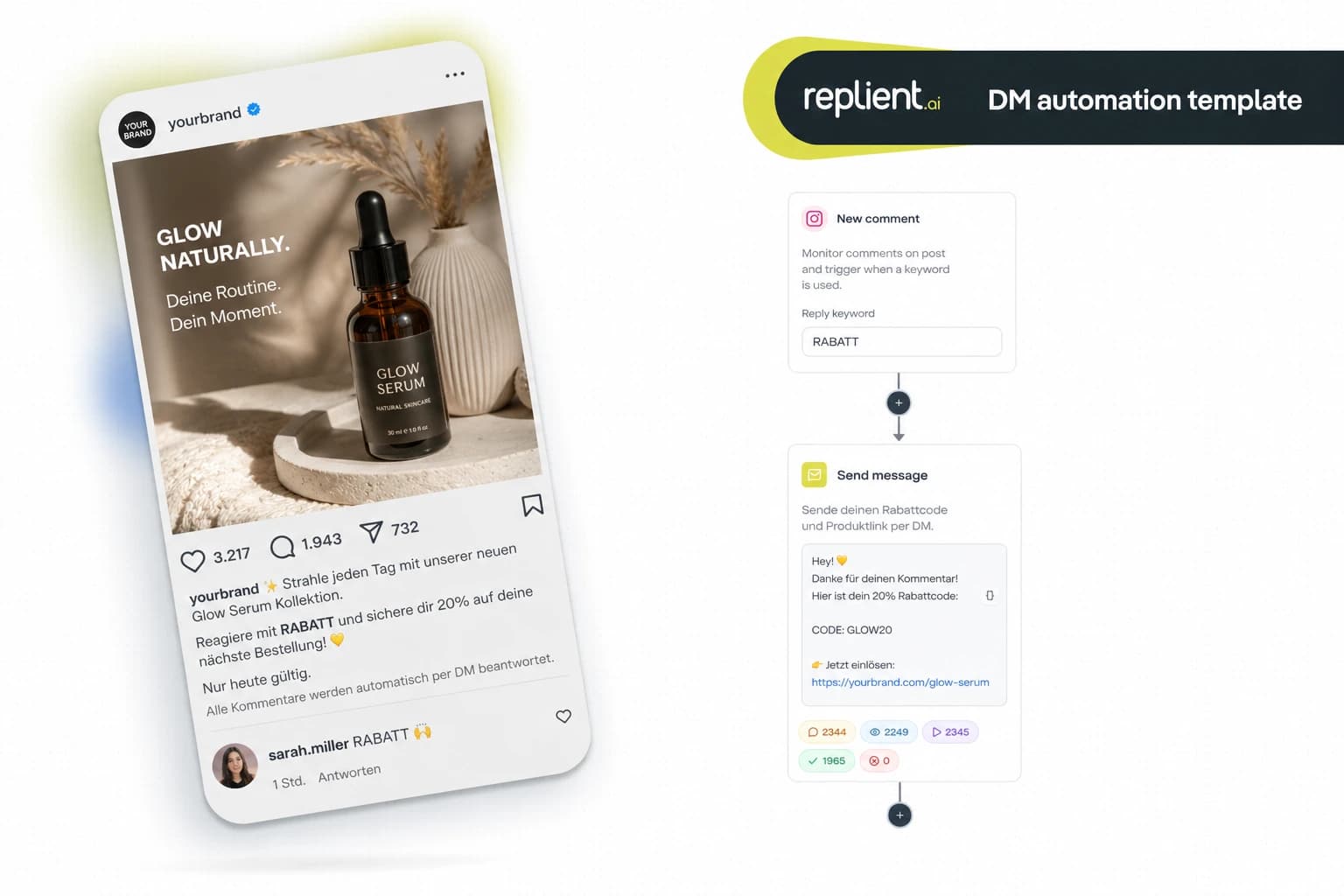
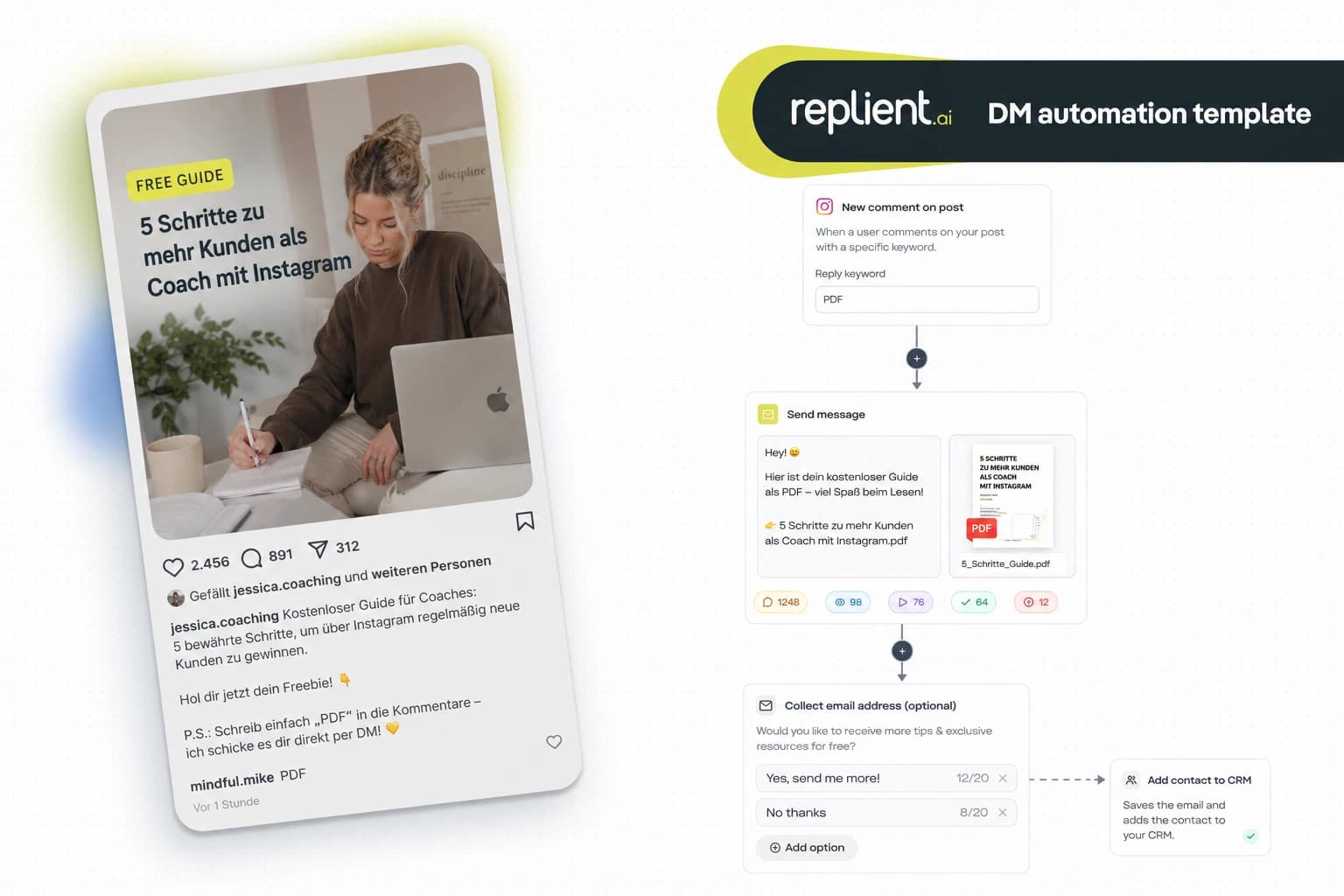
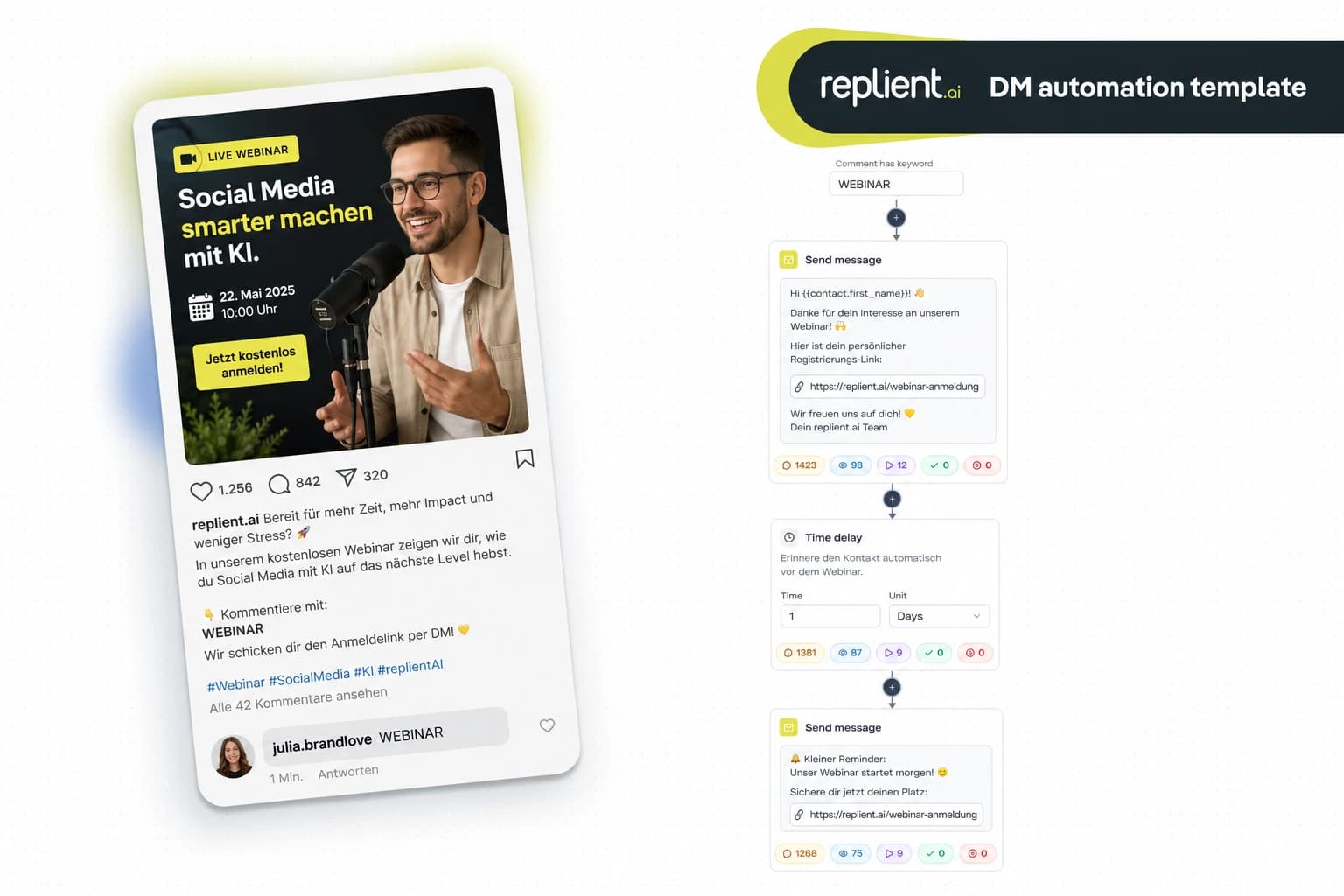
Preview of the DM automation 👇
TL;DR: A product quiz via Instagram DM asks your followers 2–3 questions through quick-reply buttons and then sends them the exact matching product recommendation as a clickable link – fully automated, in under 60 seconds. In this copy-paste guide you build the complete flow (comment trigger → Ask Question with branching → Add Tag → Send Link with personalized product) in about 20 minutes with replient.ai. EU-hosted, GDPR-compliant, Meta Business Partner. Works on Facebook too.
Last month a skincare brand founder from Vienna called me – 28,000 followers on Instagram, an online shop with 47 products, and under every reel the same recurring question: „Which serum suits my skin?“ Her answer: ask manually what skin type the person has, what their main concern is, and then recommend a product. „I manage 15 a day at most“, she told me. My brother Markus, who works in marketing with us, said: „That's basically a consultation. And consultations can be modeled with a quiz – except the quiz happens in the DM, not on a landing page.“ That's exactly what we built: a quiz flow right in the Instagram DM that guides followers to the right product with three targeted questions. The brand had 340 quiz runs within a week – more than it could have answered manually in a month.
This is not a theory article, but a finished template with real screenshots from the replient.ai builder. Copy the flow, adjust your products, and you have an automatic product consultation running in 20 minutes.

Why a product quiz sells more than a catalog
Every e-commerce brand with more than 20 products knows the problem: the shop is full, but customers cannot find what suits them. The standard reaction, a link to the full range in the bio, overwhelms. Faced with 47 serums, nobody buys any.
Product quizzes solve this problem, and the numbers are clear:
- 40.1% average quiz conversion rate – meaning 4 out of 10 people who start a quiz leave their contact details or buy. In e-commerce the quiz conversion is 37.6% (Interact Quiz Conversion Rate Report, 2026). For comparison: a typical product page converts at 2–3%.
- Up to 31% of e-commerce revenue can be generated through personalized product recommendations (involve.me, 2026). A quiz is the most interactive form of personalization.
- 73% of consumers expect personalized interactions – and 76% are frustrated when personalization is missing (Salesforce, 2024). A „Here's our shop link“ is not personalization. A quiz that recommends exactly the right product after three questions is.
- 90% open rate in Instagram DMs vs. ~20% for emails (LeadResponse, 2026). Your quiz result arrives where your follower is guaranteed to see it.
The key: the quiz doesn't happen on an external landing page, but directly in the Instagram DM. The follower never leaves the app. No friction, no drop-off, no „I'll do it later.“ The follower comments, immediately gets the first question in the DM, taps buttons, and gets their personal recommendation after 30 seconds.
What we're building today: the complete quiz flow
This template uses the Ask Question function in replient.ai as a quiz engine. Each question is displayed as a quick-reply with buttons – the follower taps instead of typing. Depending on the answer, the flow branches and delivers a different product recommendation.
The flow at a glance:
- Trigger – comment with the keyword „QUIZ“ under your post
- Send Message – personalized welcome DM: „Hey {{username}}, let's start your quiz!“
- Ask Question #1 – category question (e.g. „Which skin type are you?“) with 3–4 button options
- Ask Question #2 – follow-up question per branch (e.g. „What is your main concern?“)
- Add Conversation Tag – automatic tagging per result (e.g. „quiz-dry-antiaging“)
- Send Link – personalized product recommendation with clickable button and tracking
Who is this template for?
This quiz template is for any brand with a product range where customers regularly ask for advice:
- Skincare & Beauty: „Which serum suits my skin type?“ – the prime example
- Supplements & Nutrition: „Which protein matches my goal (muscle building / weight loss / endurance)?“
- Fashion: „Which cut suits my figure?“ or „What style are you looking for?“
- Home & Lifestyle: „Which mattress matches your sleep type?“
- Pet Products: „Which food does your dog need (size / age / allergy)?“
The common denominator: your shop has more than 10 products, and your customers often do not know which one is right. Instead of sending them to a category page, you build a quiz that leads to the perfect recommendation in 30 seconds.
Step by step: Build the quiz template in the replient.ai Builder
I'll show you the flow using a skincare brand with three skin types and three concerns per type. You can transfer the questions and products 1:1 to your niche.
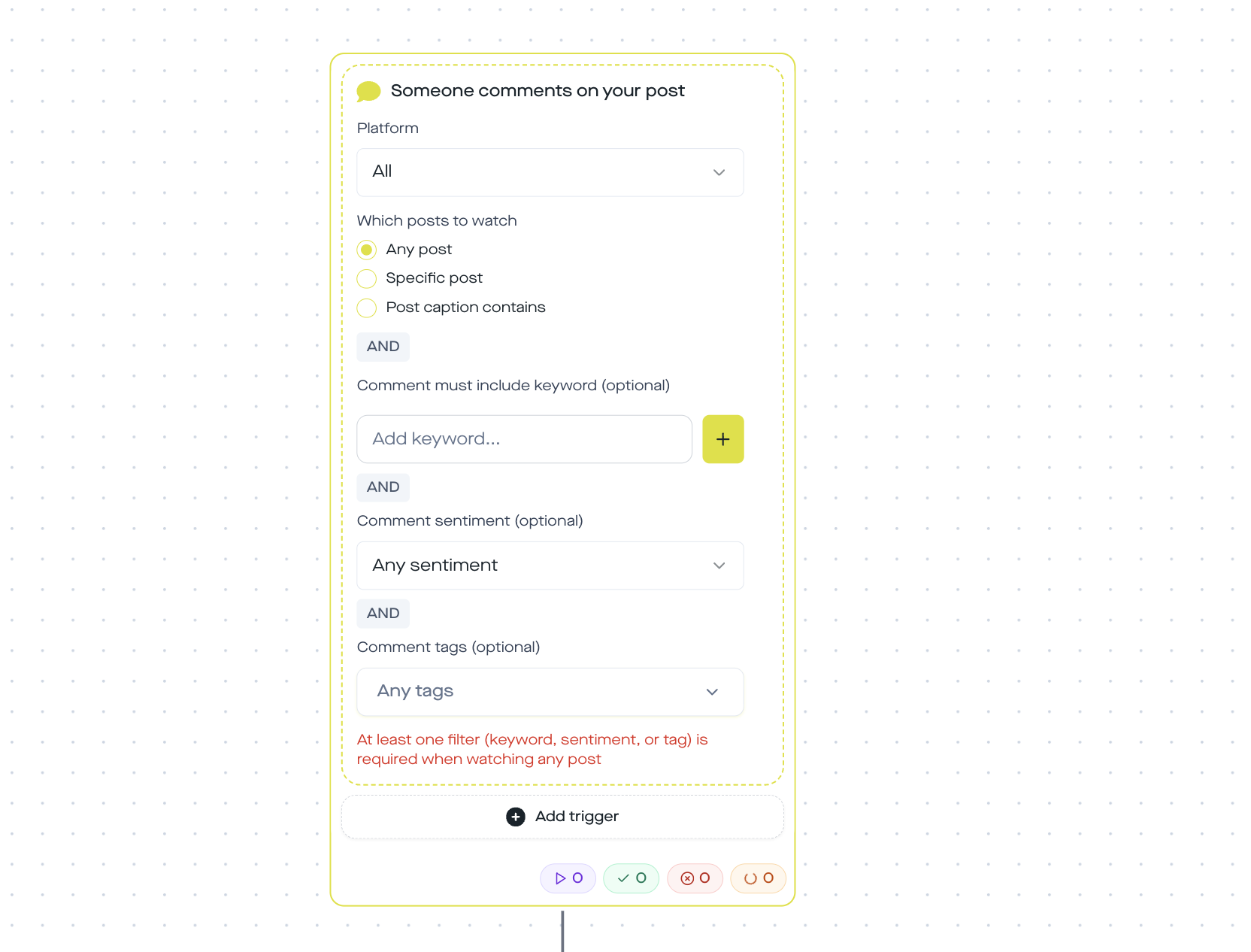
Block 1: Trigger, keyword comment as the entry point
You post a reel or carousel with a call-to-action like: „Comment QUIZ and I'll find the perfect product for you in 30 seconds – directly via DM.“
In the replient.ai Automation Builder:
- Trigger type: „Someone comments on your post“
- Keyword: „QUIZ“ (or „TEST“, „FIND“ – depending on brand voice)
- Scope: „Caption or comment contains keyword“ (case-insensitive – the trigger matches case-insensitively as a substring)
- Post selection: Specific post or all posts
As soon as a follower comments „QUIZ“, the flow starts. Day or night, Monday or Sunday.
Block 2: Send Message, greeting and quiz announcement
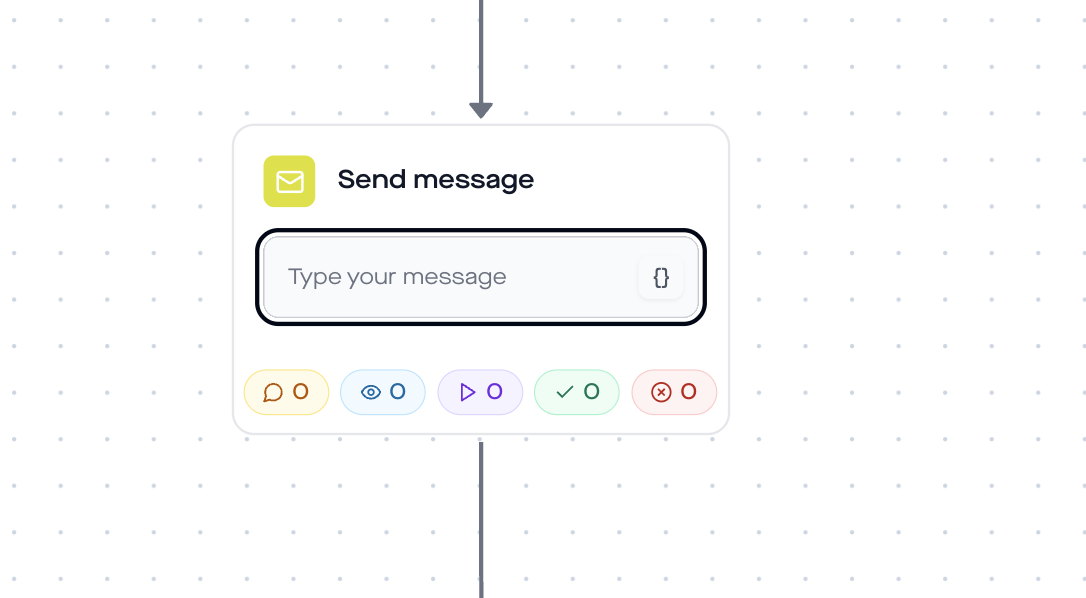
Before the first question arrives, the follower gets a short, personal message. This sets expectations and prevents them from thinking they are getting spam.
Example message:
Hey {{username}}! Thanks for taking part. I'll ask you 2 quick questions about your skin in a moment – then you'll get my personal product recommendation. Ready? Let's go!
The variable {{username}} is automatically replaced with the Instagram username. The follower sees their own name, which feels like a real consultation, not like a bot.
Block 3: Ask Question #1, Main category
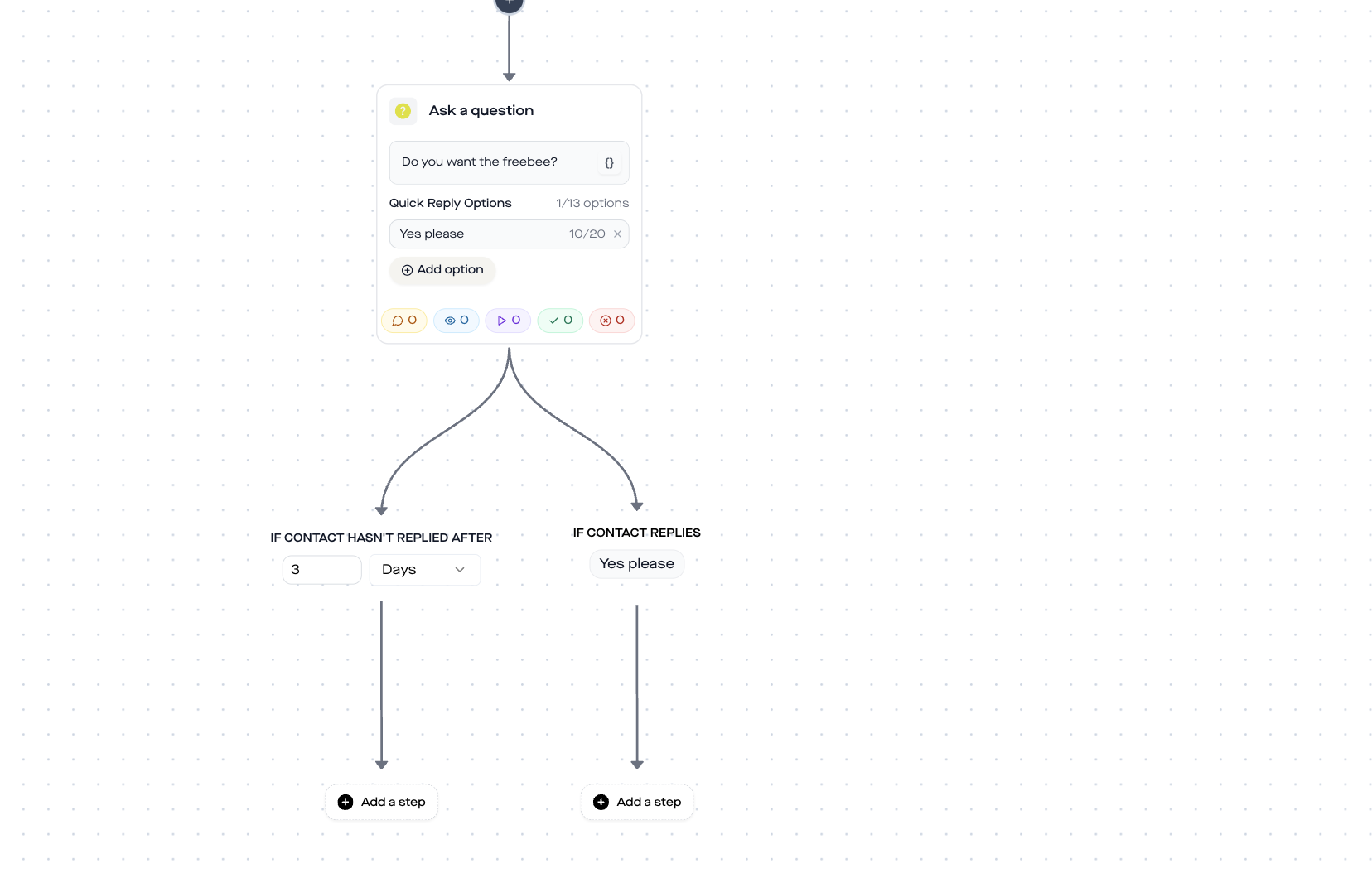
Now comes the first quiz question. In replient.ai you use the Ask Question step, which shows buttons to the follower, no free text needed.
Question: „Which skin type describes you best?“
Options (as quick-reply buttons):
- Dry
- Oily / greasy
- Combination skin
Technical details from the replient.ai builder:
- Maximum 13 options per question (3 to 4 are enough for a quiz)
- Each option can be up to 20 characters long
- Each option automatically creates its own Branch, where you set the follow-up steps
- Optional: Timeout Branch for followers who do not respond (e.g. send a reminder after 24 hours)
The follower taps a button, and the flow automatically jumps into the matching Branch. No guessing, no parsing of free-text answers, clean data from the first question.
Block 4: Ask Question #2, follow-up per branch
In each Branch of the first question you add a second question. The follow-up depends on the previous answer:
Branch „Dry“:
- Question: „What is your main concern?“
- Options: Anti-aging | Hydration | Glow
Branch „Oily / greasy“:
- Question: „What bothers you most?“
- Options: Blemishes | Shine / mattifying | Glow
Branch „Combination skin“:
- Question: „What matters most to you?“
- Options: Balance | Anti-aging | Glow
Every other question creates three branches. That gives you after two questions 3 × 3 = 9 result paths, enough to give each person a truly fitting recommendation, without the setup getting out of hand.
Tip: You don't have to build all 9 paths on day one. Start with one skin type, test the flow live, and add the other branches later. The trigger is already running, and followers who encounter an unconfigured branch end up in the timeout path, where you leave a fallback message.

Block 5: Add Tag + Send Link, result and recommendation
At the end of each branch, two steps follow:
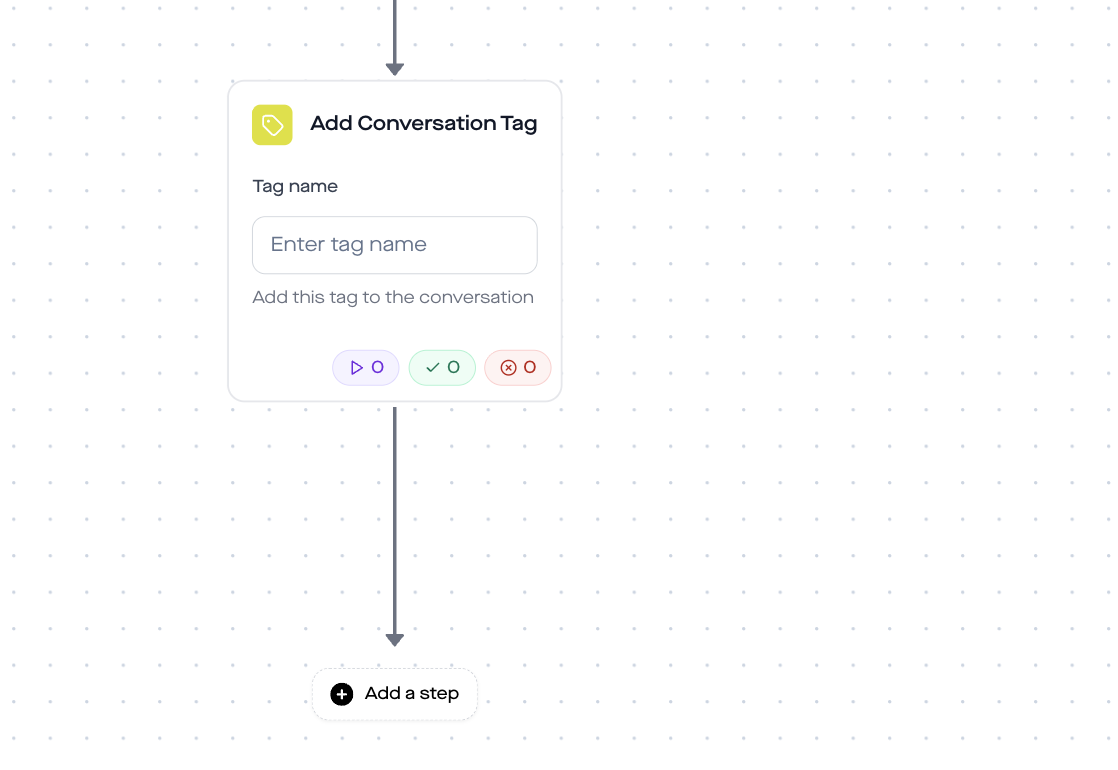
Add Conversation Tag: You assign a tag that reflects the combination of both answers, e.g. quiz-dry-antiaging, quiz-oily-blemishes, quiz-combination-glow. These tags remain attached to the conversation and are invaluable for later retargeting: you can later specifically show everyone with the tag quiz-dry-antiaging a new anti-aging cream when you launch it.
Send Link: The last step sends the product recommendation as a clickable link with a button. In the replient.ai Builder you configure:
- Title: e.g. „Your result: Hyaluronic acid serum“
- Description: e.g. „Perfect for dry skin with an anti-aging focus. 20% off with code QUIZ20.“
- Button text: e.g. „Go to product“
- URL: Directly to the product page in your shop (with UTM tracking)
- Click tracking: Enabled, you can see in the replient.ai Analytics who clicked which product link
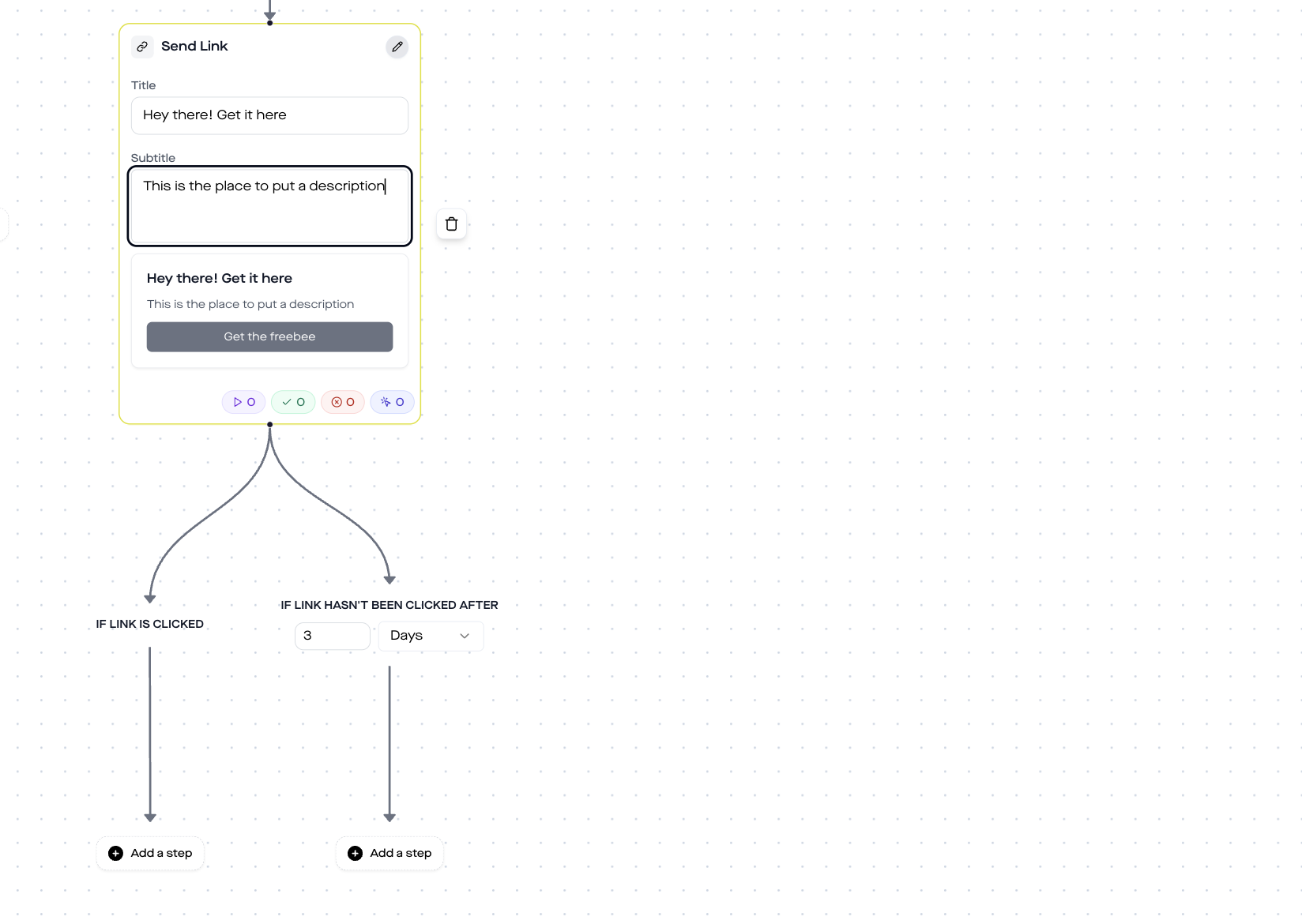
The flow automatically branches into Clicked (follower clicked) and Not Clicked (timeout). Optionally, in the Not-Clicked branch you can send a reminder after 24 hours: „Hey {{username}}, have you seen your quiz result yet? Here's your personal link again.“
Does this also work on Facebook?
Yes. All steps in this template, Comment Trigger, Send Message, Ask Question, Add Tag, Send Link, are available on Instagram and Facebook. You can use the same flow for your Facebook page.
Three differences you should know:
- Trigger: On Facebook the flow reacts to comments under page posts and to ad comments. You need a Facebook page, not just a profile.
- Page roles: On Facebook you need admin or editor access to the page so the automation is allowed to send messages.
- 24-hour messaging window: Meta allows sending DMs on both platforms only within 24 hours after the last user interaction. Since the follower actively responds during a quiz, the window is reset with each button response, so a quiz is not a problem.
If you run Instagram and Facebook in parallel, you can create two separate automations in replient.ai or use the same automation with two triggers – one for IG comments, one for FB page comments. The DM automation works identically on both platforms.
Why a DM quiz works better than a landing page quiz
Many brands use tools like Typeform or Outgrow to build quizzes on external landing pages. That works, but it has a crucial drawback: the follower has to leave Instagram.
| Criterion | Landing page quiz | DM quiz |
|---|---|---|
| Bounce rate | High, any click out of the app is a hurdle | Minimal, the follower stays on Instagram |
| Answer format | Form fields, radio buttons | Quick-reply buttons in the DM, native UX |
| Open rate | Email with result: ~20% | DM with result: ~90% |
| Personalization | Name only via a form field | {{username}} automatically available |
| Retargeting data | In an external tool, export required | Tags directly in replient.ai, immediately usable |
| Setup time | 1 to 3 hours (landing page, logic, styling) | ~20 minutes (drag & drop in the builder) |
The biggest advantage: you do not have to send your followers out of Instagram and then bring them back. The quiz happens where they already are, in the DMs.
Manual vs. automated: the time comparison
What a manual product consultation via DM costs vs an automated quiz, extrapolated to 200 quiz requests per month (realistic for a brand with 15,000 to 50,000 followers):
- Manual: 200 requests × 5 min = ~16.7 hours per month = ~667 € personnel costs (at 40 €/h)
- Automated: 20 minutes one-time setup. After that 0 minutes per month for standard consultations. You only step in if someone has a question the quiz does not cover.
On top of that: an automated quiz also replies on Sunday at 11 pm. Manually, you miss exactly the followers who are ready to buy in the evenings and on weekends.
Best practices for quiz flows that actually convert
From the quiz flows we set up with brands at replient.ai in recent months, five patterns have emerged:
- Maximum 2-3 questions. Every additional question increases drop-offs. Two questions with 3 options each yield 9 result paths, which is enough for most assortments. Use three questions only if your assortment is truly complex (50+ products).
- Keep button options short. You have a maximum of 20 characters per option. „Dry“ is better than „I have dry skin“. The buttons should look like multiple choice, not like a survey.
- Discount code at the end. Combine the product recommendation with an exclusive quiz discount (e.g. „QUIZ10” for 10% off). That boosts conversion massively – the follower feels rewarded for the time they invested.
- Name tags strategically. Use a consistent scheme like
quiz-[skin-type]-[concern]. That makes later segmentation and retargeting easy: you can announce a new moisturizer via DM to everyone with the tagquiz-dry-*when you launch it.
- Use the timeout branch. Not everyone answers right away. In the Ask Question, set a timeout after 24 hours that sends a friendly reminder: „Hey {{username}}, you haven't finished your quiz yet – want to continue?“ That can win back 10–15% of those who dropped off.
Analytics: Which questions and products are performing
In the replient.ai dashboard you can see the performance per automation and per individual step:
- Quiz start rate: How many followers who commented answer the first question?
- Completion rate: How many make it to the product recommendation?
- Click rate per product link: Which recommendations are clicked most often?
- Branch distribution: Which skin type is chosen most often? (Data for your assortment and your content strategy)
Use this data to improve your quiz iteratively: if 60% of your followers choose „Dry“ but only 10% click the product link, the recommendation is probably off – test a different product or adjust the description text in the Send Link step.
GDPR and data protection
Three points you should know:
- No form, no separate consent needed: The quiz runs entirely over the Instagram Messaging API. The follower actively initiates the conversation through their comment, which counts as an existing business relationship. You do not collect personal data via a form.
- Tags are not personal data: Conversation tags (e.g.
quiz-dry-antiaging) are stored on the conversation, not on the person. You tag the conversation, not the user. - replient.ai is hosted in the EU. All data stays on EU servers – no US transfers, no Privacy Shield needed. replient.ai is an official Meta Business Partner, GDPR Art. 28 DPA included.
If you also use Collect Email in the flow (optional), you need explicit consent. replient.ai automatically shows the follower an opt-in message before asking for the email.
FAQ
How many questions can I ask at most? Technically there is no limit, you can chain Ask Question as often as you like. In practice we recommend 2 to 3 questions. Each additional question creates exponentially more branches (3 options × 3 options = 9 paths; 3 × 3 × 3 = 27). More than 3 questions leads to high dropout rates and confusing flows.
Does the quiz also work on Facebook? Yes. All steps used in this template, Comment Trigger, Send Message, Ask Question, Add Tag, Send Link, run identically on Instagram and Facebook. You only need a Facebook page with admin access.
Can I change the quiz afterwards without rebuilding the flow? Yes. You can adjust question texts, button options, tags and product links at any time in the replient.ai Builder. Existing conversations continue with the old settings, new conversations use the updated content.
What happens if the follower does not reply? Each Ask Question has an optional timeout branch. There you can send a reminder DM after, for example, 24 hours. If there is still no response, the flow ends automatically, no spam.
Do I need a separate flow for each product? No. A flow with 2 questions and 3 options each covers 9 products. If your range is larger, you can add a third question or create multiple flows for different product categories (for example, a quiz for serums, one for creams).
Does replient.ai cost anything? You can try replient.ai free for 14 days – including DM Automations, Ask Question, branching, tags and analytics. After that there are plans starting at 49 €/month.
Can I use the quiz data (tags) for email campaigns? Yes. If you add the Collect-Email step to the flow, you can send the email address via webhook to your email tool (Klaviyo, Mailchimp, ConvertKit). You then use the tags from the quiz as segmentation criteria for personalized email sequences.
Next step: set up the quiz template in 20 minutes
You have seen the complete flow, you know the building blocks. Now it's your turn:
- Try replient.ai for free – 14 days, no credit card
- Create an automation – trigger on the keyword „QUIZ“
- Configure 2 questions, first category, then follow-up
- Add products, one Send Link per result path
- Post a reel – „Comment QUIZ and find your product in 30 seconds“
The first product consultation then runs fully automatically, while you sleep, are in a meeting, or have time off on the weekend.
If you want to learn more about DM automation on Instagram and Facebook, our guide covers everything from the basics to advanced flows. And if you want to know when automation starts to pay off – this article gives you the concrete tipping points.
About the author

Thomas Danninger
Co-Founder, replient.ai
Thomas is a co-founder of replient.ai and works on AI-assisted comment management for social media. He writes about automation, community management and efficient comment moderation for growing brands.