Summarize this with
 ChatGPT
 Claude
 Gemini
 Perplexity
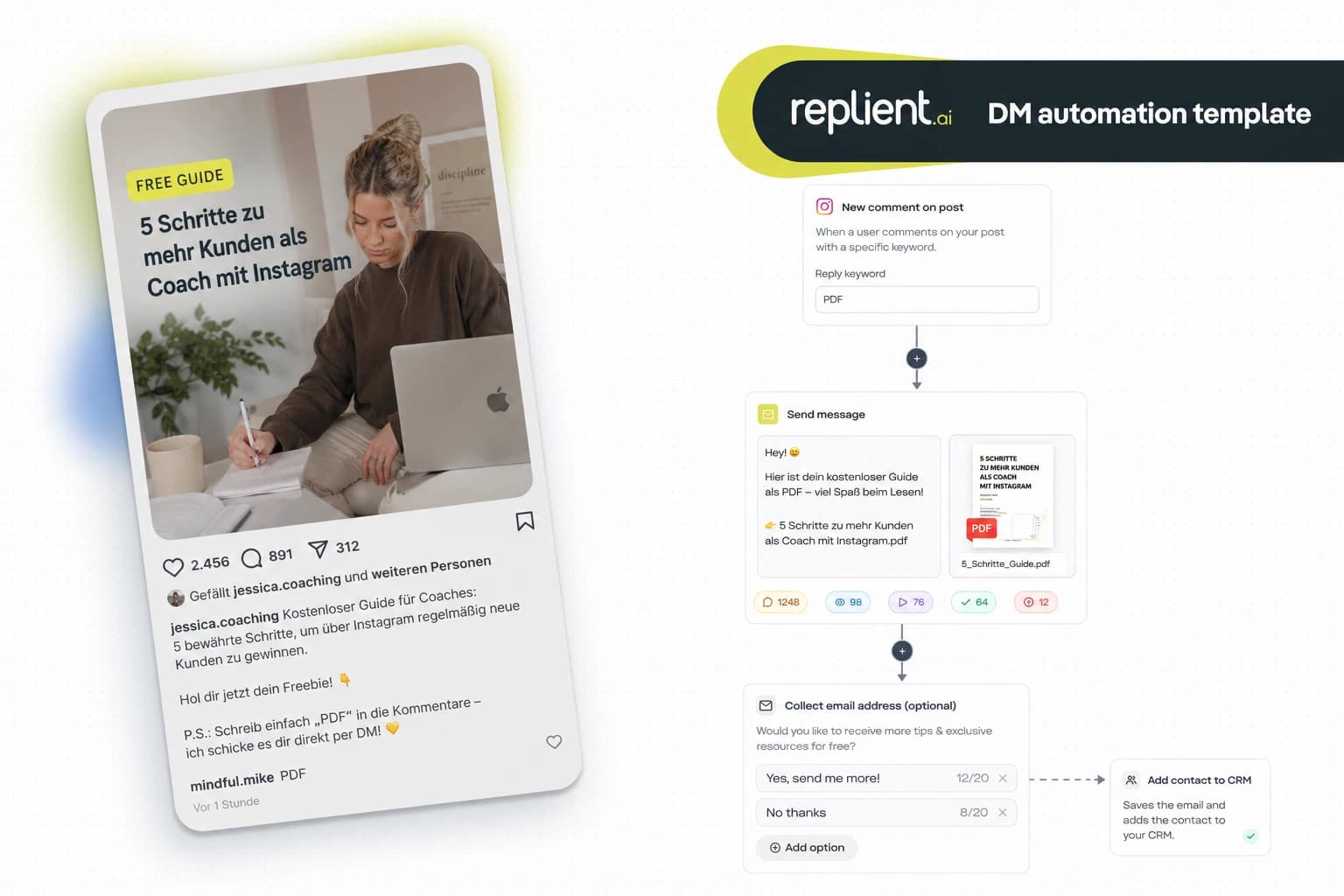
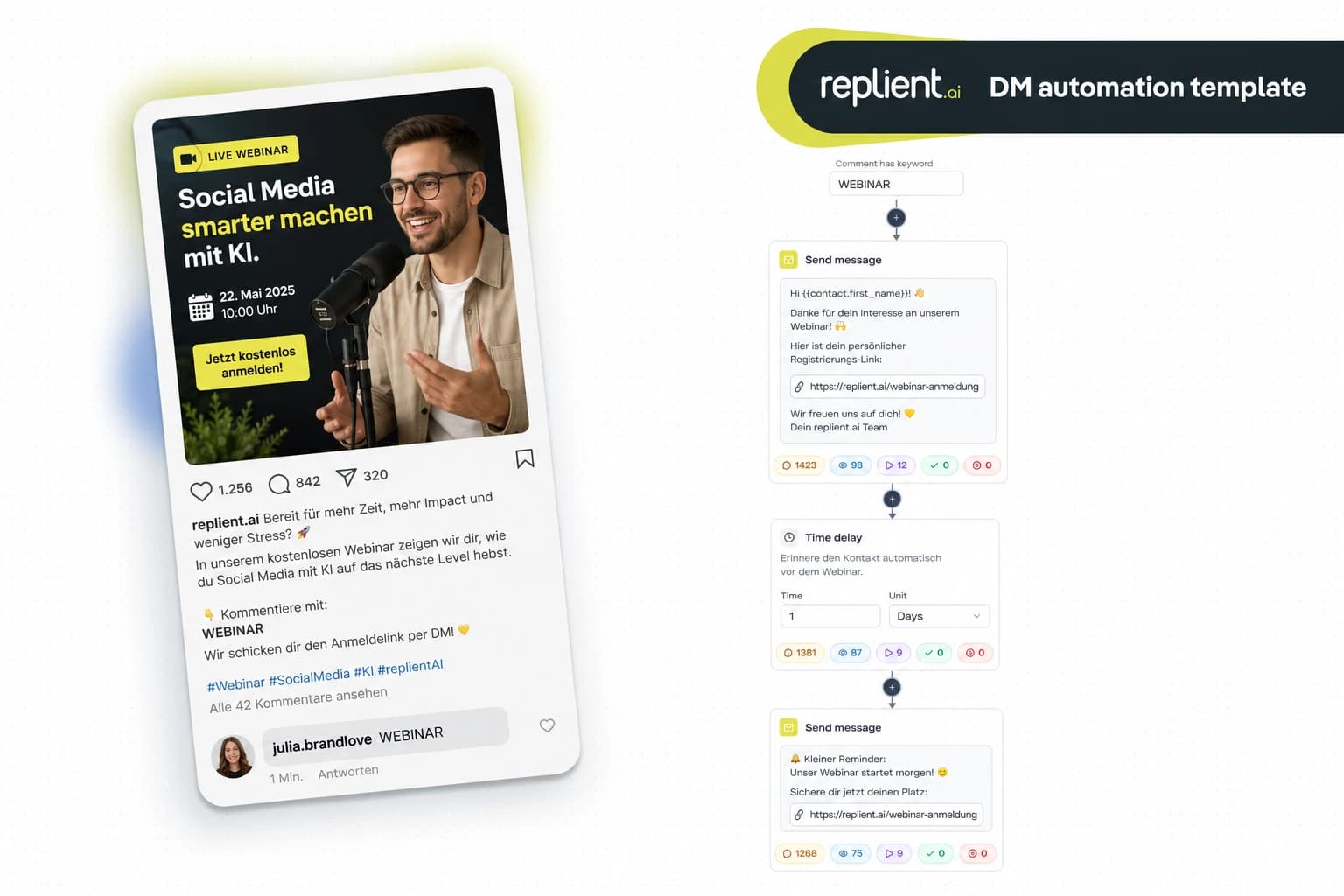
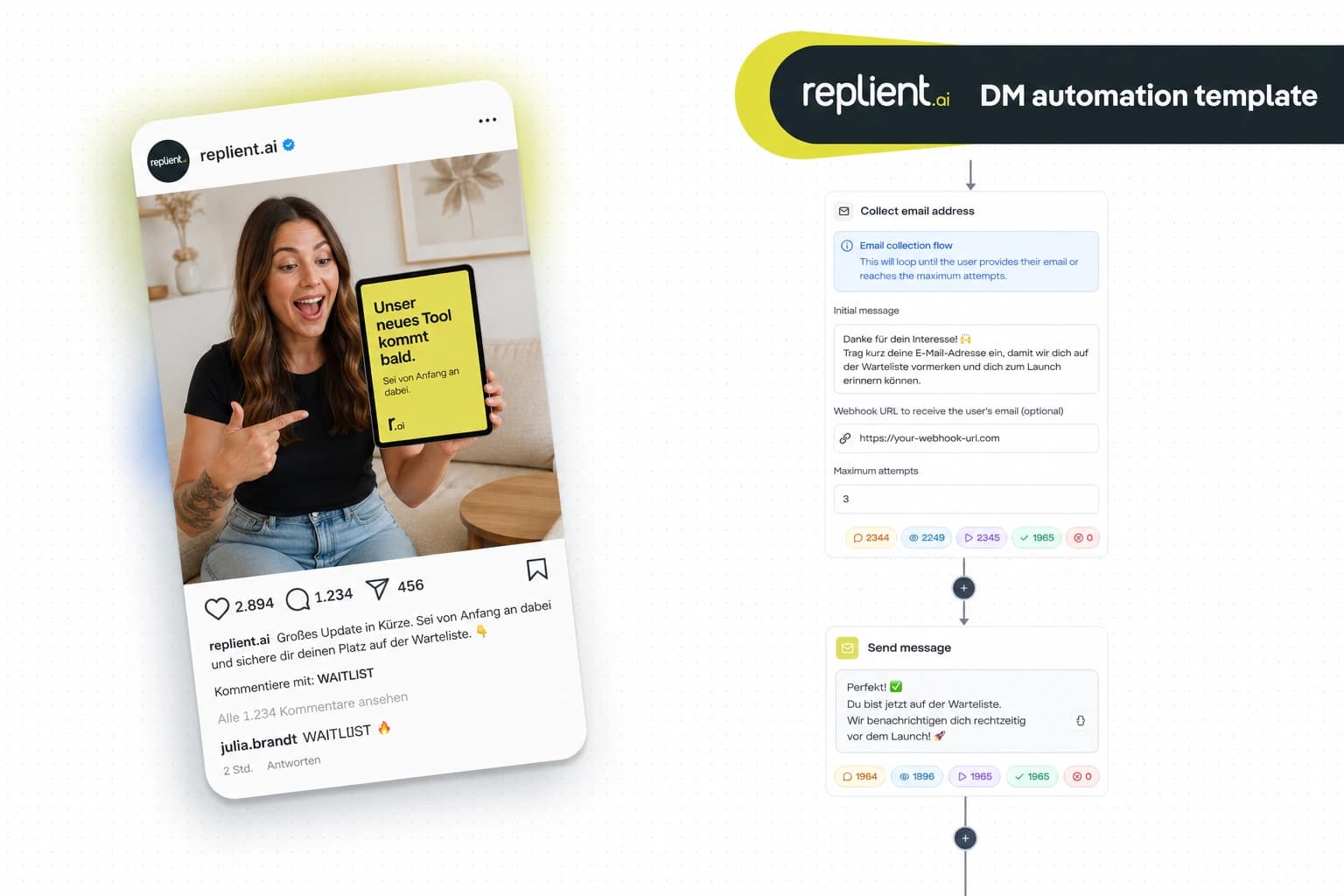
Preview of the DM automation 👇
TL;DR: An Instagram discount code DM automation automatically sends every commenter under your post your voucher code plus product link straight into their direct messages – without you ever having to reply manually. In this copy-paste guide we build the flow (comment trigger → Send Message → Send Link with click tracking → urgency reminder) in less than 10 minutes with replient.ai. The result: 24/7 selling through Instagram DMs, Meta-official, GDPR-compliant and without ManyChat compliance risk.
I spent years doing performance marketing for D2C brands together with my brother Markus – including brands like SNOCKS, Health Routine and Zauberfein. During that time we learned: the most expensive mistake an e-commerce shop can make on Instagram is an ad creative with 400 comments saying "Code?" or "How much is the discount?" – and no reply. The people who want to buy are sitting right under those posts. Every hour without a reply is lost contribution margin. At Zauberfein, Maierl and Health Routine we once did the math internally and literally put a price tag on comments: unanswered voucher requests often cost more per day during the hottest phase of an Instagram campaign than the ad budget itself.
That is why I'm showing you here the exact flow we build today with replient.ai – with screenshots from the builder, solid external numbers and an e-commerce FAQ at the end. No theoretical blah, but a template you can copy in ten minutes.
Why you should no longer post discount codes publicly in the comments
The classic reaction of many shops to "Code?" comments looks like this: the social media manager opens the inbox, replies with "SPAR10 for 10% off" directly below the comment – and hopes the fan really clicks the shop link in bio. This setup is broken for three reasons:
- You give away your margin. As soon as a discount code is publicly visible under a post, it ends up on voucher portals within hours and gets redeemed by people who never saw your campaign. You're effectively paying a discount for traffic that would have bought without a discount anyway.
- You lose your conversion in the "link in bio" detour. According to Baymard research, the average cart abandonment rate currently sits at around 70.2% (Baymard Institute, 2025) – every additional click between campaign impression and checkout means measurable lost revenue. "Read comment → leave app → open bio → tap shop link → search for product → enter code" is exactly that additional path.
- You can't attribute the discount to anyone. No attribution, no retargeting, no CRM entry. The fan stays anonymous, even though they just actively signaled to you that they want to buy.
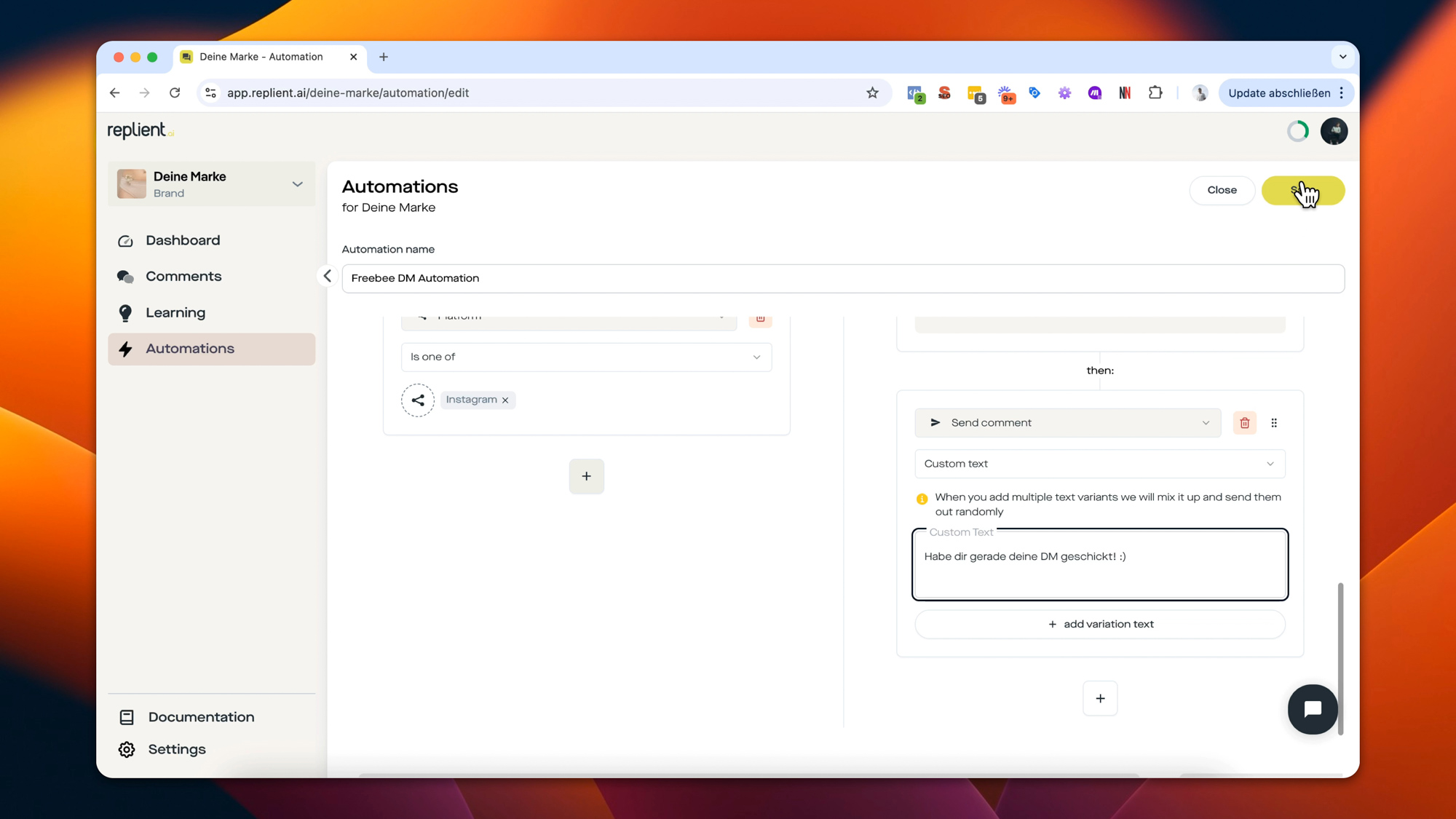
An Instagram discount code DM automation flips the mechanics around: the code lands privately in this one fan's DM, together with a tracked deep link straight to the product. No voucher portal sees it, no app-switching friction, and you have the complete conversion journey in your dashboard.
What does a discount code DM automation deliver in numbers?
Three data points that carry the business case:
- Instagram reach in the DACH region: According to Statista, around 37 million people in Germany actively use Instagram (Statista, 2025) – for a great many e-commerce target audiences, Instagram is the most important social channel.
- Instagram Reels as a reach booster: According to the Socialinsider Instagram Benchmarks, Instagram Reels deliver significantly higher reach rates than static posts (Socialinsider, 2025). Reels are therefore the ideal ad slot for discount campaigns – and it's right under Reels that most "Code?" comments pile up.
- Cart abandonment: Baymard lists cart abandonment values between roughly 68% and 80% from various studies (Baymard, 2025) – every friction on the way to checkout costs hard cash. A DM automation sends the deep link straight into the app the fan is already in, and shortens the purchase path to two taps.

The complete discount code DM flow: what we're building today
We're building a flow that does exactly what you see on every good American D2C account: a fan comments "CODE" under the ad post → seconds later a personal message lands in their Instagram inbox with the discount code, the product link and an urgency reminder 24 hours later. All without a single manual reply.
The flow consists of five building blocks:
- Comment Trigger – comment detection with a keyword (e.g.
CODE,RABATT,SPAR10) - Send Private Message – personal DM greeting with the
{{username}}variable - Send Link – button with click tracking to the product including the code
- Time Delay – wait 24 hours
- Send Private Message – urgency reminder ("Your code expires tomorrow")
Each of these building blocks is a single node in the replient.ai flow builder, which you connect via drag and drop. The initial configuration takes about ten minutes, after which you simply duplicate the template for each new product or each new campaign.
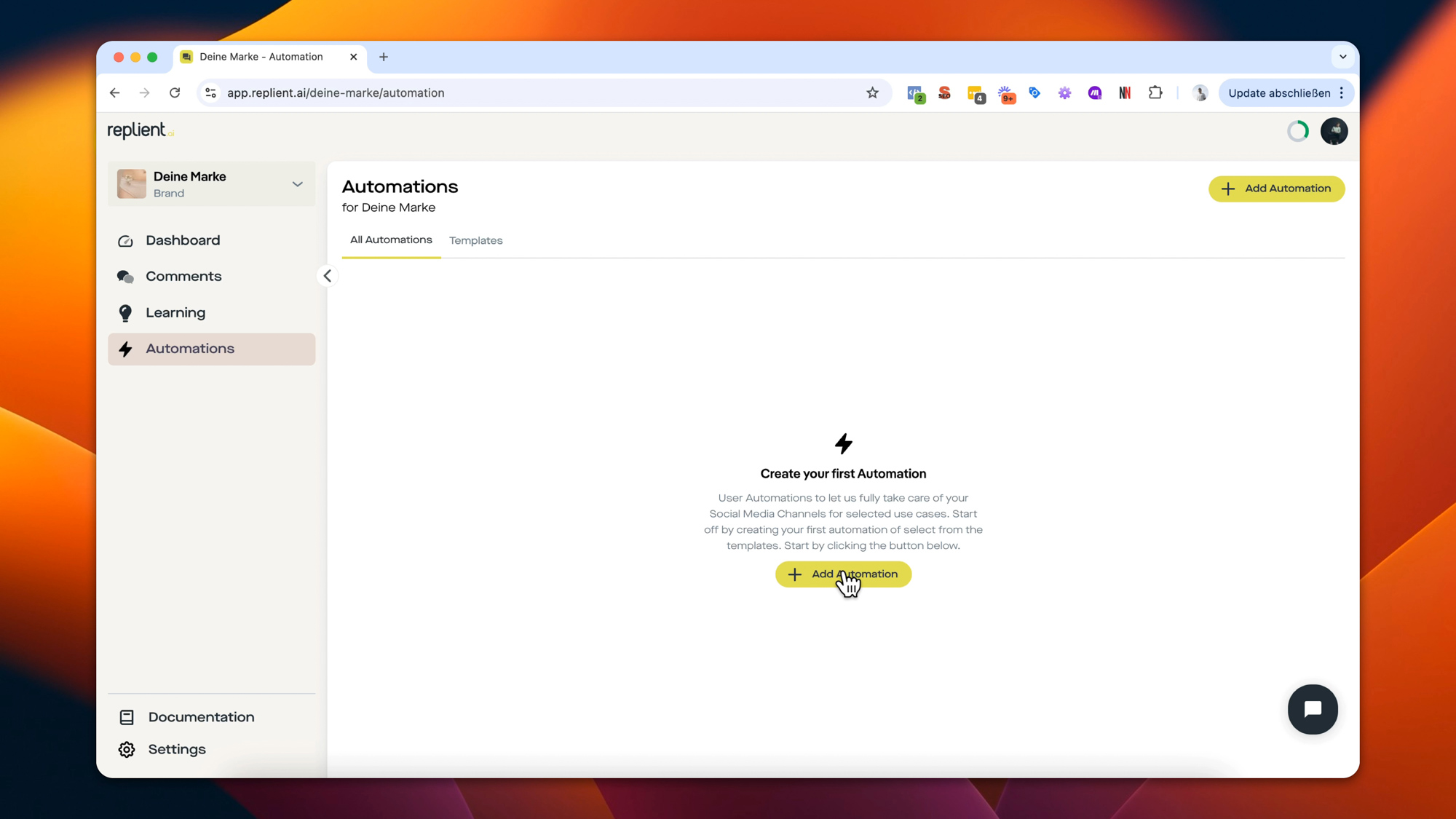
Building block 1: configure the comment-to-DM trigger
In the replient.ai flow builder you select the trigger "Someone comments on your post" (comment on post). This trigger knows three scope modes:
- Any post – the trigger watches all posts on your account (useful for global campaigns like
ALLEKUNDEN10) - Specific post – you select exactly one or several posts (useful for a single ad creative or a launch)
- Caption contains – the trigger fires on all posts whose caption contains a certain text (useful for automatic launches via caption text)
For discount code flows I almost always recommend Specific post. Why: discount codes should usually only be handed out under that one ad or product post, not under community postings or behind-the-scenes content. Besides, you typically want to track a different code per ad creative.
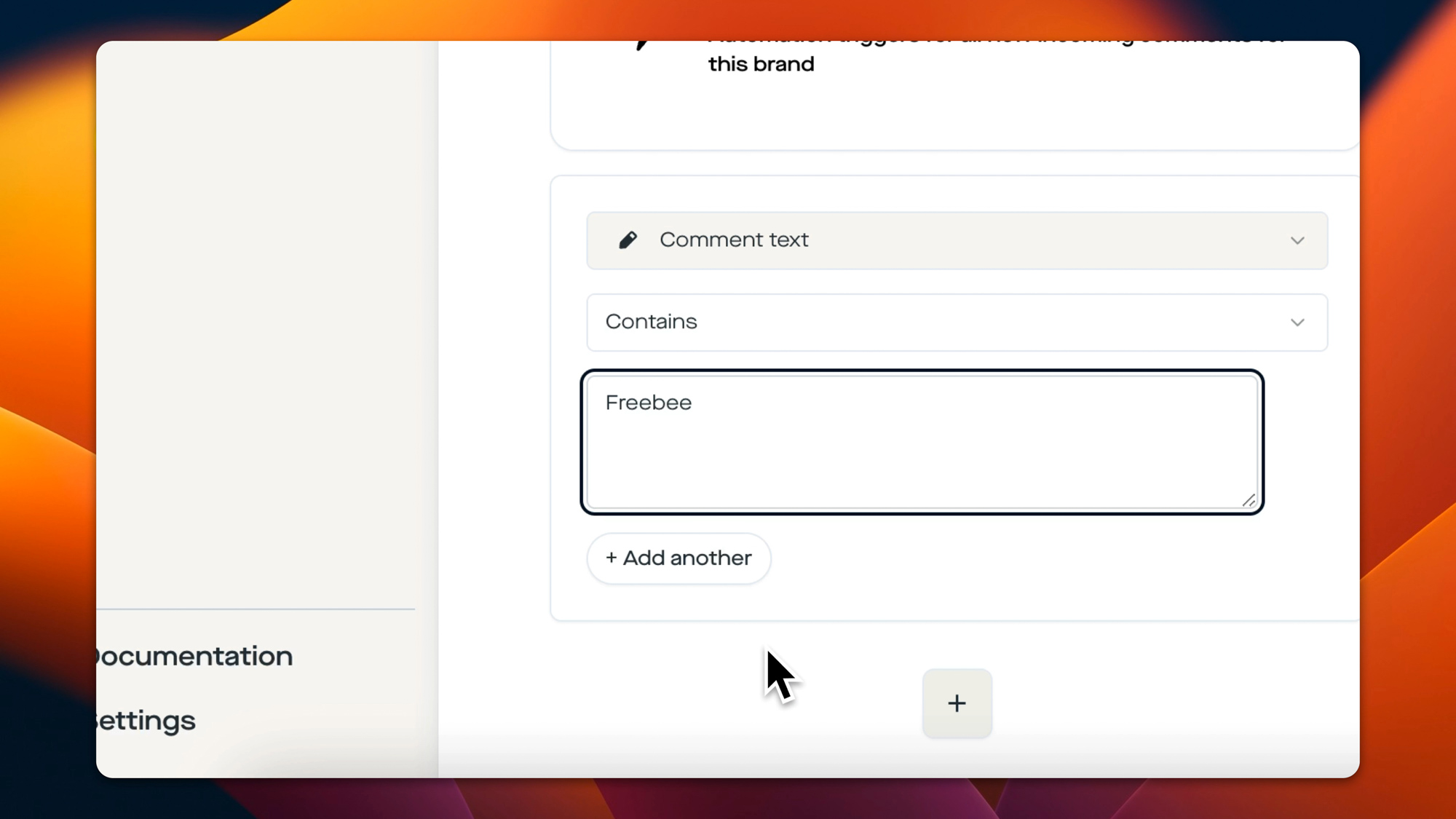
In the Comment text contains field you enter your keyword – and that's the second important point: the matching in replient.ai is case-insensitive and partial. If you store CODE as the keyword, the flow also triggers on "Please code?", "code10 please" or "Give me a CODE 🙏". Whitespace trimming is built in, and you can store several keywords in OR logic – so CODE, RABATT, GUTSCHEIN, SPAR10 in parallel. For very precise setups there's also the is exactly mode (exact match) and matches regex (regular expression) for power users.
Tip from agency practice: don't just include the official code keyword, but also all the typical typos and colloquialisms in your matching. Fans type on their phones – "Cdoe", "Coupon", "Gutschin" and emoji-flooded comments are everyday occurrences. Our standard set for discount flows is now: CODE, RABATT, GUTSCHEIN, COUPON, SALE, % plus the specific campaign name (e.g. SPRING24). The result: we catch around 15–25% more triggering comments than with a single keyword.
Building block 2: personalized DM with {{username}}
As soon as the trigger fires, replient.ai automatically sends a DM to the commenter. In the flow builder you drag the Send private message action under the trigger and connect the nodes.
Here's the text block you can copy (adapt it to your brand voice, of course):
Hey @{{username}} 👋

Thanks for your interest – great that you want to be part of it!

Your personal discount code:
👉 SPAR10 (10% off your next order)

It's valid for 24 hours from now on our entire shop.
Right below you'll find the direct link to the product.
The {{username}} variable is automatically replaced with the fan's Instagram handle. That sounds trivial – but it's the difference between "standard automation" and "personally sent message". According to the Salesforce State of the Connected Customer report, customers across industries expect personalized interactions and measurably punish impersonal mass communication (Salesforce, 2024). The username in the greeting is the cheapest personalization lever you can have.
Building block 3: Send Link with click tracking
The third building block is the heart of the matter for e-commerce: the Send Link step. Here you store your product link plus button text. Important: replient.ai automatically generates an internal tracking URL from every sent link (short ID, 12 alphanumeric characters). Every click lands in your automation statistics, including timestamp. You therefore know exactly which fan received the code and redeemed it – and can later cleanly distinguish between "code sent" and "code clicked" in the dashboard.
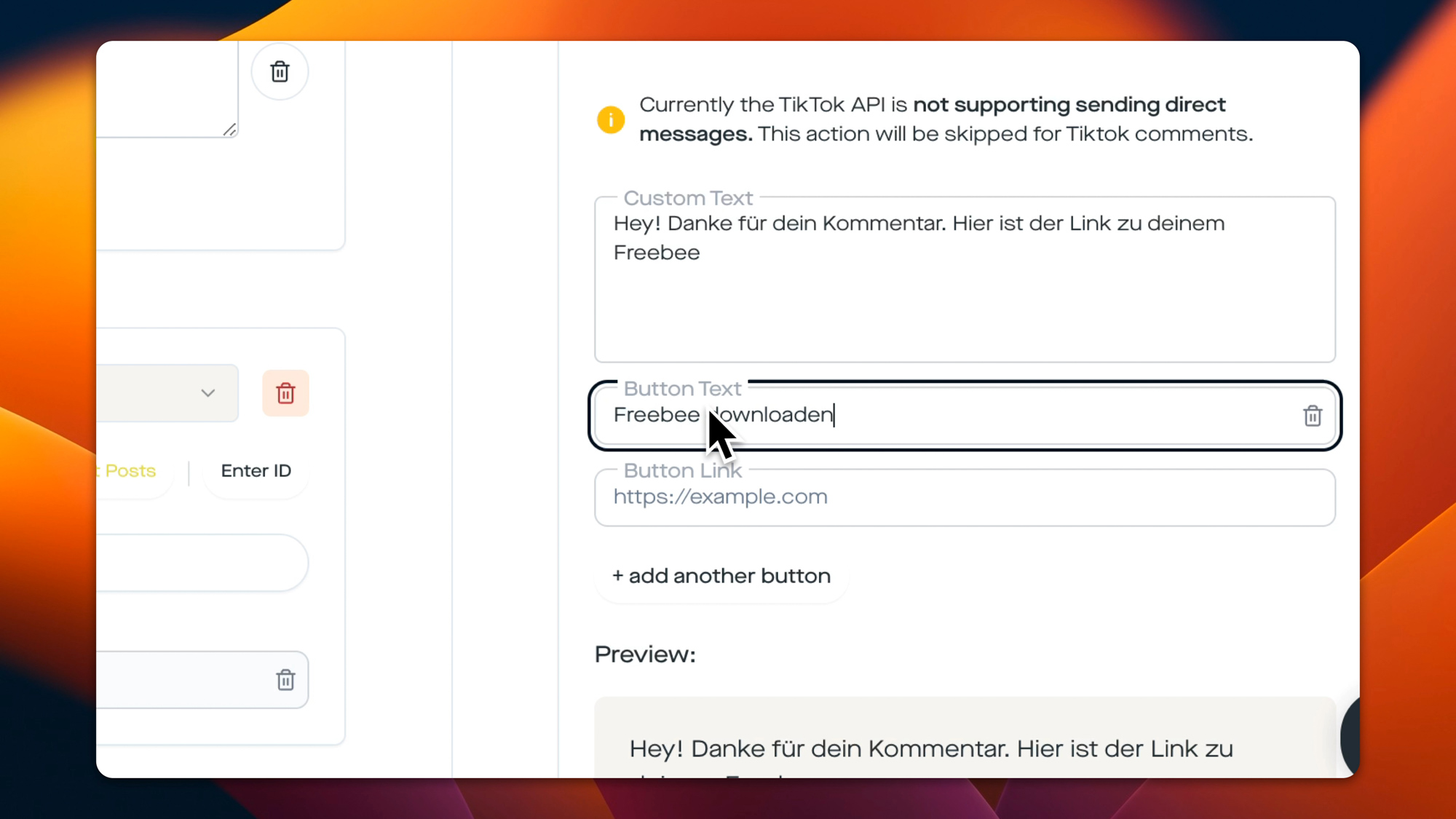
Configuration tips from practice:
- Keep the button text short: Instagram limits the button label to 40 characters. "Buy now with code" is far more clickable than "Here's your 10% discount on all products".
- Deep link with built-in code: if your shop supports it, pack the discount code directly in as a URL parameter (e.g.
?discount=SPAR10). Many shops (Shopify, WooCommerce, Shopware) then activate the code automatically at checkout – the fan never has to enter it manually. - Up to 3 buttons per message: you can additionally set a second "View collection" button or a third "FAQ" – that's useful when your flow is meant to promote both the product and an info page at the same time. The Instagram Graph API doesn't allow more than three buttons.
Building block 4: Time Delay (creating urgency)
Now comes the step that's missing from most ManyChat tutorials – and that significantly lifts your conversion rate: Time Delay. After the Send Link step you drag a Time Delay node into the flow and set it to 24 hours. Behind it comes a second Send Message step:
Hey {{username}}, quick reminder –
your discount code SPAR10 expires in a few hours. ⏰
If you haven't redeemed it yet:
👉 [direct link to the product]
Why this works: the fan actively commented 24 hours ago – so the intent was there. But in those 24 hours 600 other things happened, and your code disappeared down at the bottom of the DM list. A single reminder brings this lead back to the top of the inbox, and the urgency ("expires in a few hours") isn't a marketing trick but honest information. The mechanics correspond exactly to what good abandoned-cart emails have been doing for years – except that here we run them in a channel with far higher attention.
Building block 5: optional extras (tag, follower check, AI agent)
If you want to set up the flow more professionally, you can build in three more nodes in replient.ai:
- Add Conversation Tag – sets a tag like
rabattcode-ausgegebenon this DM conversation. This way you can later find all fans who received a code in the inbox filter and send them a new campaign specifically. - Check if Follower – only available for Instagram: before the reminder, the flow checks whether the fan followed your account in the last 24 hours. If yes → "Welcome to the community, here's your exclusive bonus code". If not → standard reminder. Important: the follower check only works after the first DM interaction, not directly in the comment trigger – that's a quirk of the Instagram Graph API, not a limitation of replient.
- AI Agent Auto-Reply – if the fan asks a follow-up question in the DM ("Does the code also apply to sale items?"), the trainable AI agent takes over. It's trained on your brand documents and can reply directly, without you having to take over manually.
A real moment from practice: a few weeks ago my brother Markus had to look after six brands at the same time during a Black Friday campaign – and was sitting, in finest agency style, on the toilet with his phone, because 140 code requests per hour were coming in under one ad. Before replient.ai that meant: 140 × open inbox → read username → copy text block → paste → Enter. In several languages. The result: three hours of sleep deprivation for a single brand and zero urgency reminders, because there was simply no time for them. Today the exact same flow runs as a template in replient, Markus sleeps through the night, and the conversion rate on the code is still higher than with the manual setup, because the reminder is no longer forgotten.
Manual vs. automated: the math for e-commerce brands
A quick ROI check that comes up in every kickoff call with Shopify brands: is a DM automation tool even worth it, or can you just do the replies manually?
Let's assume you run three ads per week, and under each one an average of 60 code requests pile up. That's 180 requests per week, so ~720 per month. Manually, a social media manager – including switching between the IG app, copying the username and the text block – needs on average about 45 seconds per reply – without a reminder. That's 9 hours of pure monthly effort just for manually sending out discount codes.
So the manual variant effectively costs you about half a working day per month just for one sub-task in the social media team – time that's better spent on creative production or community building. The automation, on the other hand, costs a one-time ten minutes of setup and then runs 24/7 in the background. According to Meltwater industry analyses, Instagram is the channel with the highest interaction density for D2C brands (Meltwater, 2024) – and not automating at exactly this point is hard to justify today.
Legal: Meta-official, GDPR-compliant, without password access
This section is for your legal department, your CMO or simply for your own peace of mind.
replient.ai is an official Meta Business Partner and works exclusively with the Instagram Graph API (Meta Developers, 2025). In plain terms that means:
- No browser bots. replient.ai doesn't control a faked Instagram browser, no phone farms, no virtual users. All actions run through the official Meta interfaces – exactly the interfaces Meta itself intended for business tools.
- No password access. During onboarding you're never asked for your Instagram password. Instead you connect your business account via the official Meta OAuth flow. replient never sees your credentials.
- GDPR-compliant with a DPA. According to Art. 28 GDPR, with any tool that processes DMs or comments on your behalf you need a data processing agreement (DPA). replient.ai provides one, hosts the data EU-based and, as an Austrian company, is usable without any detour through third countries. That's the central difference from many US tools, where under a strict interpretation you need an international data transfer mechanism.
- One tag per flow = one audit log. Every sent DM is traceable in your dashboard, every click on a tracking link lands in the statistics, every automation has an owner – cleanly documented in case of an inquiry.
If you currently use ManyChat or a similar tool, it's doubly worthwhile from a GDPR perspective to check the alternative. Many US DM tools have no official DPAs in German, host exclusively in the US and are a well-known risk factor in cease-and-desist cases.
Typical mistakes we see in brand calls
From roughly 200 onboarding calls with D2C brands, three recurring patterns have crystallized that make the difference between "the flow runs along nicely" and "the flow actually sells":
- Keywords that are too generic – keywords like just
Infoor?trigger under every comment and flood fans who didn't want a code at all. Always be specific:CODE,RABATT,SPAR10,SALE. Plus the campaign name. - No reminder – the most important step that gets ignored. We've seen internally in several brand tests that the 24-hour reminder delivers around a third of the purchases that would otherwise never have happened. Without a reminder the code fizzles out in the 8 a.m. inbox.
- Shop link without the code – the second most common mistake: the direct link points to the homepage, not to a landing page with a pre-activated discount. The fan has to type out the code – and forgets it on the way. Always a deep link with a
?discount=parameter, always straight to the relevant product page.

Integration with your shop: Shopify, WooCommerce, Shopware, Billbee
The good news: the integration between the replient.ai DM automation and your shop is possible completely without webhook programming, as long as your shop system supports deep links with discount parameters. All the major systems currently do:
- Shopify – deep link format:
https://deinshop.com/discount/SPAR10?redirect=/products/dein-produkt - WooCommerce (with Smart Coupons or the Coupon URL plugin) – format:
https://deinshop.de/?apply_coupon=SPAR10&add-to-cart=1234 - Shopware 6 – via a promotion link or a landing page with a pre-loaded voucher
- Shopify/Shopware/WooCommerce via Billbee – uses the native discount parameters of the respective target shops
Each of these links lands as a button in the Send Link step. The fan taps, ends up in the checkout with the discount already activated, and you've kept the complete purchase path within the Instagram session – without a login dialog, without typing in a code.
Anyone selling on an external platform like Hotmart, Digistore24 or Elopage proceeds analogously: generate a tracking link with a discount parameter, insert it into the Send Link step, done.
Flow variants for advanced users
Once the basic flow is running, you'll quickly notice that you want to vary it for different campaigns. Three variants from our agency practice that have proven themselves:
Variant A – exclusive-for-followers codes: you combine the discount code flow with the Check if Follower step. If the fan already follows → bonus code with 15% instead of 10%. If not → standard code + a friendly note "As a follower you'd even get 15%". This is a clean, privacy-friendly way to reward follower growth without excluding anyone.
Variant B – A/B test between two codes: you build two separate automations, each with its own keywords (TEAM10 and FRESH10) under the same post. Both lead to different tracking links. After a week you compare the click and conversion rates in the dashboard. This kind of hands-on A/B test for discount levels is practically impossible to run without automation.
Variant C – story reply as an additional trigger: you build the same flow once more with the trigger type Story Reply instead of Comment. Fans who reply to your release story get exactly the same DM. Why separately? In our experience story-reply fans are even warmer than comment fans – and there a reminder already works after 6 instead of 24 hours, because the purchase impulse is more short-lived.
For the story-reply trigger we have our own template in our collection – feel free to check out the Story Reply Discount Code Template as soon as it fits your workflow.
Frequently asked questions
Is an Instagram discount code DM automation free?
Instagram itself provides the Graph API free of charge, but you need a tool that builds and runs the flow. replient.ai offers a free trial with which you can fully set up the discount code flow and try it out with a test post before you switch to a paid plan. The trial runs for 14 days with all Pro features, no credit card required. After that, DM automations are available from the Pro plan (from €129/month excl. VAT, 4,000 credits). A comment that triggers the automation costs 0.1 credit, the DMs sent are free, and there is no contact limit.
Is this GDPR-compliant?
Yes, if you use an EU-hosted tool with a data processing agreement (DPA) under Art. 28 GDPR. replient.ai is an Austrian company, provides the DPA by default and hosts the DM data in the EU. During onboarding you conclude the DPA, document the tool in your record of processing activities and keep the opt-out option open (the fan can end the DM conversation or block the account at any time – that's the built-in Instagram opt-out).
Does replient.ai ask for my Instagram password?
No. You connect your Instagram business account via the official Meta OAuth flow. replient.ai never sees your password and doesn't need it. Any tool that asks for your Instagram password is a red flag – Meta forbids this kind of access in its own platform terms of use and bans accounts caught doing it.
Is replient.ai an official Meta Business Partner?
Yes. replient.ai uses exclusively the official Instagram Graph API and is registered as a Meta Business Partner. That's the central compliance difference from browser bot tools that simulate the Instagram front end. Bots get banned regularly, business partners don't – because they do exactly what Meta built the API for in the first place.
Can I send different discount codes to different people?
Yes, in two ways:
- Several automations in parallel: you set up a separate automation per post or keyword – e.g.
NEWSLETTER10on one post,WELCOME15on another. Each automation sends its own code. - Follower branching: with the Check if Follower step you can distribute two different codes within the same flow – e.g. 10% for non-followers and 15% for followers.
Dynamic codes per individual fan (i.e. real one-time codes with an individual suffix) can be realized via shop integration if your shop system can generate one-time codes via API – Shopify Plus and Shopware 6 support this natively.
Can I run several automations at the same time?
Yes. replient.ai allows an unlimited number of automations per brand. What matters is: if several automations could trigger on the same comment (e.g. two codes that both react to RABATT), the Execution Priority applies – the automation created first wins. You can change this order in the automation settings if needed. A comment can only trigger one automation per configuration – this prevents fans from getting several DMs about the same thing.
Can I still change the automation after going live?
Yes. You open the flow in the builder, change text, keyword or timing and save. The change takes effect immediately for all future triggers. DMs already sent remain unchanged, of course – a reminder scheduled for 12 hours from now runs with the old text if you don't pause it beforehand. For larger changes we recommend briefly setting the automation to "Inactive", making the changes cleanly, and reactivating it.
Which platforms support DM automation besides Instagram?
Instagram and Facebook support full DM automations via the Meta Graph API. With TikTok, LinkedIn, YouTube and Google Reviews, the respective API currently only allows comment automations (replies, and depending on the platform also hiding or liking), no direct messages. That's not a limitation of replient.ai but a platform decision by the respective providers. For Instagram and Facebook you can build the same flow in parallel and share it between both platforms – an advantage you don't have with purely Instagram-focused tools.
Summary: your next step
An Instagram discount code DM automation is no longer a "nice to have". If you run discount promotions via Reels and feed posts, it's the difference between a campaign that costs you five hours of manual inbox work and a campaign that handles itself while you work on the creative. The flow is live in ten minutes, requires no programming, runs Meta-official and GDPR-compliant.
The 5-step flow once more to take away:
- Comment Trigger – keyword-based, case-insensitive, several keywords possible
- Send private message – personalized with
{{username}}, short discount code text - Send Link – deep link with discount parameter, click tracking built in
- Time Delay – 24 hours for the urgency reminder
- Send private message – short expiry reminder with the direct link again
You can build the complete flow in your replient.ai flow builder today – or alternatively take one of our other templates as a starting point, for example the Instagram Giveaway Template, the Spotify Pre-Save Template or the overarching DM Automation Guide. If you're still unsure whether such a tool makes sense for your own brand size, you'll find a concrete calculation with tipping points by comment volume in our article "When do you need automation?".
About the author

Co-Founder, replient.ai
Thomas is a co-founder of replient.ai and works on AI-assisted comment management for social media. He writes about automation, community management and efficient comment moderation for growing brands.