Summarize this with
 ChatGPT
 Claude
 Gemini
 Perplexity
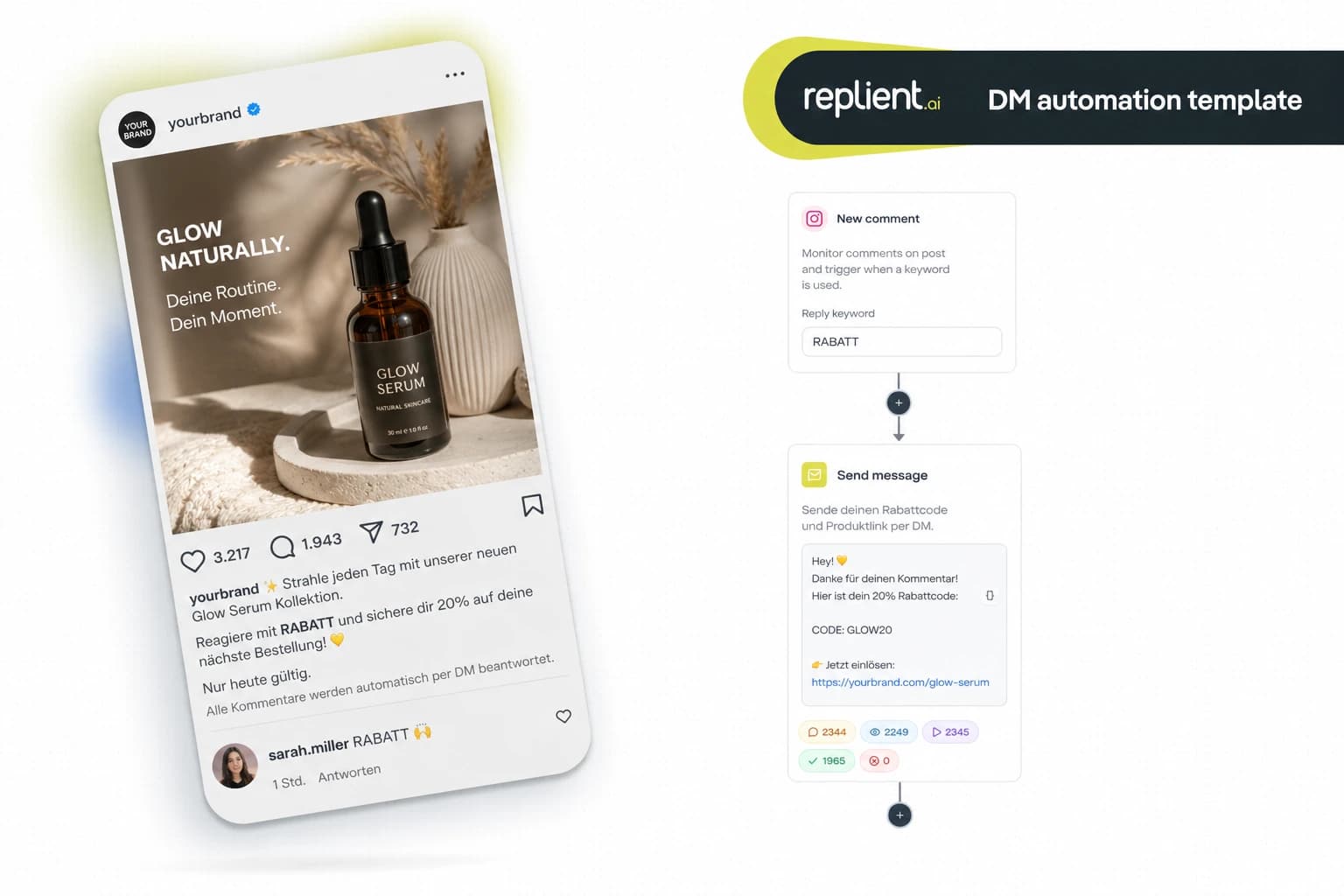
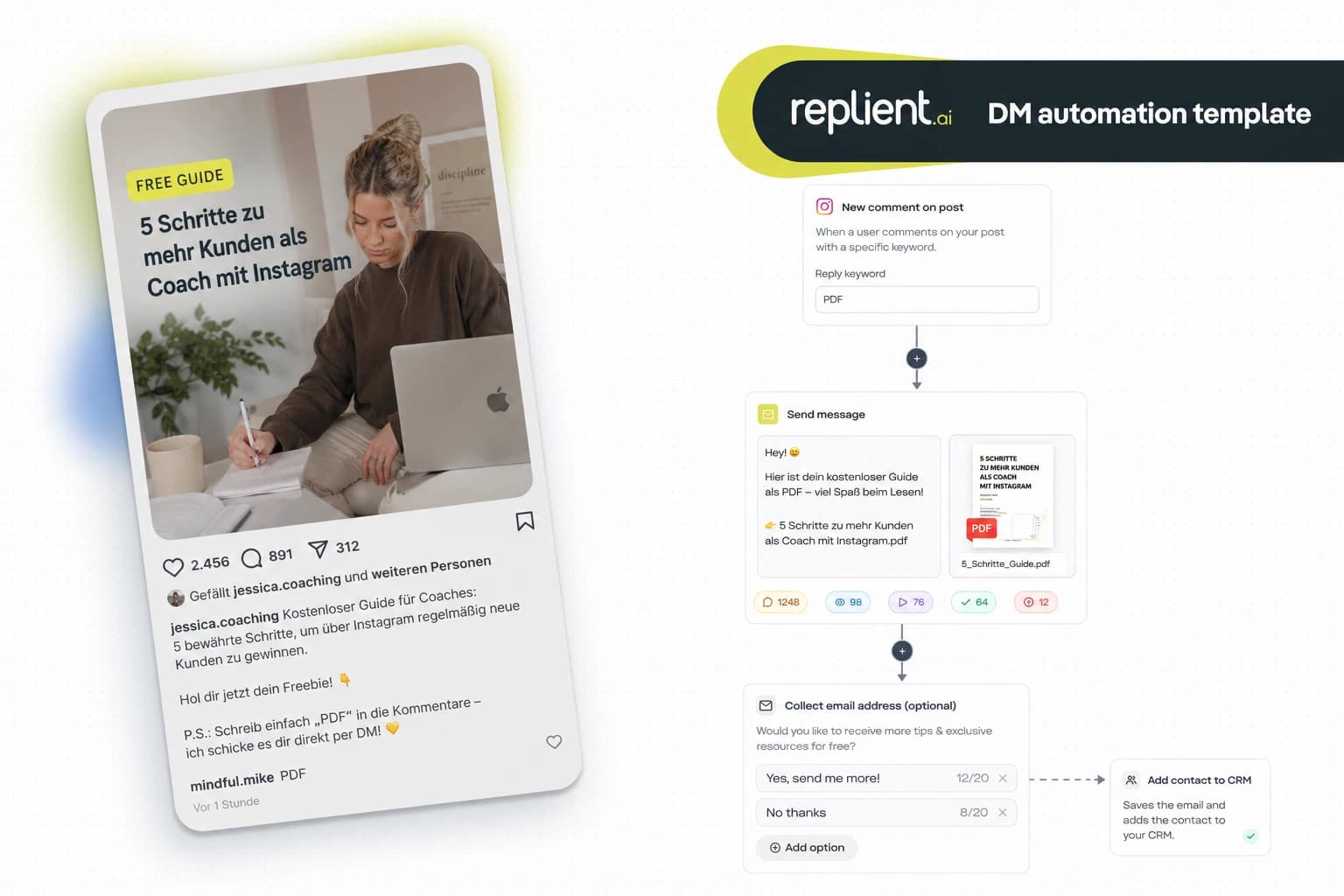
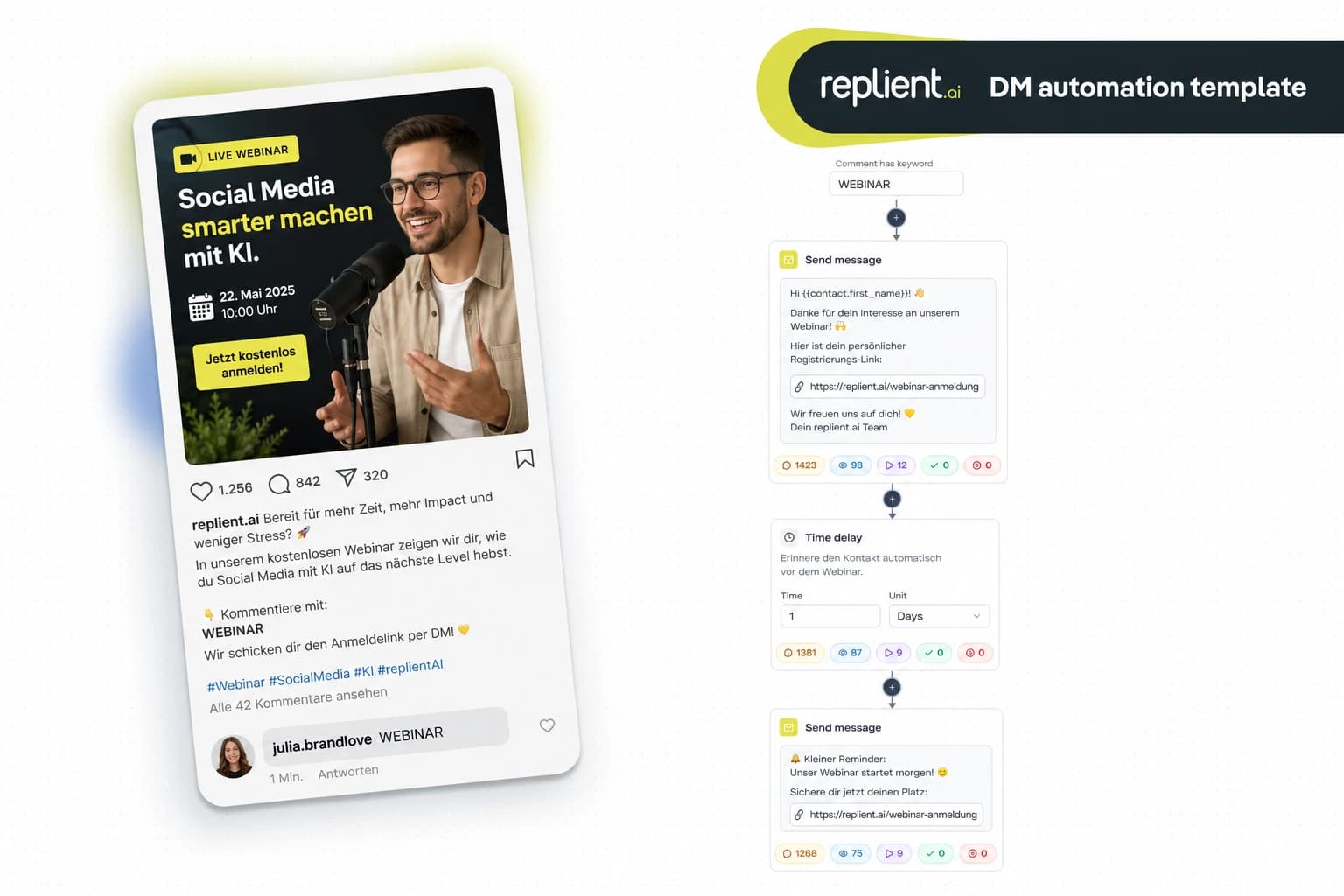
Preview of the DM automation 👇
TL;DR: A product launch waitlist Instagram automation flow automatically sends every fan who comments under your teaser post a personalized DM with a waitlist link, collects the email address via webhook into your CRM, and sends a reminder before launch. 95% of all product launches fail according to MIT Professional Education – a pre-qualified waitlist drastically reduces that risk. In this copy-paste guide you'll build the complete 5-step flow in under 15 minutes with replient.ai. GDPR-compliant, official Meta partner, no US server risk.
I often think back to one of our first customers, a D2C skincare brand from Vienna. They had developed a new serum, teased it on Instagram for three months, and then announced the drop: "Comment WAITLIST to be the first to know when it goes live." Within 48 hours they had 1,200 comments under the post. The problem: the founder and her one employee spent two days manually typing DMs. In the end they had sent the link to 340 of 1,200 people – the rest got lost in the feed. On launch day they therefore had only a third of the possible waitlist. My brother Markus told me afterward: "That's exactly the gap. The demand was there, the infrastructure wasn't." Today I'll show you the flow that completely eliminates this bottleneck – with the real replient.ai builder, solid numbers, and practical tips for your next launch.
Why 95% of all product launches fail (and what a waitlist changes)
95% of all newly introduced products fail – this figure comes from the research of Clayton Christensen and is cited by MIT Professional Education. No demand, wrong timing, no validated demand. A waitlist flips this dynamic: instead of hoping on launch day that someone buys, you have a pre-qualified list of people who have actively said "I want this."
Waitlist pages convert 2.7 times better than conventional landing pages, according to an analysis by GetWaitlist (2025, 500+ SaaS launches analyzed). The reason is simple: anyone who signs up for a waitlist has already signaled an intent to buy. On day X they no longer need to be convinced – only reminded.
And this is where Instagram comes in. Your teaser post generates comments. Each comment is a raised hand. But without automation that signal decays, because you physically cannot send 500 DMs manually before people scroll past. That's exactly what this flow is for.
What an Instagram DM waitlist does better than email-only
Why not just "link in bio" and a Typeform? Because the friction costs you leads. And because Instagram DMs as a channel beat email on three decisive metrics:
- 90% open rate for Instagram DMs vs. ~20% for marketing emails. According to LeadResponse (2026), DMs are almost always read – an email in the Promotions tab? Considerably less.
- Up to 28% click-through rate in DMs vs. 2-3% for email. The same source shows that links in DMs are clicked around 10 times more often than in marketing emails. For a waitlist link, that's the difference between 50 and 500 signups.
- 391% higher conversion when you reply within one minute. Those who respond to prospects in under 60 seconds convert nearly 4 times better than with a 30-minute delay (LeadResponse, 2026). An automation responds in seconds – no human can do that with 500 comments at once.
Our learning: With the D2C brands we work with, we always see the same pattern: product launch posts generate 3-5x more comments than regular content posts. These are the moments with the highest intent, and exactly there most brands lose their leads because they cannot keep up manually.
The complete waitlist flow: What we're building today
The flow consists of five building blocks that you connect in replient.ai via drag & drop. Each step is its own node in the Automation Builder:
- 1. Comment trigger – fan comments "WAITLIST" under your teaser post
- 2. Send Message, personalized DM with thanks + context
- 3. Send Link, trackable waitlist link (landing page, Typeform, or directly your shop)
- 4. Collect Email, request email address + send via webhook to CRM/email tool
- 5. Time Delay + Reminder, a reminder DM X days before launch
This is how it looks in the replient.ai Builder:
Building block 1: Comment trigger – "WAITLIST" as the entry signal
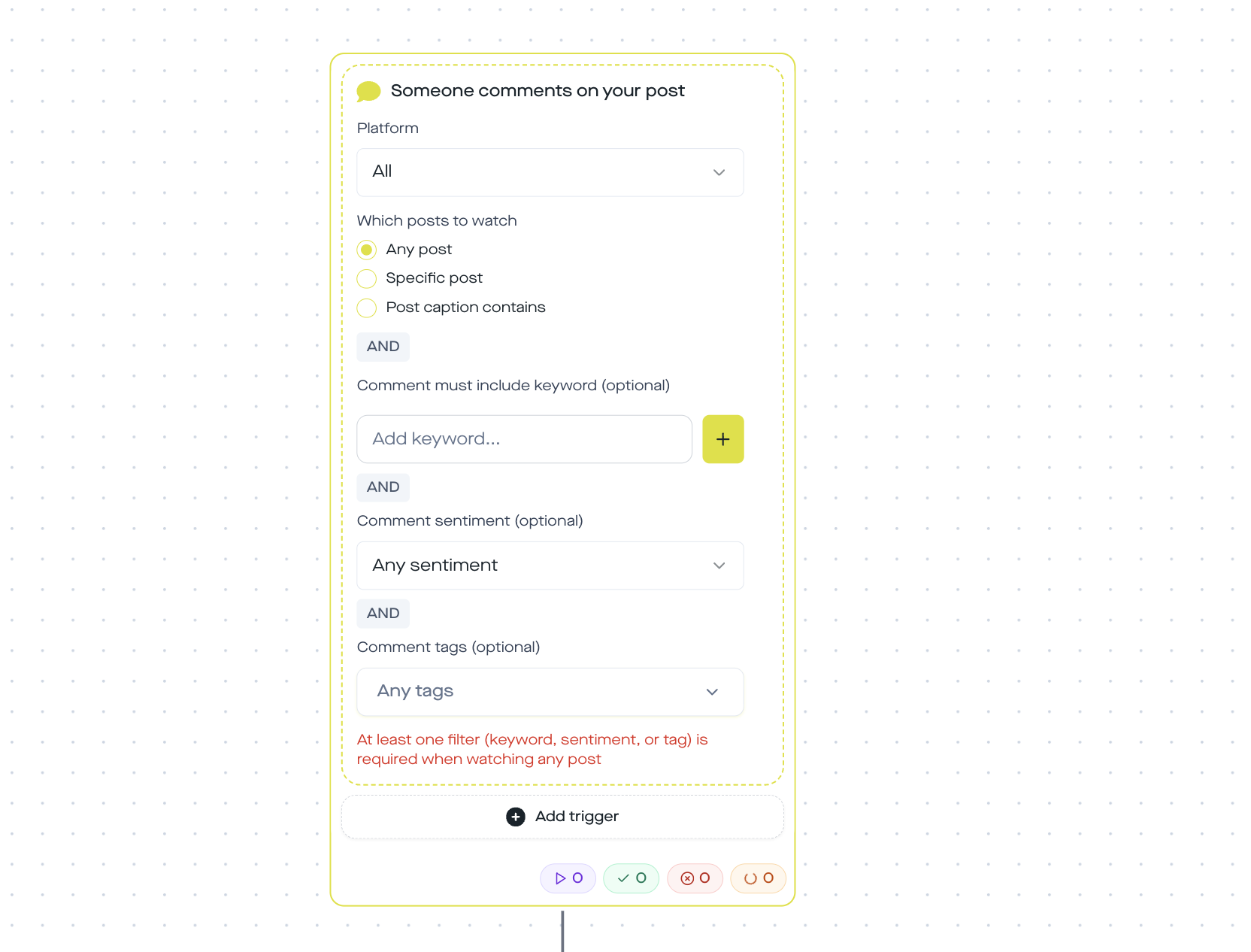
The first step defines when the flow starts. In replient.ai you choose the trigger "Someone comments on your post" and configure:
- Post scope: "Specific post" – you select your launch teaser post
- Keyword: "WAITLIST" (or "LIST", "ME" – whatever you use as a CTA in your reel/post)
- Matching: case-insensitive, i.e. whether someone writes "waitlist", "Waitlist", or "WAITLIST" – the trigger fires
Pro tip: You can store multiple keywords at once – e.g. "WAITLIST", "LIST", and "I WANT IT". This way you also catch comments that deviate slightly from the script. In the replient.ai trigger setup you simply add multiple keywords to the filter list.
In the code replient.ai uses the post_comments trigger with scope: 'specific' and stored keywords[]. The matching is case-insensitive and checks via .includes() whether the keyword appears in the comment text.
Building block 2: Send Message – personalized greeting
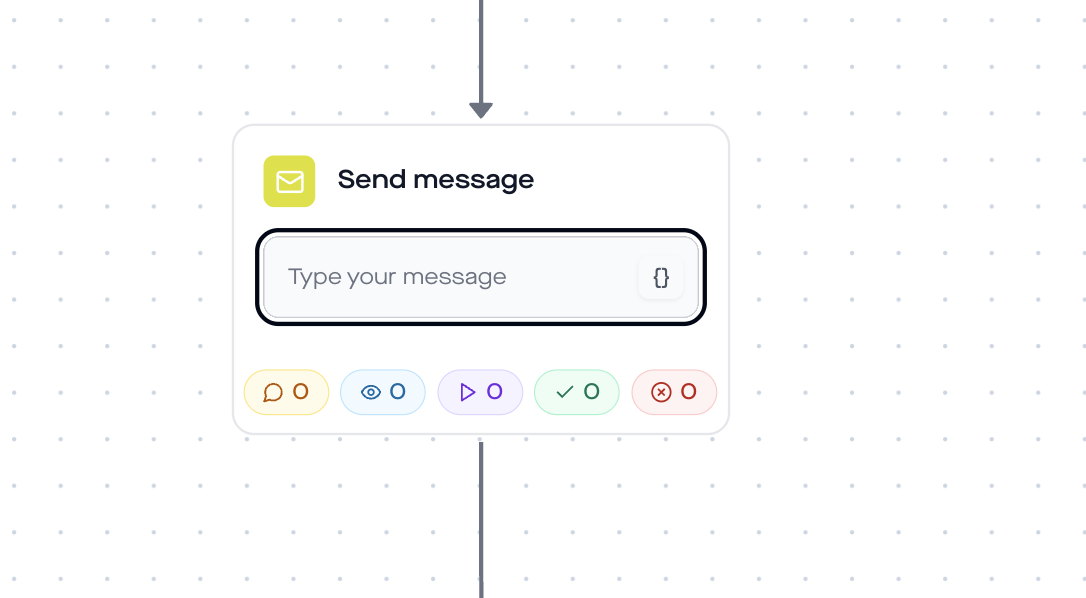
As soon as someone comments, the first DM goes out. The "Send Message" step sends a personal message with the fan's username:
Copy-Paste Template: Hey {{contact.username}}, you're on the waitlist! 🎉 We're launching in [X days] and you'll be the first to know. I'll send you the link in a moment where you can officially sign up.
Personalization: In replient.ai these variables are available to you:
{{contact.username}}– Instagram username{{contact.name}}– display name{{contact.followerCount}}- follower count (useful for creator-specific messages){{automation.currentDateTime}}– current date/time
Personalization makes the difference. According to Salesforce State of the Connected Customer, 73% of consumers expect companies to understand their individual needs. A DM saying "Hey @sarah.vienna" feels personal – a generic mass DM does not.
Building block 3: Send link, trackable waitlist link
Directly after the welcome DM comes the link step. replient.ai automatically generates a tracked short link (12-character alphanumeric ID via nanoid) that redirects to your waitlist URL.
This is how you configure the Send Link step:
- 1. Store your waitlist URL (Typeform, landing page, Shopify "Coming Soon" page, Google Form)
- 2. Define the button text (e.g. "Join the waitlist now")
- 3. Optional: subtitle with countdown or teaser info
The click-tracking link follows the format https://[your-domain]/share/[shortId] and automatically records linksClicked per automation step, so you can see in replient.ai analytics how many fans actually opened the waitlist link.
How many will that be in the end? For context: the average e-commerce conversion rate is globally 1.9-2.5% (Smart Insights, 2025). According to GetWaitlist data, waitlist pages achieve 2.7 times that. And a DM link is clicked with up to 28% CTR (LeadResponse, 2026) – instead of the usual 2-3% by email.
Block 4: Collect Email - email address + webhook to CRM
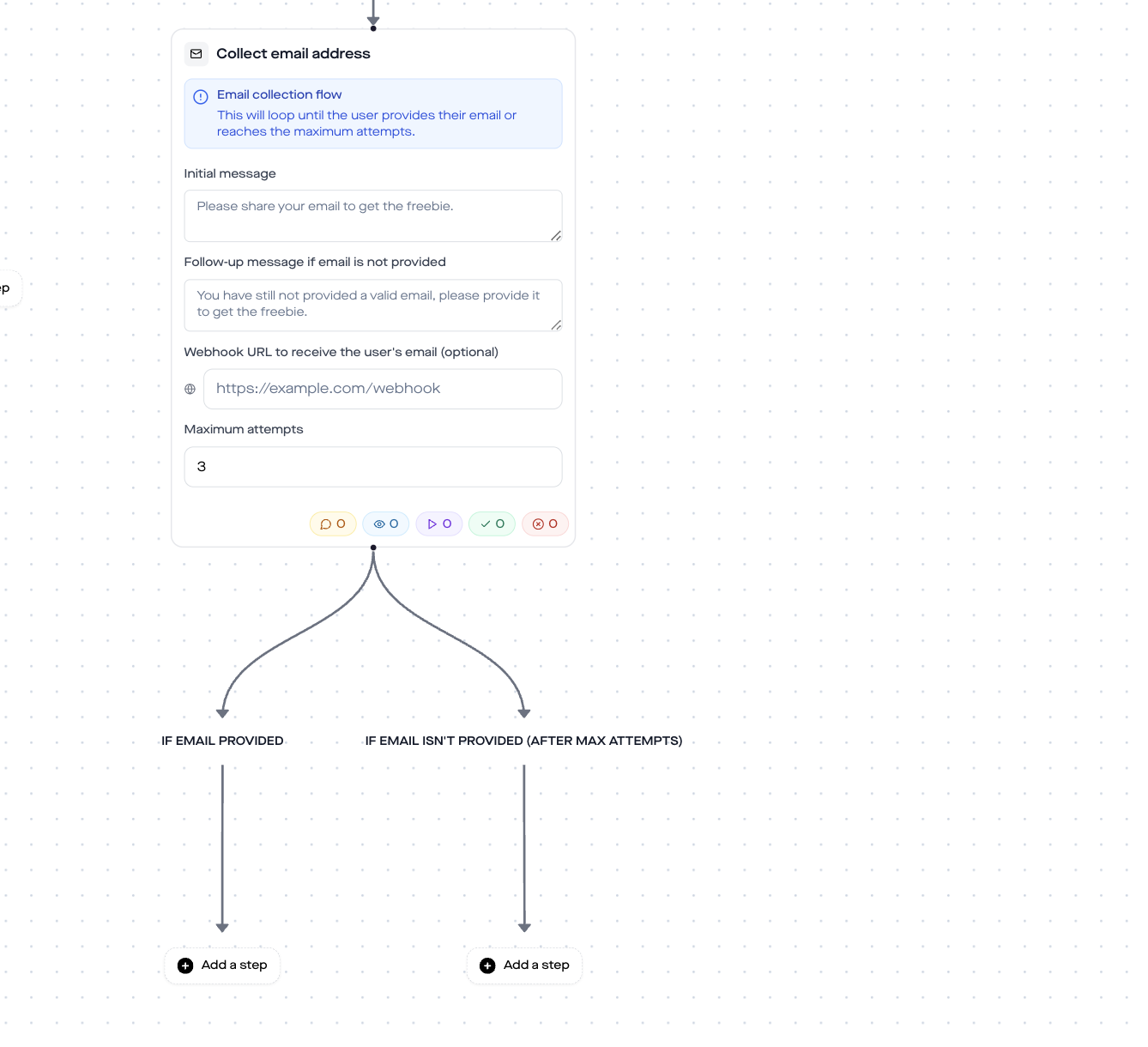
The Collect Email step asks the fan directly in the DM for their email address. That is the moment when you move the Instagram lead into an owned channel, because Instagram can restrict your DM access at any time, but an email list belongs to you.
Copy-paste template (Initial Message): One more thing, so I can remind you by email on launch day: what is your email address? Just type it here in the chat.
Copy-paste template (Follow-up for an invalid email): Hmm, that doesn't quite look like an email. Can you try again?
Configuration in the Builder:
maxAttempts: 3 (after three invalid entries the flow continues)webhookUrl: your endpoint, e.g. Klaviyo, Mailchimp, ActiveCampaign, ConvertKit, or Make/Zapier
The webhook sends the email via POST to your URL. This way you land the address directly in your email tool, tagged as "Waitlist [product name]", and can start a dedicated email sequence on launch day.
From our experience: For brands that have activated the Collect Email step, we see email capture rates of 40 to 60% of DM recipients. The reason: the fan has just actively requested the waitlist link, so the motivation to also leave their email is at its highest in that moment.
Building block 5: Time Delay + Reminder DM
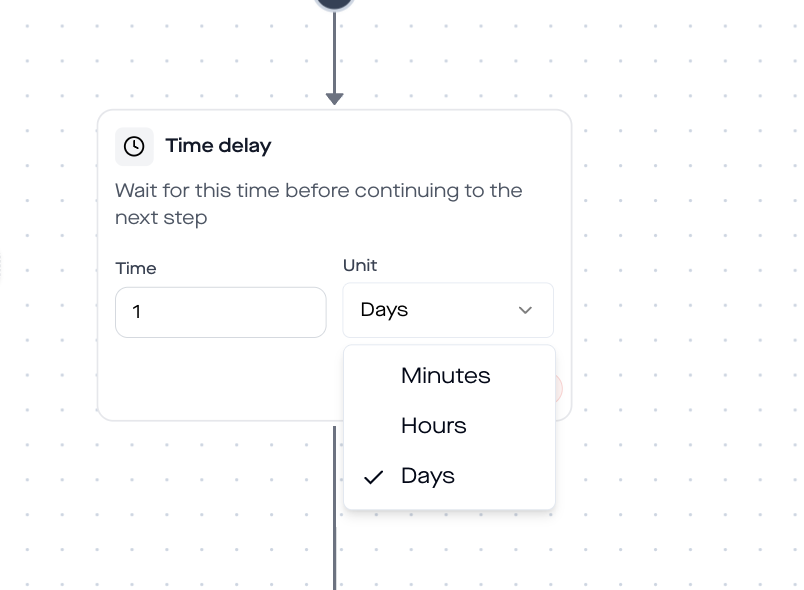
The final component is the reminder. You set a time delay (e.g. 3 days, if your launch is in 5 days) and then send a second DM:
Copy-paste template (Reminder): Hey {{contact.username}}, tomorrow is the day! 🚀 Our [product name] will be available from [time]. You are on the waitlist, so act fast, the first batch is limited. Here again is the direct link:
Configuration:
duration: number (e.g. 3)unit:days(options: minutes, hours, days)
The reminder leverages the FOMO effect – and it's measurable. 60% of millennials buy within 24 hours after experiencing FOMO (Shapo.io, citing OptinMonster, 2026). Scarcity messages like "only X units available" increase revenue by up to 226%, according to an analysis by Amra & Elma (2025, based on Shopify data from 700,000+ storefronts).
Manual vs automation: What you save
What happens if you don't have an automation flow? You type. For hours. Or your VA types. Or, more realistically, you don't manage it and lose leads.
Here is the direct comparison:
And it's not just about time. With manual work you lose leads because you're not fast enough. The fan who comments at 11 p.m. only gets the DM the next morning, when they've long since forgotten the post. The automation replies in seconds, 24/7, even while you sleep.
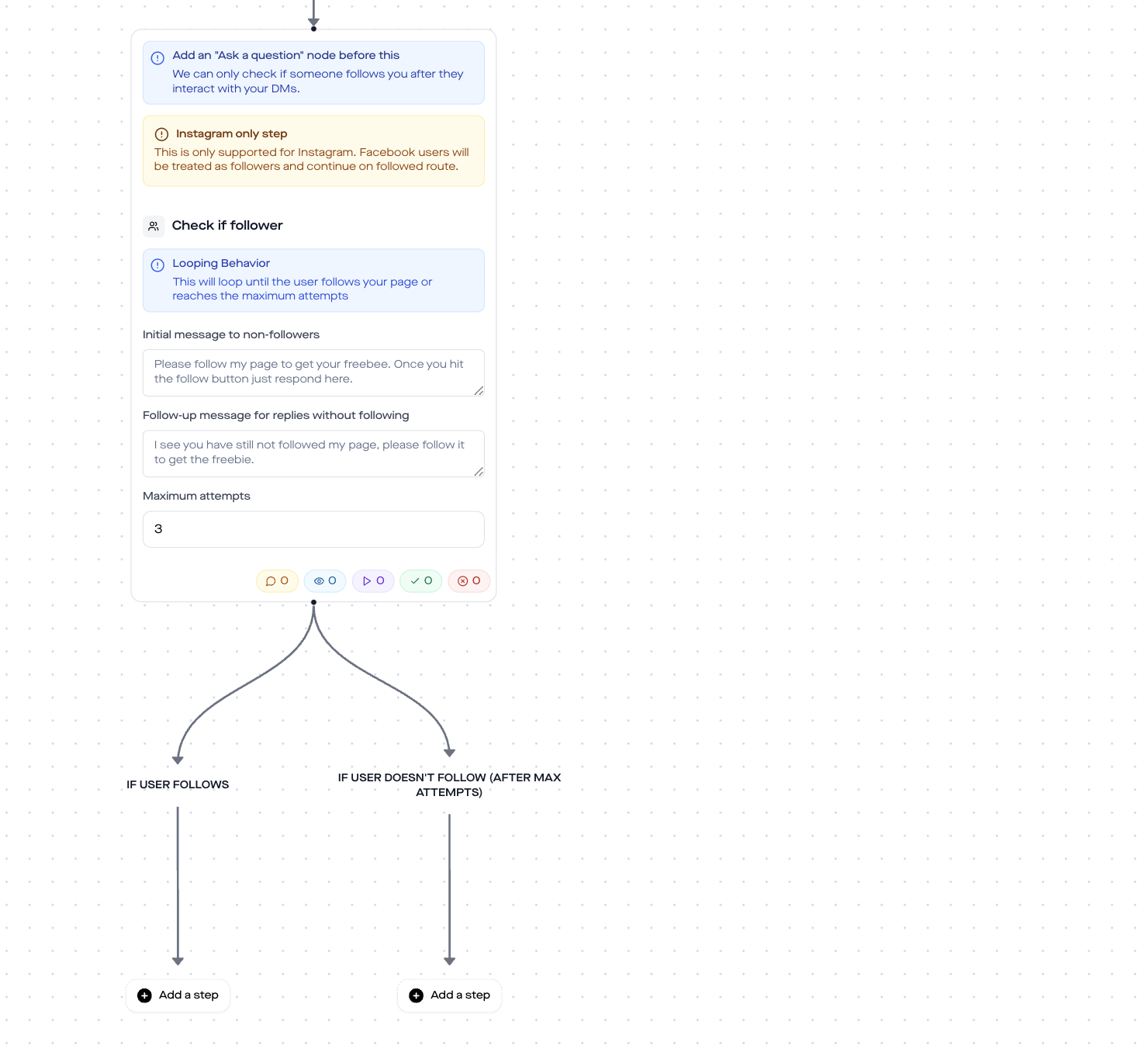
Optional module: Check if Follower
Do you want to open the waitlist only to followers? In replient.ai there is the "Check if Follower" step, which checks whether the commenter already follows you. Available on Instagram only (Facebook users are automatically treated as followers).
How to use it for the waitlist flow:
- Place it directly after the trigger, before the Send Message step
- Followers: Flow continues normally (DM + Link + Email)
- Non-followers: You can send an alternative DM: "Hey, follow us first for exclusive access to the waitlist!"
That creates an extra incentive to follow, and you make sure only real fans get on the list. This is especially useful for limited drops.
Waitlist psychology: Why exclusivity drives conversions
Have you ever wondered why Apple launches work? Or why Tesla was able to collect 250,000+ Cybertruck preorders within a week (Shopify Blog, 2025)? Exclusivity and anticipation are two of the strongest psychological purchase drivers.
The numbers back this up:
- 62% of consumers are more likely to buy when a product is positioned as a "limited edition" (Amra & Elma, 2025)
- 69% of millennials and Gen Z regularly experience FOMO (Shapo.io, 2026)
- 35% more social media engagement for limited launches vs. standard launches (Amra & Elma, 2025, based on Meta benchmarks)
Your waitlist flow uses all three levers at once: the fan must actively comment (Commitment), gets exclusive access (Scarcity), and is reminded before the launch (Urgency). This is no accident. It is conversion psychology you automate.

Which waitlist tools work with replient.ai?
The send link step in replient.ai redirects to any URL. So you are not tied to a specific waitlist tool. Here are the most common setups:
| Tool | URL type | Webhook compatible | Ideal for |
|---|---|---|---|
| Typeform | Typeform link | Yes (Zapier/Make) | Custom forms with branding |
| Google Forms | Google Forms link | Yes (via Google Sheets + Zapier) | Free, quick to set up |
| Shopify "Coming Soon" | Shop URL with password | No (email via Collect Email) | Shopify shops with product page |
| Landing page (Webflow, Unbounce) | Landing page URL | Yes (native webhooks) | Brands with their own funnel |
| Klaviyo sign-up form | Klaviyo-hosted form | Yes (direct) | E-commerce with Klaviyo stack |
| Notion form | Notion link | Yes (via Make) | Lean startups, MVPs |
Bonus: With the Collect Email step you collect the email address directly in the DM, regardless of whether the fan clicks the link or not. Extra security.
GDPR & compliance: What you need to know
Three points to note for an Instagram DM waitlist:
- 1. Consent through an active action. The fan voluntarily comments a keyword under your post, which clearly communicates: "Comment WAITLIST for a DM link." This is active consent within the meaning of Art. 6(1)(a) GDPR.
- 2. Email collection in the Collect Email step. If you collect the email address, that is a separate data collection. The opt-in is given by actively entering the email into the chat. For newsletter use you also need a double opt-in, which you trigger via your email provider (Klaviyo, Mailchimp, etc.).
- 3. replient.ai is a Meta Business Partner and processes data in GDPR-compliant ways on European servers. No US server risk like with some third-party tools.
Who is this template for?
This waitlist flow works for anyone launching a product, service, or offer and who wants to validate demand in advance:
- E-Commerce / D2C Brands, New product lines, limited drops, seasonal collections
- SaaS startups, beta access, feature launches, early bird offers
- Creator & Influencer, merch drops, course launches, digital products
- Fashion & Beauty, collaborations, new collections, restock announcements
- Food & Beverage, limited editions, pre-orders, seasonal products
The waitlist conversion rate averages 20% according to Lenny Rachitsky (2023, based on data from 100+ launches) – provided you convert within the first month after sign-up. After that the rate drops below 10%. The reminder step in your flow makes sure you don't miss this window.
FAQ: Product launch waitlist via Instagram DM
Do I need programming skills for the waitlist flow?
No. The complete flow is built in the replient.ai Automation Builder via drag & drop. Choose a trigger, drag in actions, adjust the texts, store the waitlist URL – done. The webhook integration for email tools works with a single URL field. According to our data, first-time users need on average 12 minutes for the setup.
Is the flow GDPR-compliant?
Yes. A comment is an active consent, Art. 6(1)(a) GDPR. replient.ai, as a Meta Business Partner, processes all data on European servers. For using email in the newsletter you also need a double opt-in via your email provider.
Does this also work for Facebook?
The comment trigger and the DM steps work on Instagram and Facebook. The "Check if Follower" step is Instagram-only – on Facebook all users are treated as followers. All other building blocks (Send Message, Send Link, Collect Email, Time Delay) run across platforms.
How many comments can the flow process simultaneously?
There is no technical limit on the replient.ai side. The flow processes every incoming comment in real time, whether 10 or 10,000. The Instagram Graph API has rate limits, but replient.ai handles the queue management automatically.
Can I reuse the flow for multiple launches?
Yes. You duplicate the automation, update the trigger post, the waitlist URL and the texts, and you're done. The basic framework (5 steps) stays the same. Once built, it can be adjusted for each launch in 5 minutes.
How much does replient.ai cost for DM automations?
DM automations are included in the free 14-day trial (all Pro features, no credit card) and after that from the Pro plan (from €129/month excl. VAT, 4,000 credits). So you can test the waitlist flow completely before you decide. A comment that triggers the automation costs 0.1 credit, the DMs sent are free, and there is no contact limit. You'll find all plans at replient.ai/preise.
How does replient.ai differ from ManyChat?
replient.ai is a Meta Business Partner and processes all data in GDPR-compliant ways on EU servers. ManyChat is based in the USA, which represents a compliance risk for GDPR-sensitive setups. More on this in our comparison: ManyChat alternative for GDPR-compliant DM automation.
Next steps: set up your waitlist flow now
Three steps to your automated waitlist:
- 1. Try replient.ai for free – 14 days, no credit card required
- 2. Connect your Instagram account, takes 2 minutes via the Meta Business Suite
- 3. Recreate this flow, the 5 building blocks from this guide, copy-paste texts included
If you already use replient.ai, you'll find the template directly in the Automation Builder. And if you need even more DM flows, take a look at our other templates – from the Instagram giveaway through the lead magnet flow to the webinar registration.
For the strategic overview of how DM automation works in general, I recommend our Guide: DM automation for Instagram & Facebook.
About the author

Co-Founder, replient.ai
Thomas is a co-founder of replient.ai and works on AI-assisted comment management for social media. He writes about automation, community management and efficient comment moderation for growing brands.