Summarize this with
 ChatGPT
 Claude
 Gemini
 Perplexity
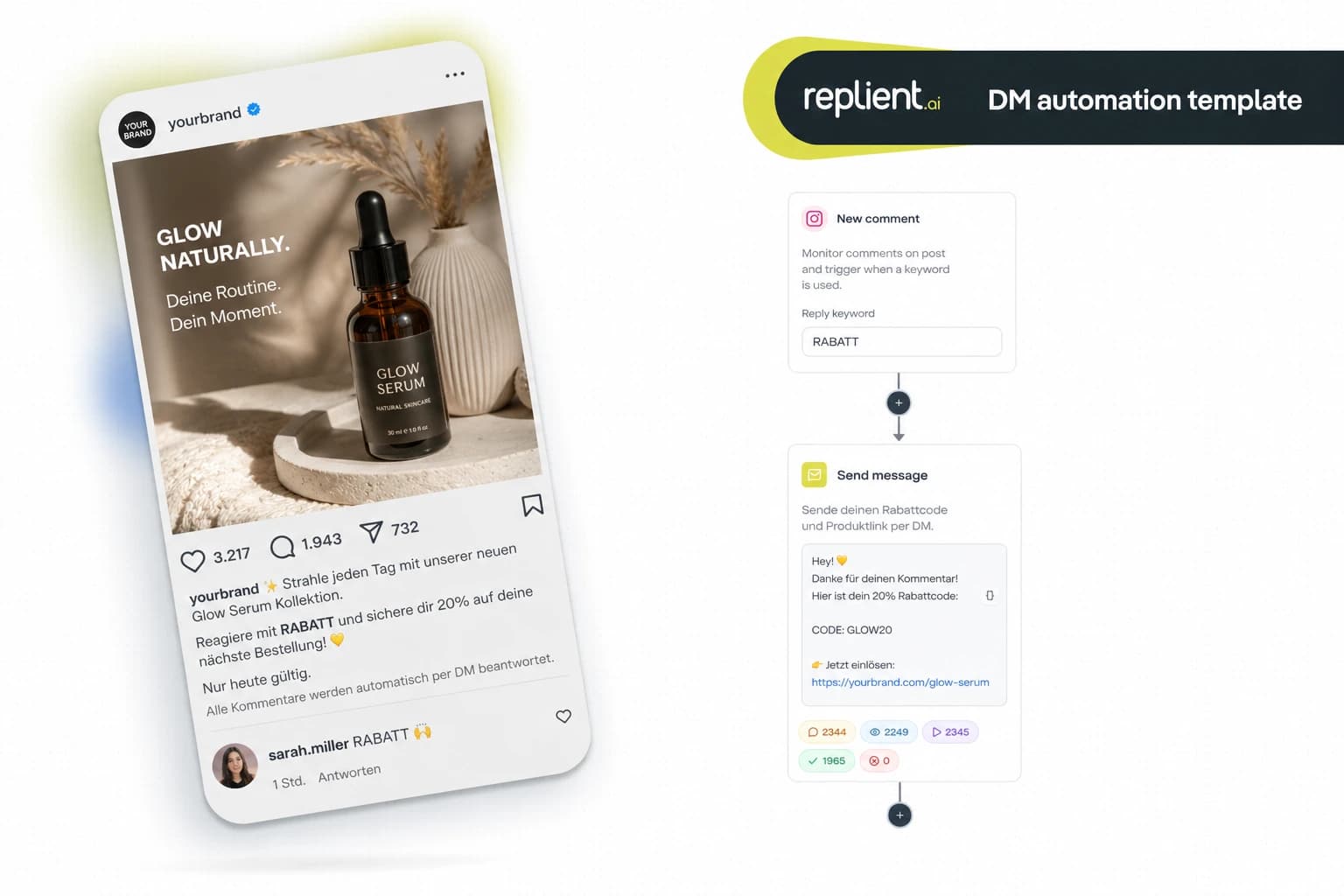
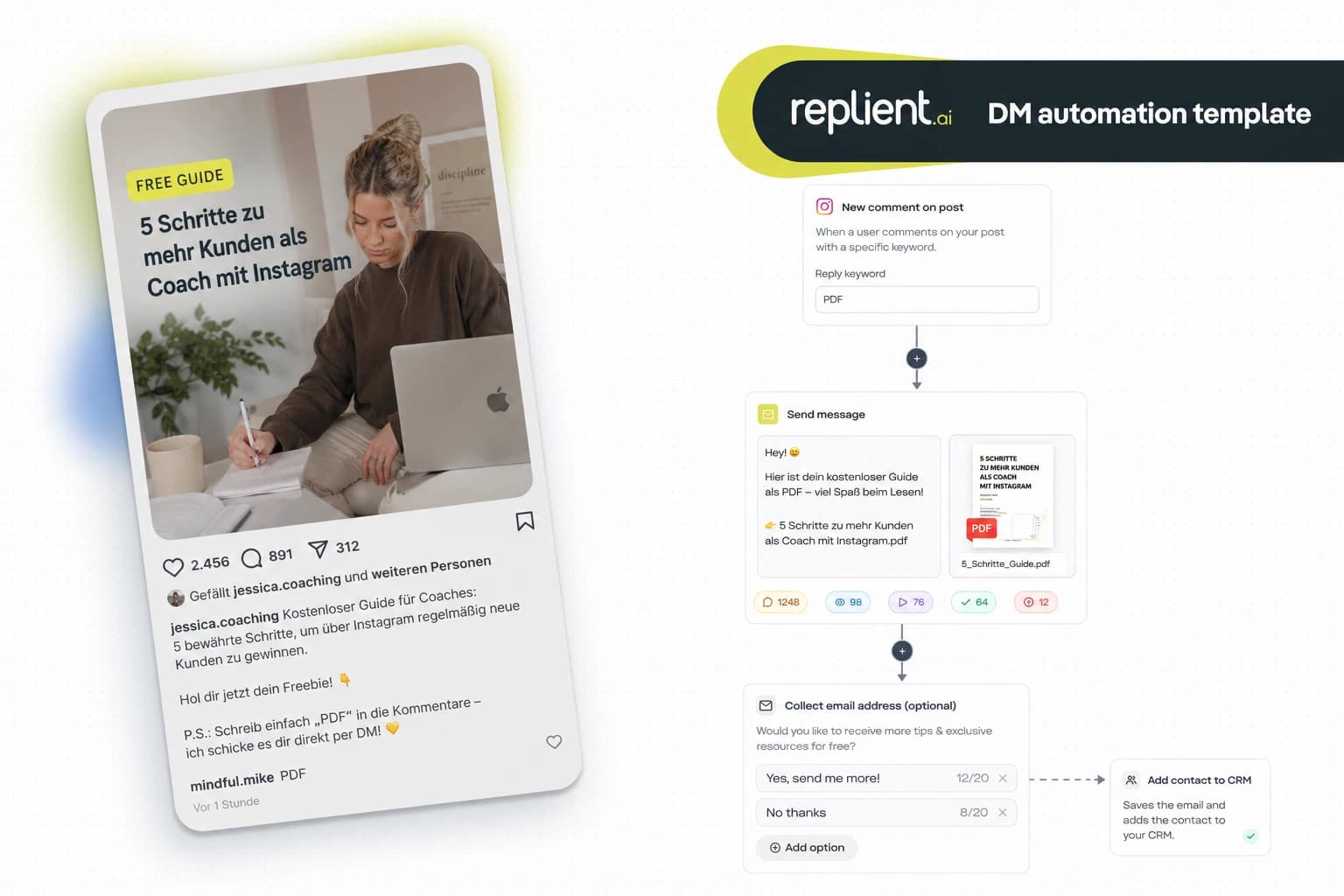
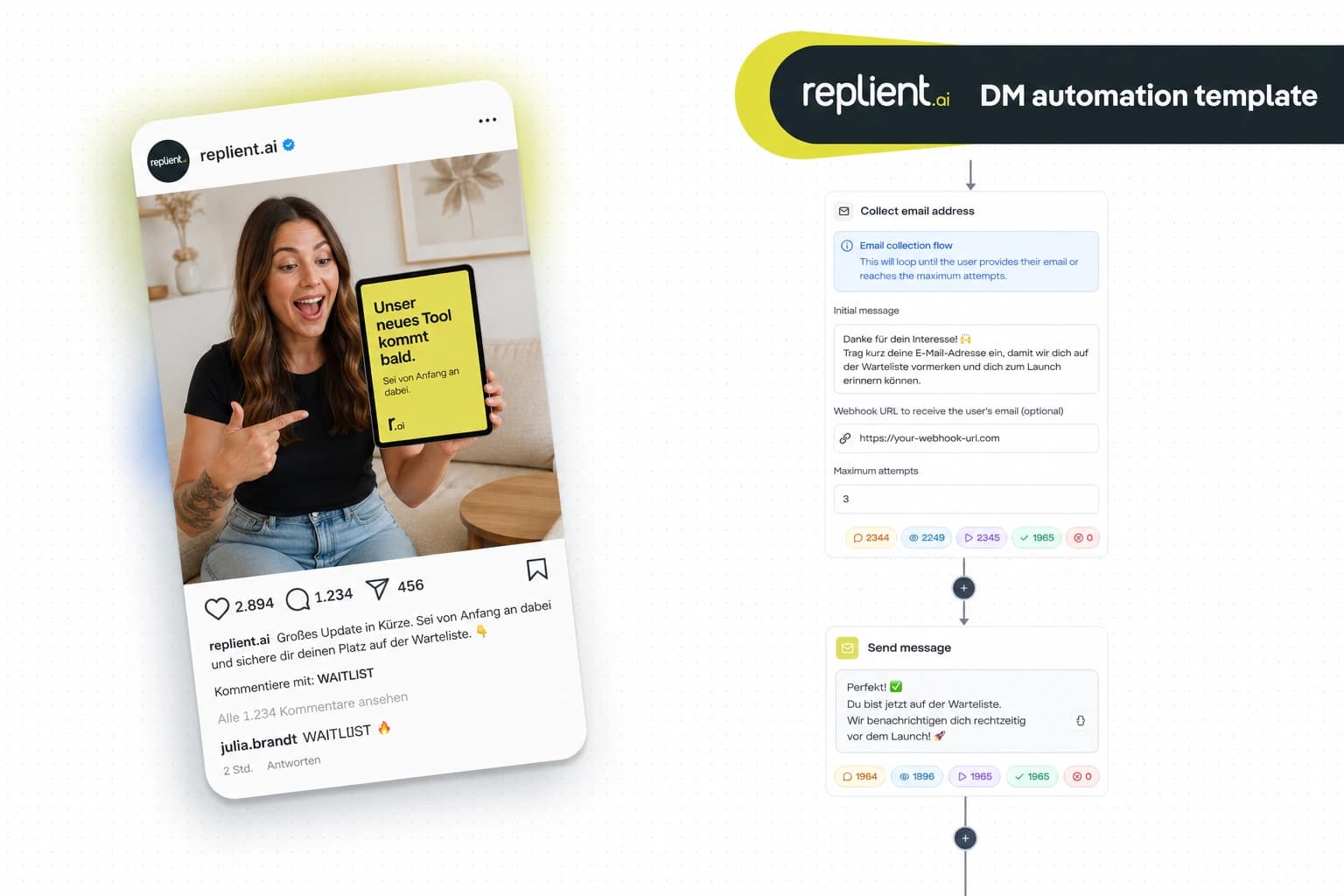
Preview of the DM automation 👇
TL;DR: A webinar sign-up DM automation automatically sends every fan who comments on your post the registration link via Instagram DM, including a personalized greeting, an optional email request and an automatic reminder before the event. In this copy-paste guide you build the entire flow (comment trigger → Send Message → Send Link to the webinar landing page → Collect Email → Time Delay + Reminder) in under 15 minutes with replient.ai. GDPR-compliant, Meta-official, without the ManyChat risk.
I remember an onboarding call with an online coach from Frankfurt who uses weekly live webinars as his main acquisition tool. He had a proven playbook: post an Instagram reel, say at the end "Comment WEBINAR for the link", and then manually send each individual commenter the Zoom link via DM. With 50 comments that was doable. Then one of his reels went viral, 680 comments in three days. He physically couldn't manage to send all the DMs. The result: out of 680 interested people, only 90 got the link. He lost the other 590 because he couldn't type fast enough. That was the moment when my brother Markus and I said: "This is exactly the problem our DM automation solves." Today I'll show you the exact flow that eliminates this bottleneck, with screenshots from the real replient.ai builder, solid numbers and a coach-specific FAQ.
Why Link-in-Bio for webinar registrations is broken
Most coaches and trainers still use the same path for webinar sign-ups: post a reel → say "Link in bio" → hope the fan leaves the app, finds the link, the landing page loads, fills out the form and actually registers. Those are seven steps, and any single one of them can mean a drop-off.
- Friction eats your registrations. Every additional tap between "interest" and "sign-up" costs conversions. According to an analysis by Unbounce, the average conversion rate on landing pages is around 4%, and that's with traffic that was already motivated enough to actively click. Of the fans who are "just taking a look", only a fraction reaches the form.
- You don't get a second chance. A comment is an active signal, the fan is telling you right then: "I'm interested." If you don't send them the link within the next few minutes, they scroll on and have forgotten your webinar by tomorrow. In the DM channel your message lands in their Instagram inbox, personal, direct, with a push notification.
- No reminder channel. Even if the fan signs up: without their email or a DM contact, you have no way to remind them on the day of the webinar. And no-shows are the biggest problem in webinar marketing. According to the ON24 Webinar Benchmarks Report, the average attendance rate for webinars is only around 40%, which means 60% of registrants never show up.
A webinar sign-up DM automation flips this mechanic: the fan comments a single word, receives the registration link as a personal DM within seconds, and you also have their Instagram DM channel as a reminder channel, through which you can reach them directly again 24 hours before the webinar.
What does webinar promotion via Instagram DM deliver in numbers?
Three data points that support the business case for an Instagram DM automation for webinar registrations:
- Instagram DMs get read: According to the Sprout Social Data Reports, users on Instagram and Facebook expect a reply within a few hours. DMs are almost always seen, unlike emails, which sit at an average open rate of 21% in marketing (Mailchimp, 2024). A DM that appears in the Instagram inbox has significantly higher visibility than a confirmation email that disappears in the Promotions tab.
- Webinars convert, when people show up: The ON24 Webinar Benchmarks Report shows that the average engagement time among attendees who actually show up is over 50 minutes. The problem isn't the content, it's the no-shows. Every additional reminder channel that lifts the attendance rate by even 10% means measurably more revenue.
- Instagram remains the top channel for coaches: According to Backlinko Instagram statistics, over 2 billion people worldwide actively use Instagram (Backlinko, 2025). For coaches, trainers and online educators, the platform is still the number one organic lead channel, ahead of LinkedIn, YouTube and TikTok.

The complete webinar sign-up DM flow: What we're building today
We're building a flow that does exactly what the most successful coaches in the US and UK have long since automated: a fan comments "WEBINAR" under your post → seconds later a personal message with the direct registration link lands in their Instagram DM → optionally their email address is requested and written via webhook into your CRM or your webinar tool → 24 hours before the event they receive a reminder directly in the DM inbox. All without a single manual reply.
The flow consists of five components:
- Comment Trigger, comment detection with keyword (e.g.
WEBINAR,SIGNUP,LINK) - Send Message, personal DM greeting with
{{contact.username}}variable - Send Link, registration button with click tracking to the webinar landing page
- Collect Email, optional: collect email and forward via webhook to Zoom, Demio or your CRM
- Time Delay + Reminder, send a reminder DM 24 hours before the webinar
Each module is a single node in replient.ai's flow builder that you connect by drag and drop. The entire setup takes under 15 minutes.
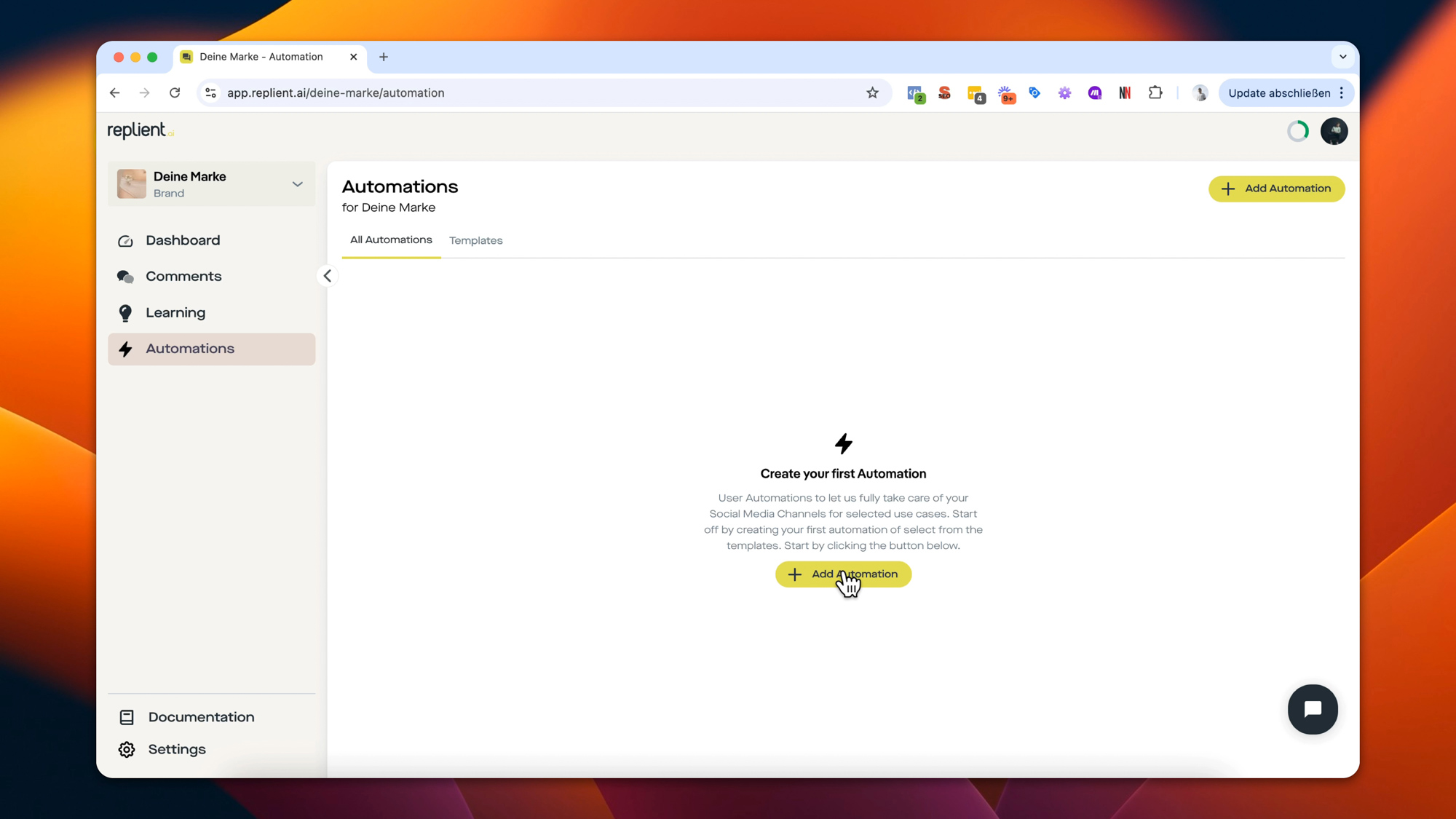
Module 1: Configure the comment-to-DM trigger
In the replient.ai flow builder you select the trigger post_comments, in the interface it's called "Someone comments on your post" (comment on post). This trigger has three scope modes:
- Any post, the trigger monitors all posts of your account (useful if you are continuously promoting webinars and want the same sign-up flow on every post)
- Specific post, you choose exactly one or several posts (the best choice for a single webinar with a specific promo reel)
- Caption contains, the trigger activates on all posts whose caption contains a specific text (useful for recurring webinar series where you always include the same marker in the caption)
For webinar promotion I recommend Specific post if you are promoting a single event. For weekly live sessions where you regularly post new Reels, Caption contains with a marker like [WEBINAR-FLOW] is the better choice, so the flow triggers automatically on every new post without you having to adjust the automation each time.
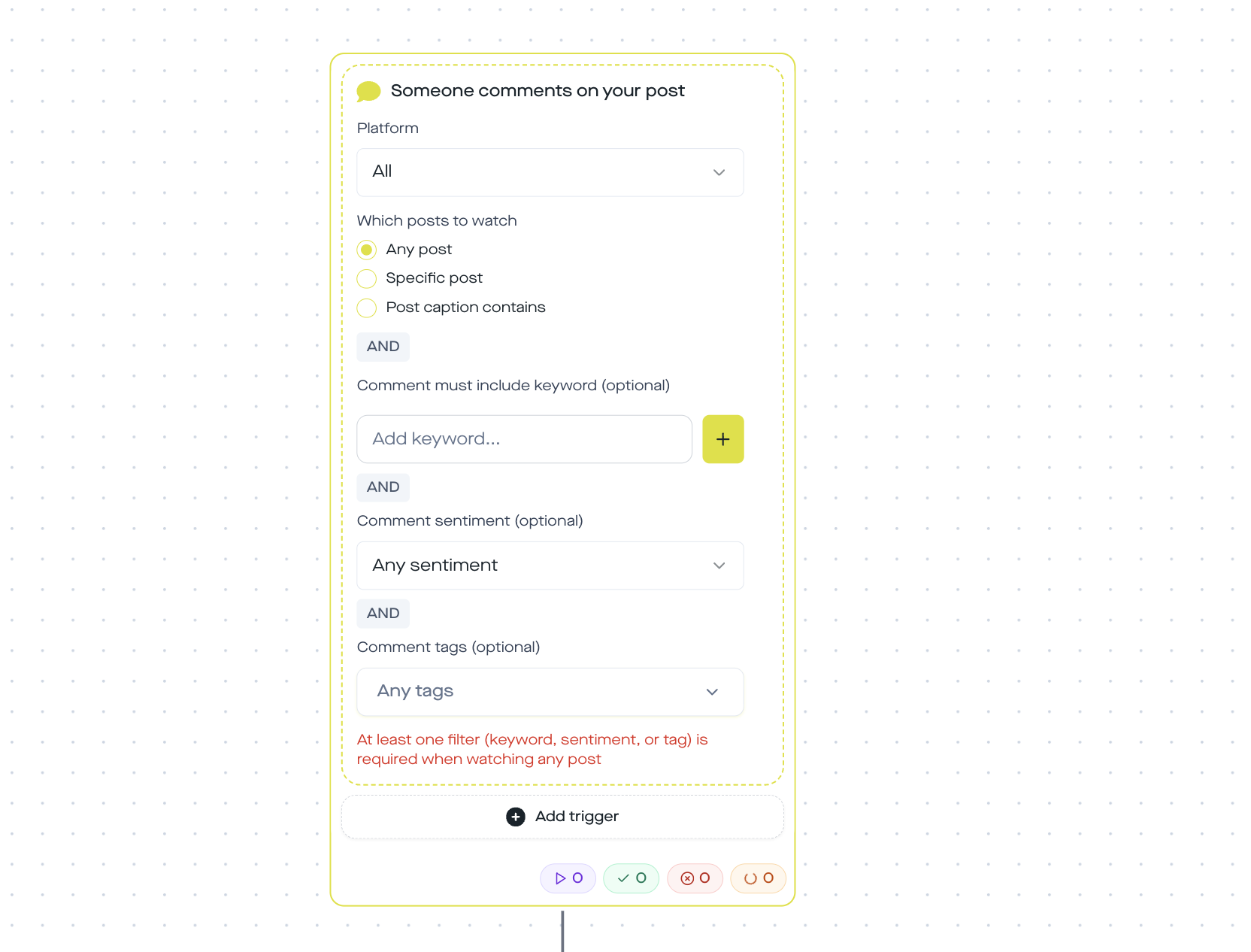
In the Comment text contains field you enter your keyword. The matching in replient.ai is case-insensitive and partial, technically solved via an .includes() check on the normalized comment text. If you set WEBINAR as the keyword, the flow also triggers on "hey, I want to join the webinar!", "WEBINAR please" or "webinar2024". You can store multiple keywords in OR logic.
Practical tip: Don’t use only WEBINAR, also include all typical variants in your matching: ANMELDEN, LINK, DABEI, TEILNEHMEN, MITMACHEN, ZOOM. Fans type on their phones and write whatever comes to mind. Our standard set for webinar flows is: WEBINAR, ANMELDEN, LINK, DABEI plus the specific event name (e.g. MASTERCLASS). This gets you 15 to 25% more comments into the flow than using a single keyword.
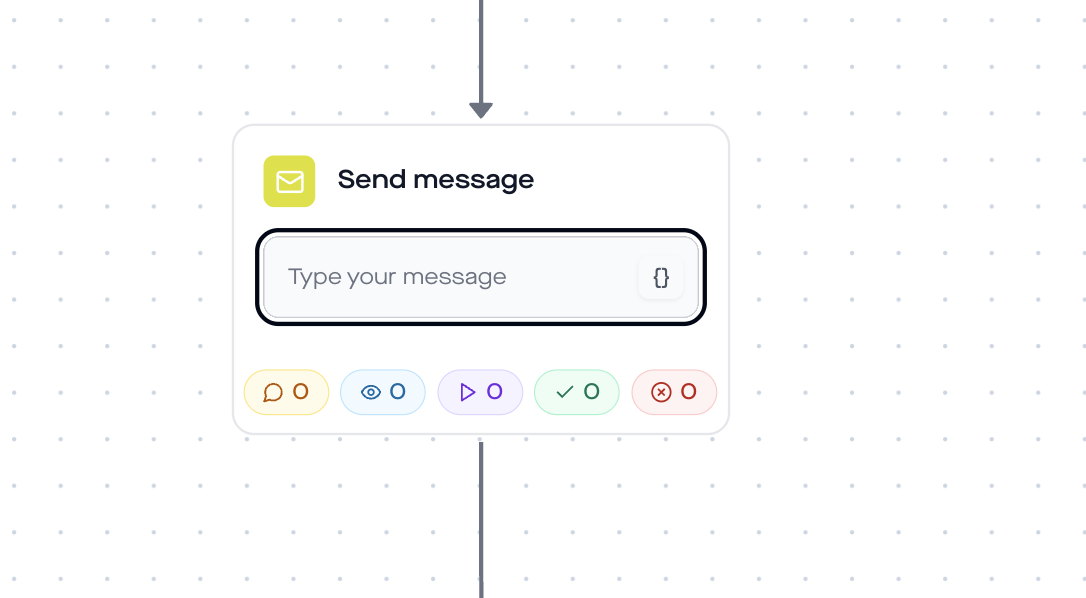
Module 2: Personalized DM with {{contact.username}}
First impressions matter. Instead of a generic message, every fan gets a DM that addresses them by their Instagram name. You use the variable {{contact.username}}, which replient.ai automatically fills with the commenter’s handle.
Example message:
Hey {{contact.username}}! Great that you want to join. Here is your personal link to the webinar, grab your spot now before seats fill up.
Why the personalization matters: according to the Salesforce State of the Connected Customer Report, over 70% of consumers expect companies to understand their individual needs and communicate in a personalized way (Salesforce, 2024). A DM with your own Instagram handle feels personal, even though it runs fully automatically.
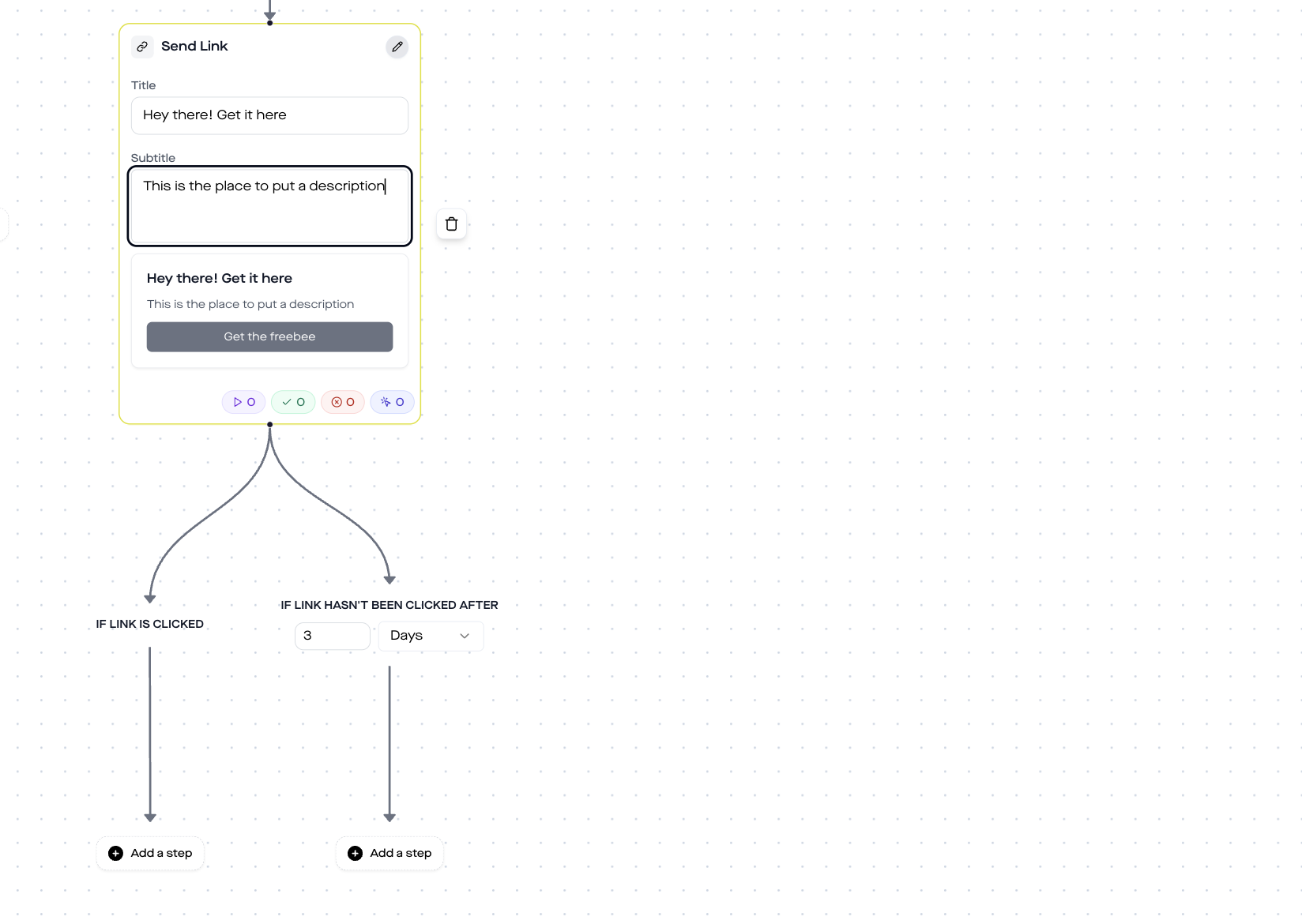
Module 3: Send link with click tracking for registration
Directly after the welcome message comes the Send Link step. Here you enter the URL of your webinar landing page, whether Zoom, Demio, WebinarJam, Calendly or a custom page. replient.ai creates a trackable button from it in the DM.
Here is how you configure the Send Link step:
- Title: The name that appears above the button (e.g. "Your webinar spot")
- Button text: The CTA on the button (e.g. "Sign up now")
- URL: The registration URL of your webinar tool (e.g.
https://deincoaching.com/webinar-anmeldung?utm_source=instagram&utm_medium=dm)
Important: include UTM parameters. This lets you see in your analytics tool exactly how many registrations came through the Instagram DM flow. The tracking URL in replient.ai additionally captures how many recipients actually clicked the button, you can find this click rate in the automations dashboard under the step analytics.
Module 4: Collect Email for your CRM (optional, but recommended)
The Instagram DM is a strong channel, but it does not belong to you. Meta could change the API rules tomorrow, and your access to those contacts would be gone. That is why I recommend adding a Collect Email step to every webinar flow.
Here is how it works: replient.ai sends a friendly follow-up question, e.g. "Would you like to receive the recording and the workbook by email? Then just type your email address in here." and waits for the fan's reply. As soon as a valid email is detected, the step forwards it via webhook to your system: ConvertKit, ActiveCampaign, Mailchimp, HubSpot, Zoom Webinar, Demio, any tool with a webhook input works.
GDPR aspect: Asking for an email via DM is an active, voluntary opt-in (Art. 6(1)(a) GDPR). The fan decides for themselves whether to enter their email. No pre-checked consent, no dark patterns.
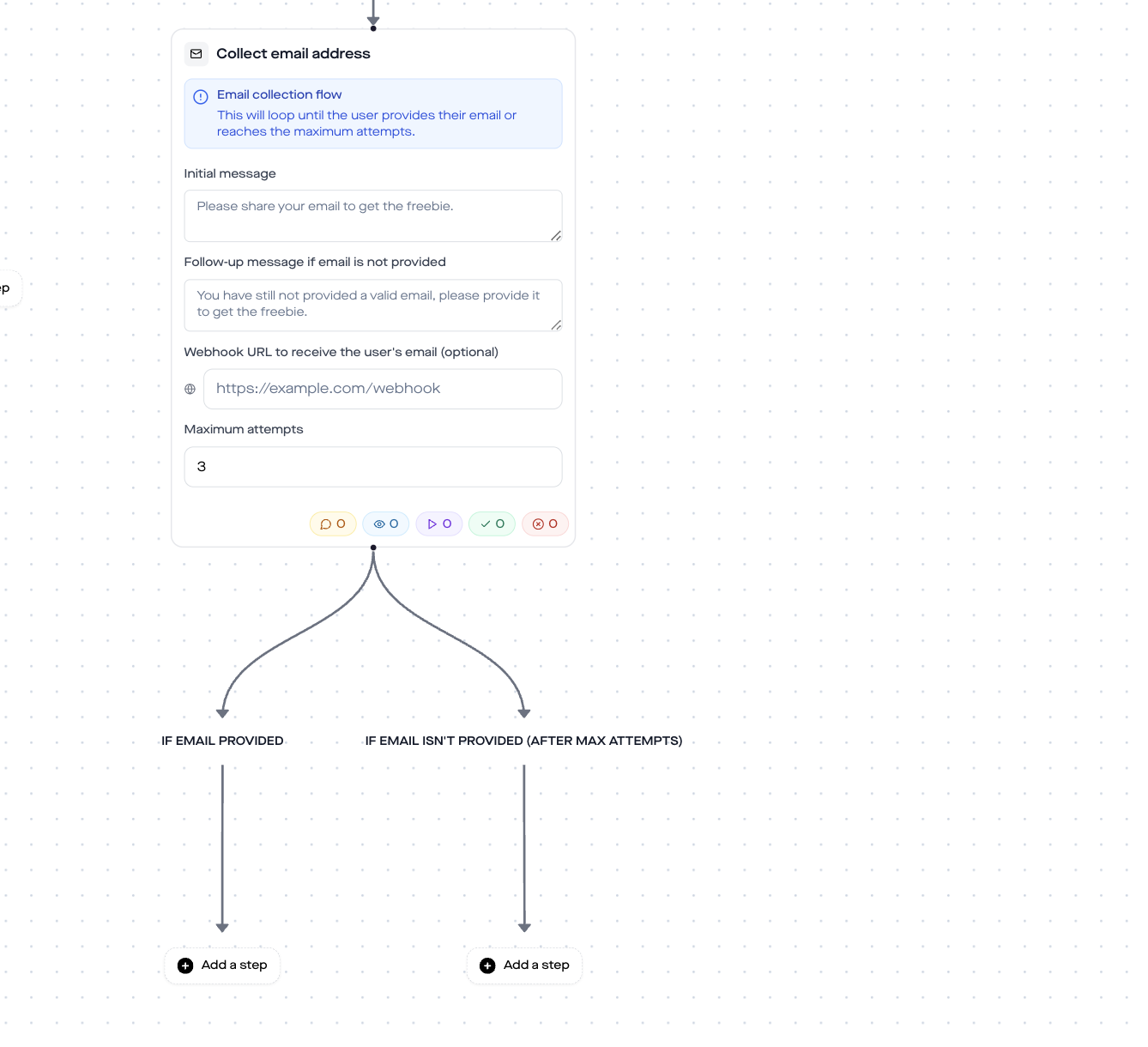
Why Collect Email is especially valuable for webinars: Unlike a lead magnet PDF, which the fan consumes immediately, there is often a week or more between registration and the webinar. During that time you need a reliable reminder channel, and email is the second one besides the Instagram DM. If you have both, DM reminders and email reminders, you reduce no-shows to a minimum. Coaches we onboard at replient.ai report an attendance rate increase of 15 to 25 percentage points after switching to a dual-channel reminder flow.
Module 5: Time Delay + reminder DM before the webinar
The last module makes the difference between "registered" and "actually showed up". You set a Time Delay that triggers the next message at exactly the right moment, typically 24 hours before the event or on the morning of the webinar day.
Example reminder:
Hey {{contact.username}}, tomorrow is the day! Your webinar starts at 7:00 PM. Here again is your link so you can join directly: [Button: Join the webinar]
Use the Time Delay step in replient.ai and set it to the appropriate number of days or hours. The Time Delay node supports minutes, hours and days as units.
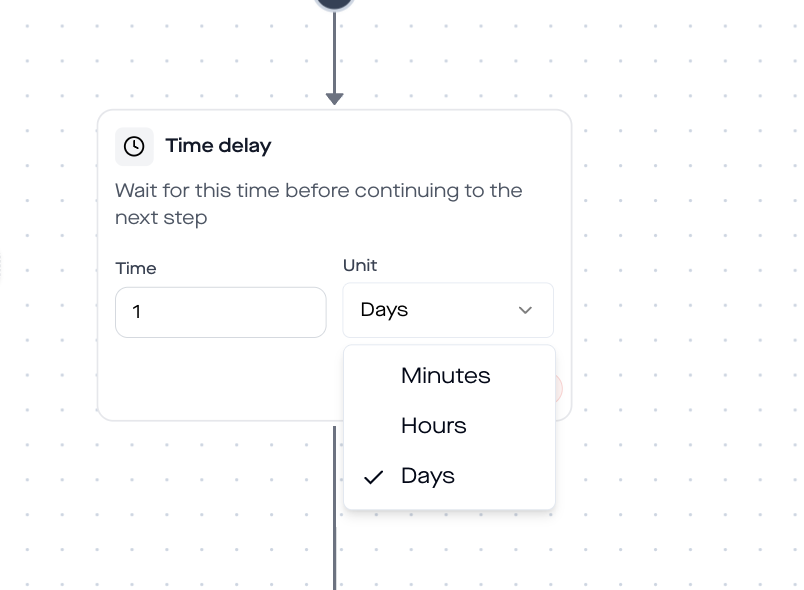
Pro tip for recurring webinars: If you go live at the same time every week (e.g. every Wednesday at 7 PM), set the Time Delay to a fixed value relative to the comment time. For a post on Monday and a webinar on Wednesday: Time Delay = 1 day + follow-up Send Message on Tuesday evening. For events with variable dates you must adjust the delay per campaign.
Manual vs Automation: the time comparison
Imagine you post a reel and get 200 comments with the keyword "WEBINAR." Without automation: you open Instagram, type each DM individually, copy the link 200 times, answer follow-up questions, and in the end you've invested three and a half hours and still forgotten 40% of the comments because your battery died in the meantime.
With DM automation: each of the 200 comments is answered in seconds. The link is personalized, tracked and includes reminders. You invest exactly 0 minutes, the flow runs while you prepare your webinar.
My brother Markus once tested this live with one of our agency clients, a fitness coach who promoted a free live workout via Instagram every week. Before replient.ai: Markus sat on the couch on Friday evenings typing DMs instead of looking forward to the weekend. His quote: "On Black Friday I manually sent DMs for six brands in parallel and afterwards I just wanted to sleep." After the automation: zero manual DMs, 100% coverage, and the coach's attendance rate rose because every interested person finally got the link within seconds instead of days.
Webinar tool integration: Zoom, Demio, Calendly & Co.
The send-link step in replient.ai is tool-agnostic, you simply enter the URL of your webinar landing page, no matter which tool you use. Here are the most popular integrations:
| Webinar tool | Registration URL pattern | Tip |
|---|---|---|
| Zoom Webinar | zoom.us/webinar/register/... | Append UTM parameters at the end |
| Demio | my.demio.com/ref/... | Demio tracking pixel on the thank you page |
| WebinarJam | event.webinarjam.com/register/... | Use the direct registration link, not the sales page |
| Calendly | calendly.com/yourname/webinar | For 1:1 coaching calls instead of group webinars |
| Your own landing page | yourcoaching.de/webinar | WordPress, Leadpages, Carrd, all work |
For email forwarding via Collect Email: You need a webhook endpoint. Most webinar tools and CRMs offer that:
- Zoom Webinar: Receive the webhook via Zapier or Make (Integromat) and add them as a registrant
- ActiveCampaign / ConvertKit / Mailchimp: Direct webhook connection via automations
- HubSpot: Form submission webhook or workflows
GDPR & compliance: what you need to know
Three pillars that legally secure your webinar DM flow:
- Official Meta Graph API: replient.ai uses only the official Instagram Graph API. No browser bot, no scraping, no login sharing. Tools that ask for your Instagram password violate Meta platform terms and risk account suspensions.
- Opt-in for email collection: The Collect Email step actively asks the fan whether they want to share their email. They must type it themselves. No pre-checked consent, no coercion. This corresponds to Art. 6(1)(a) GDPR (consent).
- EU hosting & Meta Business Partner: replient.ai is registered as a Meta Business Partner and processes data in a GDPR-compliant way. The difference from US tools without European data processing is not just theoretical, it can make the difference between compliance and a fine in an audit.
Who is this template for?
Webinar registration via DM automation works for anyone who regularly promotes live events on Instagram:
- Online coaches & trainers: Weekly live workshops, masterclasses, Q&A sessions
- B2B marketer: Product demos, thought-leadership webinars, partner events
- Course Creator: Launch webinars for new online courses, free intro sessions
- Agencies: Webinar promotion for multiple client brands simultaneously from a single dashboard
- Speakers & keynote trainers: Event registrations for conferences, summits, virtual stages
FAQ: Webinar registration via Instagram DM automation
Is webinar sign-up DM automation legal? Yes, if you use a tool that works through the official Instagram Graph API (not a browser bot), and you collect emails with a clear opt-in. That complies with Article 6(1)(a) of the GDPR. Browser bots violate Meta platform policies and can lead to account suspensions.
Can I promote different webinars with different flows? Yes. You create a separate automation per webinar with its own keyword and registration link. This way you gradually build a webinar library that you can easily duplicate for recurring events.
What happens if someone comments after the webinar date? The flow continues, the follower still receives the link. You can either deactivate the automation after the event or add a note about the recording in the Send Message step. Tip: Create a second automation that becomes active after the live event and sends the replay link instead of the registration link.
Is the Instagram DM automation free? The Instagram Graph API itself is free, but you need a tool that builds and runs the flow. replient.ai offers a free trial that lets you fully set up and test the webinar flow before switching to a paid plan.
Does the tool ask for my Instagram password? No. You connect your Instagram Business account via the official Meta OAuth flow. replient.ai never sees your password. Tools that ask for the password violate Meta platform policies.
Is replient.ai an official Meta Business Partner? Yes. replient.ai uses only the official Instagram Graph API and is registered as a Meta Business Partner. This is the key compliance difference compared to browser-bot tools.
Can I set the reminder timing flexibly? Yes. The Time Delay step supports minutes, hours, and days. You can, for example, set a reminder 24 hours before the event and a second one 1 hour before, by attaching another Time Delay + Send Message after the first reminder.
Next steps: set up your webinar flow now
- Create an account at replient.ai (14-day free trial) and connect your Instagram Business account
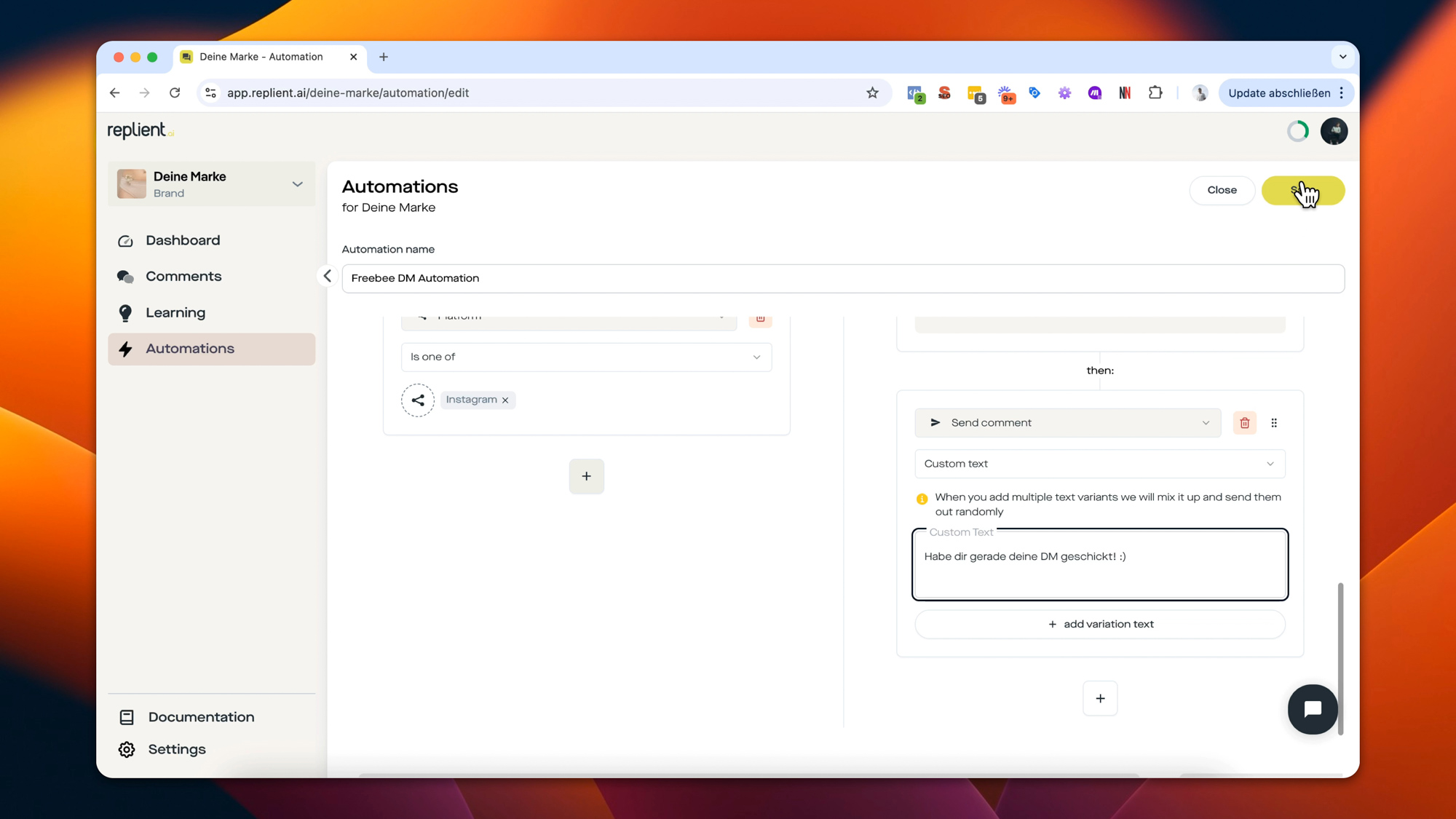
- Set up a new DM automation and configure the comment trigger to your webinar keyword
- Copy the 5 flow steps from this template: Send Message → Send Link → Collect Email → Time Delay → Reminder
- Post a test comment under your post and check if the DM arrives correctly
- Post a reel or carousel with the call to action: "Comment WEBINAR and I'll send you the link"
If you'd rather set up the flow visually: here is the ready-made template directly in the replient.ai builder.
You can find more DM automation templates in our template overview, from Instagram giveaway automation through discount code via DM to lead magnet delivery.
About the author

Co-Founder, replient.ai
Thomas is a co-founder of replient.ai and works on AI-assisted comment management for social media. He writes about automation, community management and efficient comment moderation for growing brands.