Summarize this with
 ChatGPT
 Claude
 Gemini
 Perplexity
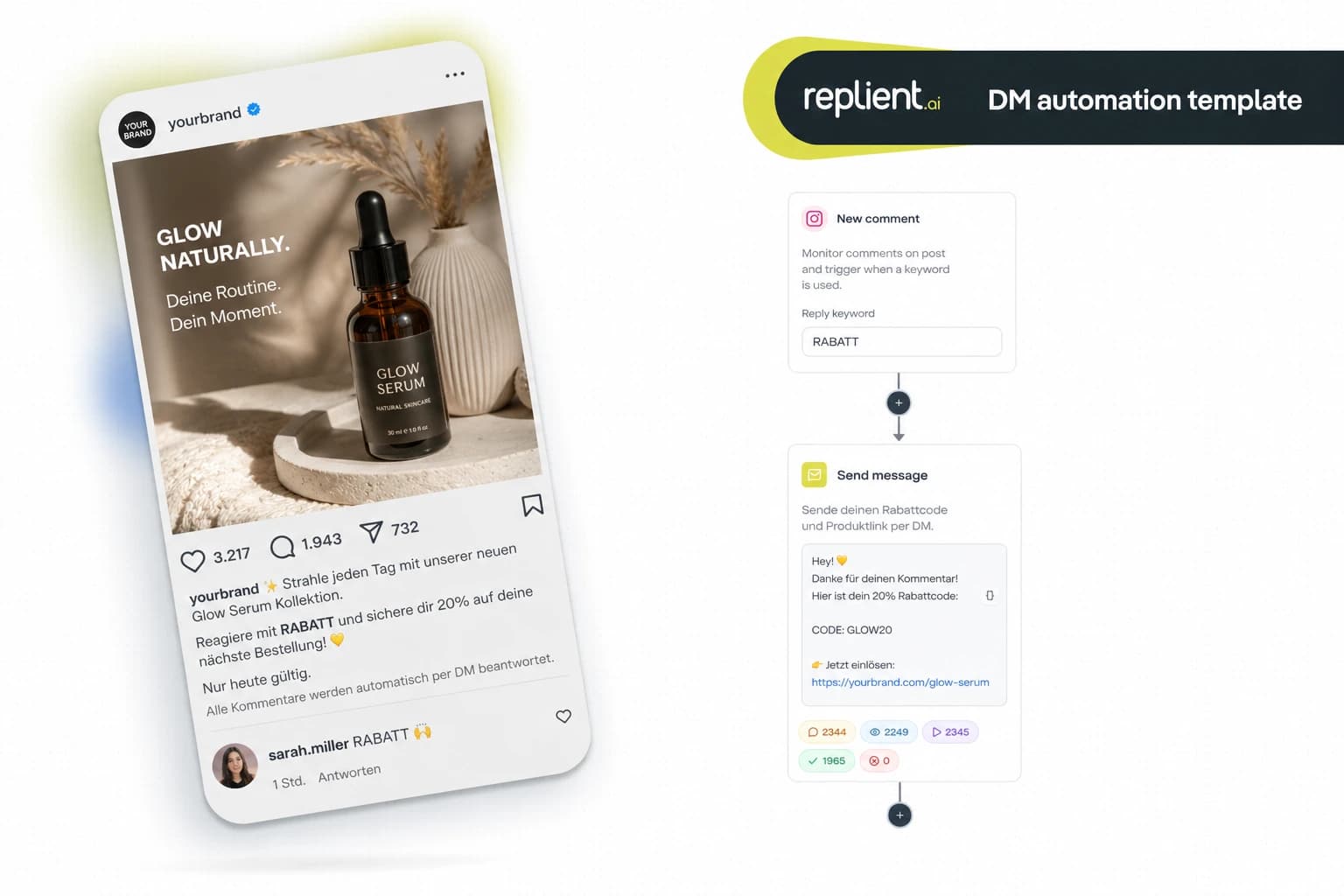
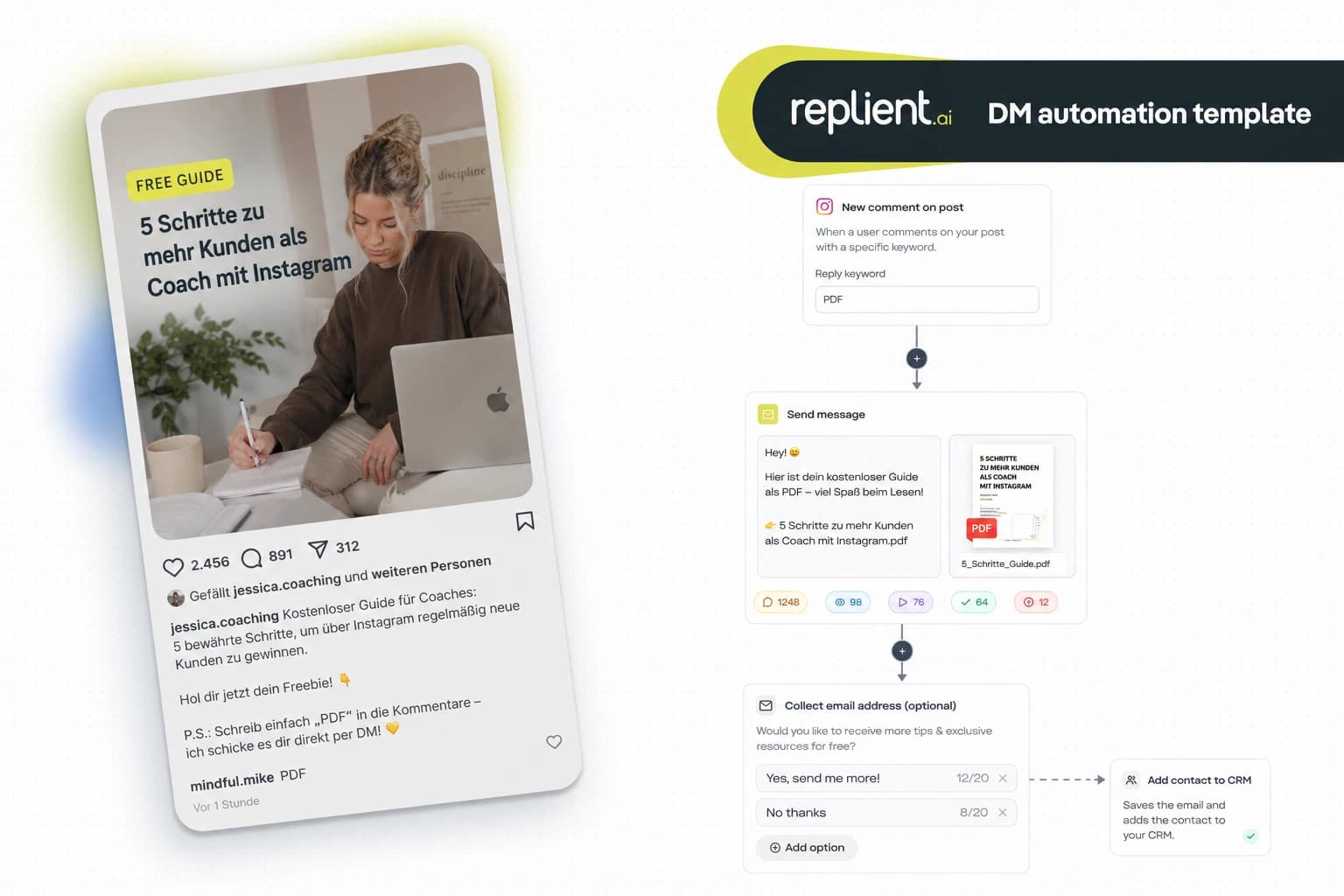
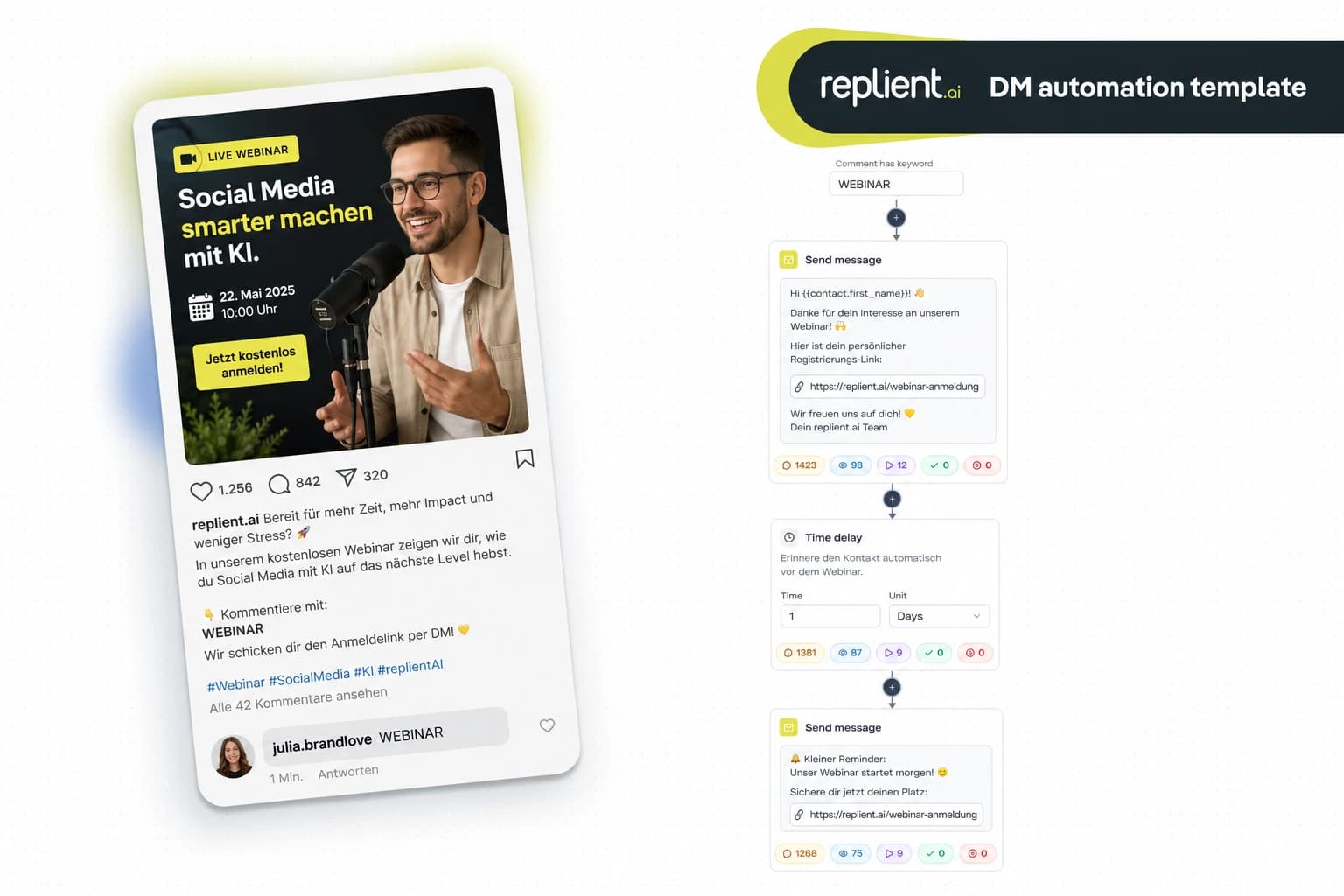
Preview of the DM automation 👇
TL;DR: A follower replies to your Instagram Story with „GUIDE“, „RECIPE“ or „PDF“ – and receives the freebie automatically via DM. No landing page detour, no manual replying. In this copy-paste guide you build the complete Story Reply freebie flow in under 5 minutes with replient.ai. Including email capture. GDPR-compliant, Meta Business Partner, Instagram only.
Three weeks ago I was on an onboarding call with a fitness coach from Hamburg. 23,000 followers, daily Stories with training tips, and a PDF workout plan as a lead magnet. His process so far: post a Story → write „link in bio“ → hope someone clicks. His conversion? 11 downloads per week. „People keep sending me DMs asking for the plan“, he told me, „but I can't keep up with answering every DM individually.“ In 4 minutes we set up a Story Reply flow. His next Story: „Reply with PLAN and I'll send you the training plan directly via DM.“ 87 Story Replies on the first day, 87 automatic freebie DMs, 34 email addresses collected. My brother Markus put it this way: „A freebie via DM feels like a personal gift – not like a download from a cold landing page.“

Why freebies via Story Reply convert better than landing pages
The classic freebie delivery looks like this: link in bio, landing page, enter email, download. Four steps, each one a potential drop-off. Story Reply automation reduces that to a single step: reply.
- 90% open rate on DMs vs. ~20% on emails. Your freebie lands where it is guaranteed to be seen (Backlinko, 2025).
- 500 million daily Story users worldwide. Your followers are already in the Stories – the only question is how you get them to take action (Statista, 2025).
- 391% higher conversion when you reply within one minute. The Story Reply flow responds in under 10 seconds – no human can do that with 50+ replies at the same time (LeadResponse, 2026).
- 73% of consumers expect personalized interactions. A DM with
{{username}}beats any generic landing page (Salesforce, 2024).
The key difference: someone who replies to an Instagram Story has consciously chosen to interact. This is not a random click, this is a micro-commitment. These followers are warmer than any landing page visitor.
The complete freebie flow: what we're building today
This flow uses the Story Reply trigger and delivers your freebie (PDF, guide, recipe, checklist) automatically via DM, including email capture for your list.
- Trigger – Story Reply with a keyword (e.g. „GUIDE“, „RECIPE“, „PDF“)
- Send Message: Personalized welcome DM
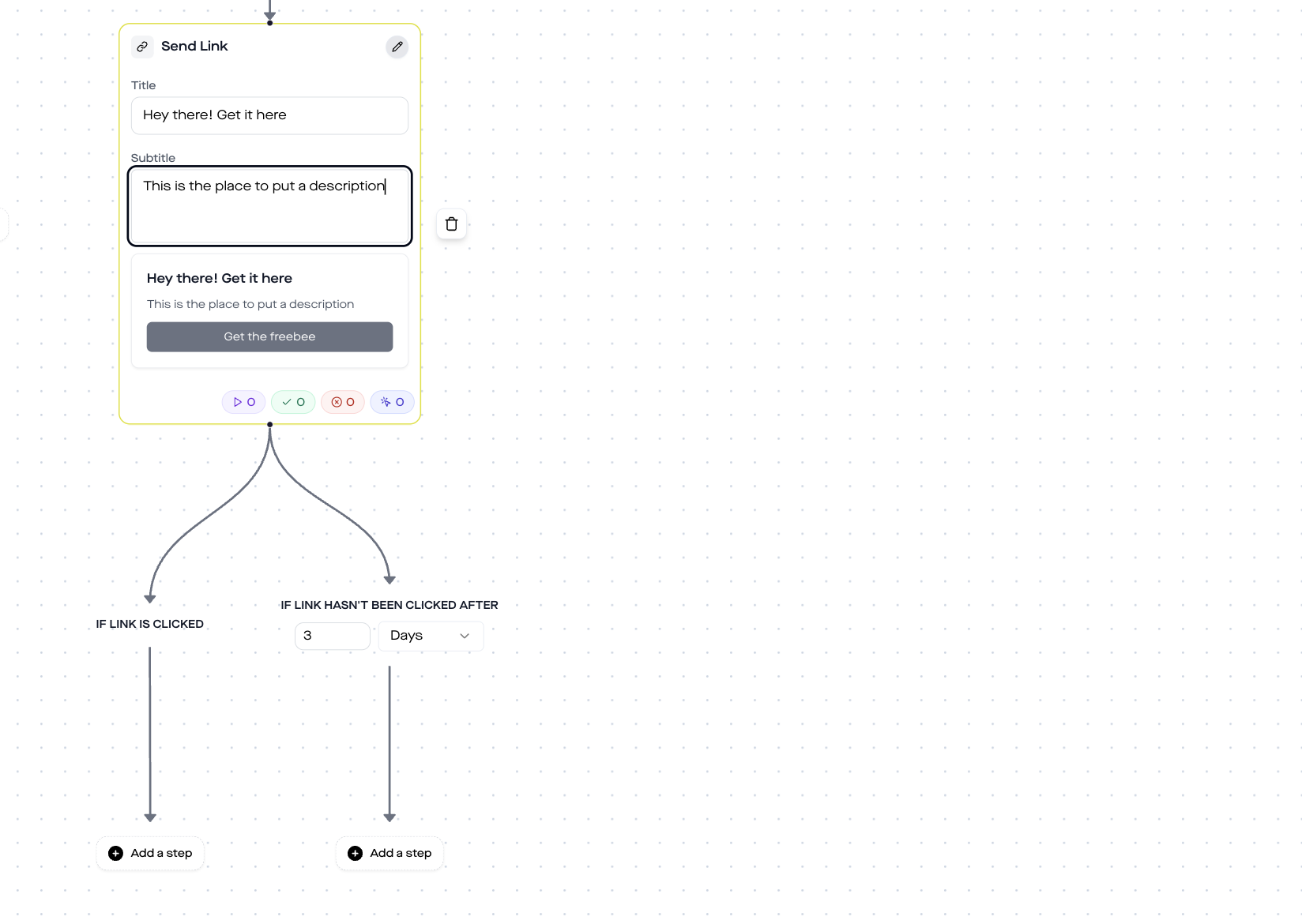
- Send Link: Clickable button for freebie download
- Collect Email: Collect email address + webhook to CRM
Who is this template for?
- Coaches and consultants, who send freebies like checklists, workbooks or mini-courses via DM and want to collect email addresses while doing so
- Food creators and recipe bloggers, who share recipes as a PDF via Story Reply – „Reply with RECIPE and I'll send you the full recipe via DM“
- Online educators and course creators, who use free lessons, cheat sheets or summaries as lead magnets
- Fitness trainers, who deliver training plans, meal plans or workout PDFs via DM
- Agencies, who set up this flow for creator and coaching clients
Step by step: set up Freebie Flow
Block 1: Story Reply Trigger
The trigger fires when someone replies to your Instagram Story. You filter by keyword – only replies containing „GUIDE“, „RECIPE“, „PDF“ or your preferred term trigger the flow.
Configuration:
- Trigger: Someone replies to a story
- Message: Specific keywords → „GUIDE“ (or your keyword)
- Platform: Instagram
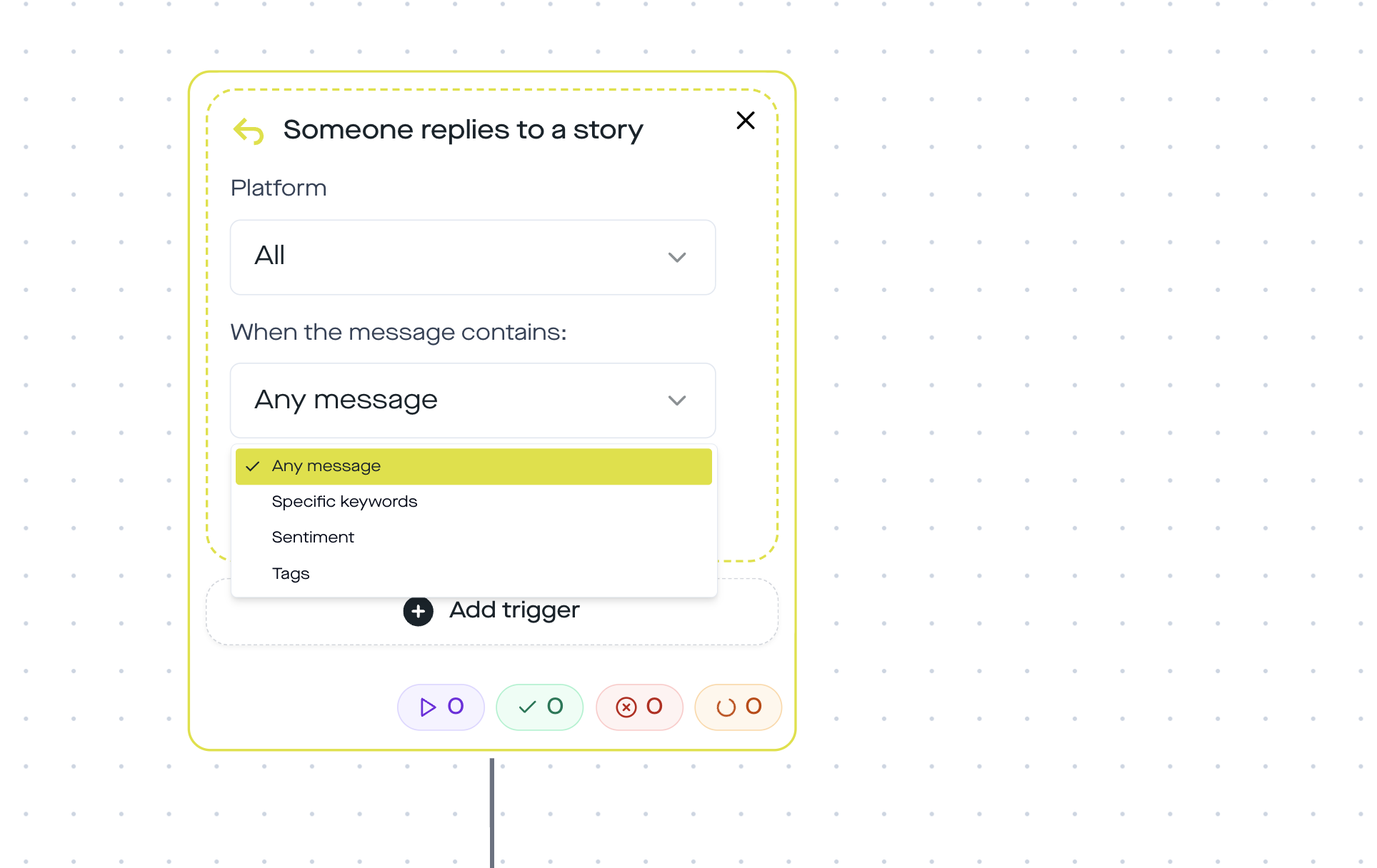
In your Story you phrase the CTA directly: „Reply with GUIDE and I'll send you the complete guide for free via DM.“ Clear, simple, no misunderstandings.
Block 2: Send Message
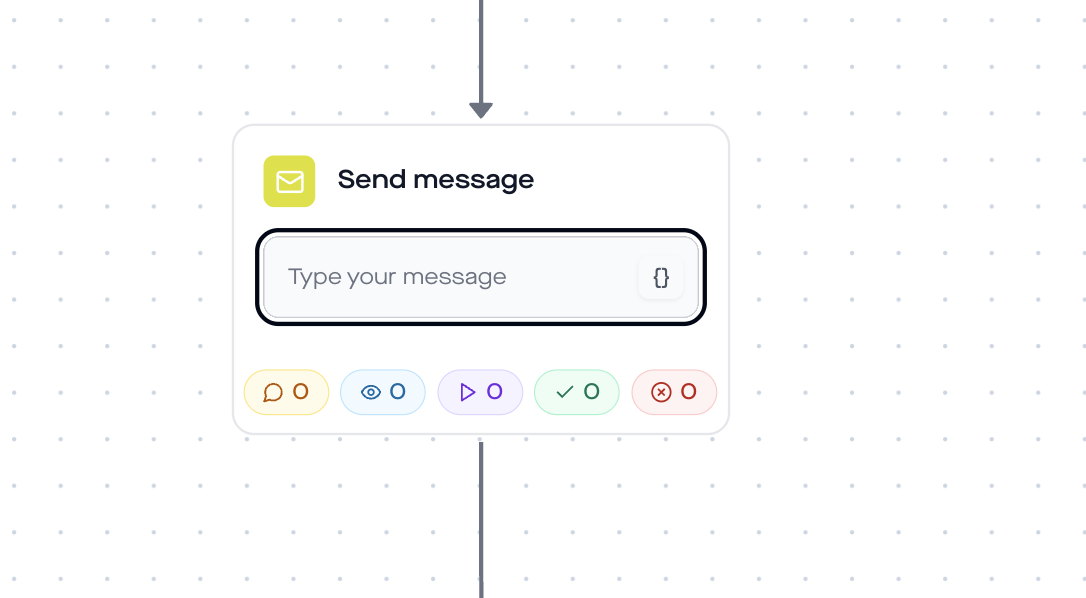
The follower gets a personalized welcome DM. The variable {{username}} makes the message personal.
Example text:
Hey {{username}}! Thanks for grabbing the guide. I'll send you the download link in a moment, enjoy it and let me know if you have any questions!
Block 3: Send Link
Here comes the actual freebie. The Send Link Step sends a clickable button in the DM.
- Title: „Here is your free guide“
- Button text: „Download now“ / „To the recipe“ / „Open PDF“
- URL: Link to your hosted PDF (Google Drive, Dropbox, your own website)
- Click tracking: Automatic, you can see in the dashboard who clicked
Important: The Instagram Graph API does not allow a direct PDF attachment in DMs. The solution: host your PDF on Google Drive, Dropbox or your website and link the download via Send Link. The follower clicks the button, the download starts.
Block 4: Collect Email
The final step collects the follower's email address. replient.ai asks for the email via DM and forwards it via a webhook directly into your CRM or email tool, Mailchimp, ConvertKit, ActiveCampaign, HubSpot, whatever you use.
Configuration:
- Question text: „Want free guides in the future too? Enter your email and I'll send you a new tip every Friday.“
- Webhook URL: Your CRM endpoint (Mailchimp, ConvertKit, Zapier, etc.)
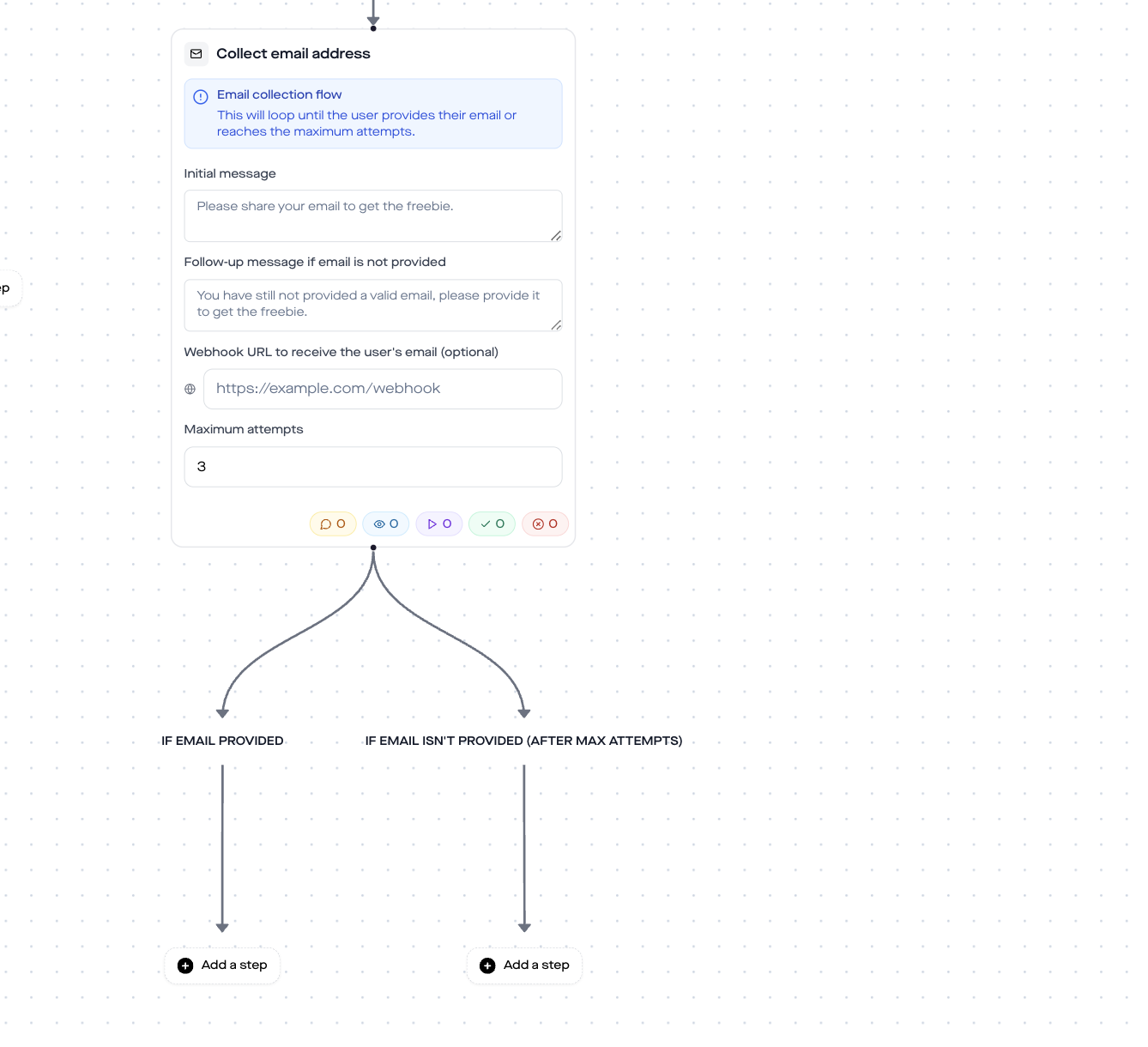
The email request is optional, the follower can skip it. But in our experience 30 to 40% of followers who request the freebie also provide their email. With 100 story replies per week that is 30 to 40 new contacts for your list, automatically.

Why this template only runs on Instagram
The Story Reply trigger is Instagram-exclusive. The Meta Graph API provides the story_reply webhook only for Instagram, Facebook Pages have no equivalent for story replies.
If you also want to distribute a freebie on Facebook, use the comment-to-DM trigger instead: post a Facebook post with „Comment GUIDE and I'll send you the download via DM.“ You can find the complete guide for this in our DM automation guide for Instagram and Facebook.
Best practices for freebie flows
- One keyword per freebie. „RECIPE“ for the meal-prep plan, „GUIDE“ for the checklist, „PLAN“ for the training plan. That way you can promote multiple freebies in parallel via Story.
- Story highlights for evergreen freebies. Your story disappears after 24 hours, the flow does not. Save freebie stories as a highlight so new followers can still see the CTA weeks later.
- Highlight the CTA visually in the Story. Write „Reply with GUIDE“ as a text overlay in bold type. A question sticker works too, but it is less direct.
- Freebie quality > quantity. One really good freebie that delivers real value brings more email addresses than five mediocre PDFs. The coach from Hamburg revised his training plan three times – and each version generated more replies.
- Follow-up after the freebie. Optional: after the Collect Email Step, add a Time Delay (48h) and a second DM: „How did you like the guide? If you have any questions – just message me.“ This builds trust and opens the door to the sale.
Analytics: what you should track
In the replient.ai dashboard you can see the performance for each step:
- Trigger rate: How many Story Replies did the flow capture?
- Delivery rate: How many DMs were delivered?
- Click rate: How many followers clicked the freebie link?
- Email capture rate: How many entered their email?
These numbers show you which freebies perform best and where you can improve your CTA in the story.
Data protection & GDPR
- EU servers: replient.ai processes all data on EU servers. A data processing agreement (DPA) is in place.
- Meta Business Partner: replient.ai uses the official Instagram Graph API. No scraping, no browser automation, no shadowban risk.
- Legal basis for email capture: The follower provides their email voluntarily, legal basis Art. 6(1)(a) GDPR (consent). The Collect Email Step makes clear what the email will be used for.
- Opt-in through interaction: The Story reply is a user-initiated conversation. The 24h messaging window applies automatically.
FAQ
Can I send PDF files directly via DM?
No. The Instagram Graph API does not allow direct file attachments in DMs. The solution: host your PDF on Google Drive, Dropbox, or your website and send the download link via the Send Link Step. The follower taps the button and the download starts in the browser.
Which freebies work best via story reply?
Anything that is instantly consumable: recipes as PDFs, checklists, training plans, mini-guides (5 to 10 pages), templates. Longer e-books also work, but shorter freebies have higher completion rates.
Does the follower have to provide their email to get the freebie?
No. The flow delivers the freebie (Send Link) before the Collect Email step. The email request is optional, the follower can skip it. That way everyone gets the freebie, but only those interested give their email.
Does the flow work without a keyword?
Yes. You can select „Any message“ in the trigger. Then every reply to your Story triggers the flow. Useful when you only offer one freebie and want to capture every reaction.
Can I offer multiple freebies across different stories?
Yes. Create a separate automation with its own keyword for each freebie. „RECIPE“ delivers the meal-prep plan, „GUIDE“ the training guide, „CHECK“ the checklist. All flows run in parallel.
Where are the collected email addresses sent?
Via webhook to your CRM or email tool. We support Mailchimp, ConvertKit, ActiveCampaign, HubSpot, Klaviyo, Zapier, and any tool with a webhook endpoint.
What does replient.ai cost?
There is a 14-day free trial. After that, plans start at affordable monthly rates. You can find the current prices here.
Use this template
Want to set up the Story Reply freebie flow right away? Here's how:
- Create a free replient.ai account (14-day free trial)
- Connect your Instagram Business or Creator account
- Go to DM Automations → Create new automation
- Select the trigger „Someone replies to a story“ and configure your keyword
- Add Send Message → Send Link → Collect Email as steps
- Activate the automation – done
From now on, every follower who replies to your story with the correct keyword automatically receives your freebie via DM, and you collect email addresses for your list in the process. Around the clock, with no manual effort.
If you want to dive deeper into DM automation on Instagram and Facebook, you'll find all the basics in our guide. For a general Story Reply link flow without email capture, take a look at our Story Reply Link template. And if you want to know when automation pays off – we have a guide for that too.
About the author

Thomas Danninger
Co-Founder, replient.ai
Thomas is a co-founder of replient.ai and works on AI-assisted comment management for social media. He writes about automation, community management and efficient comment moderation for growing brands.