Summarize this with
 ChatGPT
 Claude
 Gemini
 Perplexity
At our agency, we spent years answering social media comments for clients. Facebook, Instagram, TikTok – everything was professionally managed. And the Google reviews? They sat untouched. Completely ignored. Until a local client received a 1-star review: „Never again!“ With no further explanation.
Instead of ignoring it, we calmly asked what had happened. The customer changed their rating to 4 stars. That moment showed us: Google reviews are not a side stage. 97% of consumers who read reviews also read the responses to them (BrightLocal, 2025). Every unanswered review is a missed opportunity.
Social Media Comment Management: The Complete Guide 2026
TL;DR: 75% of businesses never respond to Google reviews – even though customers spend 49% more at businesses that respond (Womply study). Those who respond to every review, whether positive or negative, increase revenue, visibility, and trust. AI makes it scalable.
Why do 75% of businesses ignore their Google reviews?
75% of small and medium-sized businesses don't respond to a single review in their Google Business Profile (Womply study, 200,000+ US businesses). At the same time, 97% of consumers read the responses to reviews (BrightLocal, 2025). That is a massive gap between customer expectation and business reality.
Time, overwhelm, and lack of processes
The main reason is simple: there is not enough time. Small teams do not have a dedicated person for review management. Google Maps reviews end up somewhere between marketing and customer service, and no one feels responsible. No one responds.
We experienced this firsthand at Health Routine. In the middle of a scaling phase, the support team member dropped out. Hundreds of customer reviews across different platforms – and suddenly no one to respond. „My support team member just dropped out“ was the first sentence during onboarding. This is not an isolated case. This is everyday life in growing companies.
The paradox: social media yes, Google reviews no
What surprised us: most brands respond to everything on Instagram and Facebook. Every comment under an ad is taken seriously. But the Google reviews? Completely forgotten. Yet Google is often the first touchpoint for potential customers. Someone searching for „restaurant near me“ reads the reviews on Google Maps – not the Instagram comments.
That is because Google Reviews do not show up in any social media dashboard. They exist in their own world. No notification system to annoy you. No red number that pops up. The review comes in, and disappears into the digital void. Until a potential customer reads it and goes to the competition.
Community Management is not Support – it is Sales

What happens when you respond to every review? The numbers
Businesses that respond to more than 25% of their reviews earn 35% more revenue than those that don't (Womply study). Customers spend up to 49% more at businesses that respond to their reviews. The data is clear: responding to reviews pays off directly in revenue.
The revenue effect: more responses, more income
The Womply study is so convincing because it analyzed 200,000 businesses over several years. This is not a small A/B test. It is one of the largest studies on the relationship between reviews and revenue. And the result is clear: responding to reviews correlates directly with higher revenue.
88% of consumers say they would prefer a business that responds to all reviews (BrightLocal, 2025). Think about that. Almost 9 out of 10 potential customers don't just look at stars. They look at whether you care. Whether you give feedback. Whether you take your customers seriously.
The trust effect: negative reviews as an opportunity
Here is where it gets counterintuitive. Businesses with an average rating of 4.0 to 4.5 stars get more clicks and revenue than those with a flawless 5.0 (Northwestern University/PowerReviews). Why? Because a perfect 5.0 looks suspicious. A few negative reviews make you authentic.
What matters is how you respond to the negative review. 45% of consumers say they are more likely to visit a business that responds to negative reviews (ReviewTrackers, 2025). A factual, empathetic response to criticism demonstrates professionalism. Potential customers read it too. And they form their opinion not based on the complaint – but based on your response.
Why Every Unanswered Comment Costs You Revenue
How to properly respond to negative Google reviews
53% of customers expect a response to their review within seven days (ReviewTrackers, 2025). With negative reviews, speed matters even more. Every day without a response signals to potential customers: this business doesn't take criticism seriously. The right way to handle a negative review follows clear principles.
The 4-step framework for negative reviews
1. Say thank you. It sounds absurd for a 1-star review. But „Thank you for your feedback“ shows everyone reading: this brand responds to criticism instead of hiding. It costs nothing and signals composure.
2. Show genuine understanding. „We're sorry your experience wasn't satisfactory.“ Not a stock phrase – but an honest acknowledgment. Refer specifically to the point raised. If someone criticizes the food, address the food. Not the weather.
3. Offer a solution. No empty promises. Be specific: „Please email us at [address] so we can sort this out.“ This moves the conversation to a private channel – and publicly shows that you are actively working on a solution.
4. Stay factual. Never react emotionally. Never blame the customer. Even if the review is unfair. Potential customers are watching and judge your professionalism. A factual response to an unfair attack earns you more sympathy than any 5-star review.
Practical example: From 1 star to 4 stars
Our concrete case from our agency days: „Never again!“ – that was all the review said. A star rating, zero context. Most people would have ignored it or sent a stock reply. We calmly asked: „We're sorry to hear you were unhappy. May we ask what happened? We take every piece of feedback seriously and want to improve.“
Three days later the reply came. A misunderstanding about the delivery time. After that was cleared up, the customer voluntarily changed their rating to 4 stars. This happens more often than you might think. A single review, answered factually, can turn an entire perception around.
Positive reviews deserve just as much attention
Don't forget: satisfied customers want to be heard too. A short, personal reply to a positive review takes 30 seconds. It shows the reviewer: you matter to me. And it shows everyone reading: this brand cares. Whether positive or negative, every review deserves a response.
Personalization is the key. „Thanks for your review“ sounds robotic. „So glad you enjoyed our new lunch menu, Maria!“ sounds human. Refer to details from the review. It takes hardly any more time, but has a completely different effect.

One-click replies: Respond to reviews faster
Google reviews and local SEO: Why replies affect your ranking
Review signals account for 16 to 20% of the local ranking factors for the Google Local Pack (Whitespark Local Search Ranking Factors). This means: your Google reviews directly influence whether your business shows up for local searches on Google Maps. Responding to reviews is not a hygiene factor – it is active SEO work.
Why Google rewards replies
Google wants to show users the best local results. A business profile with 50 reviews and zero replies looks less active to the algorithm than one with 50 reviews and 50 replies. Activity signals relevance. And relevance determines who appears in the Local Pack.
On top of that: your responses often naturally contain the keywords customers are searching for. When someone reviews „best sushi in Vienna“ and you respond, you automatically use terms like „sushi“, „Vienna“, „restaurant“. This is not a keyword-stuffing strategy. It is a natural SEO effect that boosts your visibility for local searches.
The visibility spiral: more replies, more reviews
Companies that respond to reviews receive, on average, more new reviews. The reason is simple: when customers see you reply, the barrier to leaving a review themselves is lower. More reviews mean more review signals. More signals mean better ranking. Better ranking means more potential customers.
This is a visibility spiral you can trigger for free. You do not need extra ad budget. No elaborate SEO project. Just the discipline to reply to every review in your Google business profile. Is that realistic if you have dozens of locations? More on that shortly.
Answer Google Reviews with AI: All features at a glance
How AI helps you respond to every review in minutes
53% of customers expect a response within seven days (ReviewTrackers, 2025). With 10, 50, or 100 locations on Google Maps, doing this manually becomes impossible. AI-powered review management solves exactly this scaling problem – without making your responses sound robotic.
What AI can really do when responding to reviews
Modern AI reads the review, understands the context, and suggests a personalized response. No copy-paste templates. The AI recognizes whether it's a positive review, a legitimate complaint, or a troll. It adjusts tone, length, and content.
What matters: the AI learns from your previous responses. It picks up your style, your language, your typical phrasing. If you usually write „Great to have you here!“ instead of „Thank you very much for your visit“, the AI learns that. That way you stay authentic – even at 200 reviews per week.

From 100% manual to 90% automated
At Health Routine automation reduced the effort for reviews and comments by 90%. The support agent was out, and the AI closed the gap in hours, not weeks. SNOCKS saves half a full-time equivalent (0.5 FTE) through AI-powered community management.
The workflow is simple: a new review comes in. AI generates a suggested reply. You check it, maybe adjust a word, and click send. Instead of 5 minutes per review you need 30 seconds. Multiply that by 50 reviews per week, and you've just regained 4 hours of work time.
Case study: How Health Routine saves 90% of effort
What to look for when choosing a tool
Not every tool supports Google Reviews. Many solutions on the market are limited to social media. Make sure the platform supports Google Reviews as its own channel, including a reply feature directly from the dashboard. Multichannel capability is a must, not a nice-to-have.
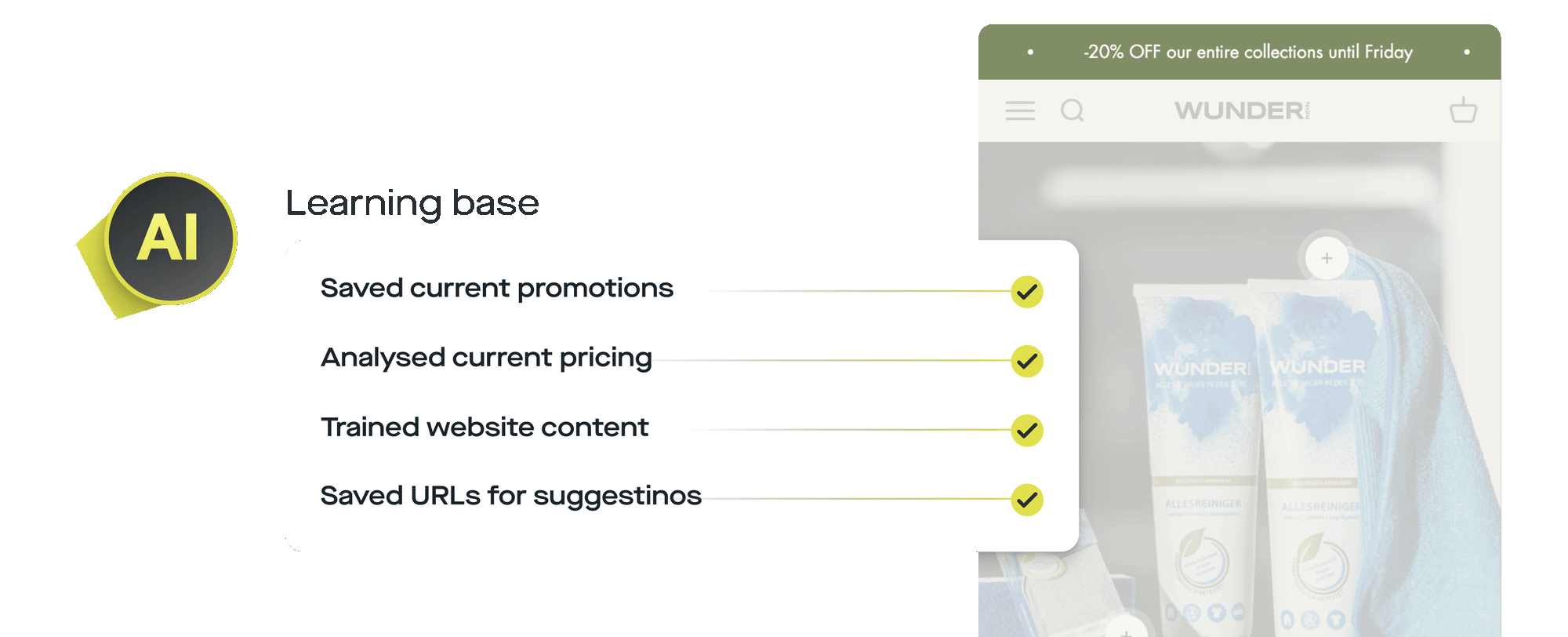
Important: The AI should learn from your business profile. Prices, opening hours, offers, FAQs, all of that must be reflected in the responses. If a customer asks about the menu, the AI should not guess. It should know what is on the menu. That separates true automation from better canned replies.
Pricing and plans: Find the right setup for your review management
Frequently asked questions about replying to Google reviews
Do you really have to respond to every Google review?
Yes. 88% of consumers prefer businesses that respond to all reviews (BrightLocal, 2025). Every unanswered review is a signal to potential customers: „This business doesn't care about my opinion.“ Whether positive or negative – every response builds trust and improves your visibility in the Google Business Profile.
How quickly should you respond to Google reviews?
Ideally within 24 to 48 hours. 53% of customers expect a response within seven days (ReviewTrackers, 2025). For negative reviews the rule is: the faster, the better. Every day without a response shows everyone reading that you don't take the criticism seriously. AI tools cut response time down to minutes.
What do you write for a review with no text, only stars?
Even for a pure star rating, a short response is worth it. For 5 stars: „Thank you so much for the great review! We're glad you were happy.“ For 1-2 stars: „We're sorry we didn't meet your expectations. Feel free to write to us about what we can do better.“ This shows professionalism – even without context.
Can negative reviews hurt your Google Maps ranking?
Negative reviews alone barely hurt – as long as you respond to them. Review signals account for 16 to 20% of the local ranking factors (Whitespark). Businesses with 4.0 to 4.5 stars even get more clicks than those with a perfect 5.0 (Northwestern/PowerReviews). What matters is your response, not the star.
Is AI worth it for responding to Google reviews?
From 20 reviews per month, AI support is worth it. For multi-location businesses it is almost indispensable. Health Routine reduced the effort by 90%, SNOCKS saves 0.5 FTE. The AI learns your tone and delivers suggested replies in seconds, and you retain full control over the final response.
Conclusion: Every unanswered review costs you customers
The numbers tell a clear story. 49% more sales. 35% more revenue. 88% of consumers prefer businesses that respond. And yet three out of four companies ignore their Google reviews completely. This is not a minor optimization, it is an open door through which customers leave for competitors.
The good news: You do not have to block 4 hours per week for review management. AI makes it possible to respond to every review in seconds, personalized, in the right tone and factual. Whether you run a single-location restaurant or a chain with 50 stores, the first step is always the same. Open your Google Business Profile. Read the unanswered reviews. And start replying.
Answer Google Reviews automatically: Start now
Written by Thomas Danninger, Co-Founder of replient.ai. Thomas and his brother Markus have managed social media channels for e-commerce brands and personalities like DJ Ötzi for years, and in the process learned that every interaction counts, whether a comment or a review.
About the author

Co-Founder, replient.ai
Thomas is a co-founder of replient.ai and works on AI-assisted comment management for social media. He writes about automation, community management and efficient comment moderation for growing brands.