Summarize this with
 ChatGPT
 Claude
 Gemini
 Perplexity
Every iOS app collects reviews – and most publishers read them without ever replying. Yet that reply is the cheapest lever you have on your app rating. Apple allows exactly one public developer response per review, and publishers who use it strategically push their star average measurably upward. The problem isn't knowing this – it's scaling it. Anyone who manually answers reviews in five languages inside App Store Connect every day eventually gives up. That's exactly where replient.ai comes in – answering App Store reviews with AI, trained on your own brand, from a single dashboard that bundles eight platforms.
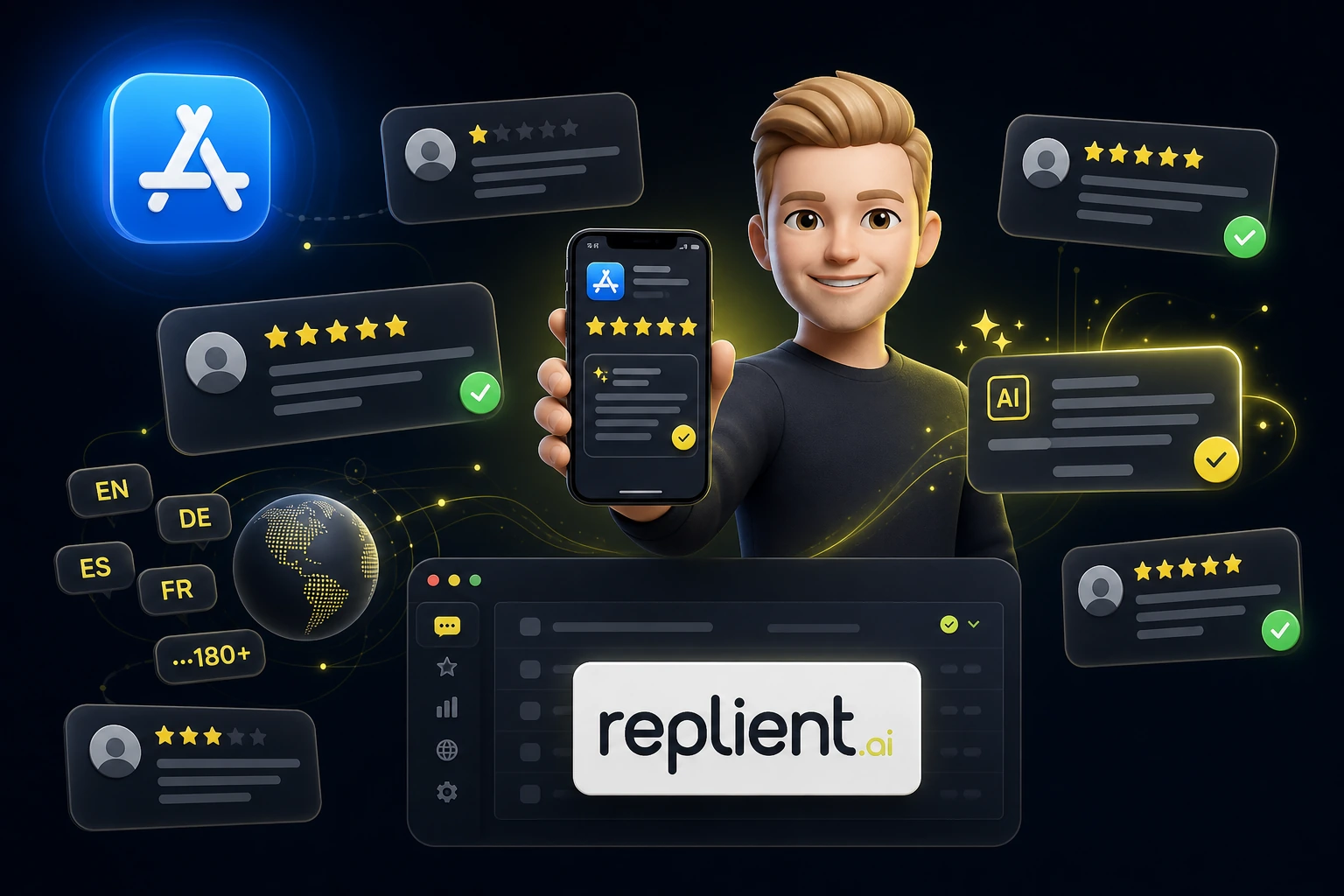
TL;DR: Reviews with a developer response improve their rating roughly 6× more often than reviews without a reply – 4.4% versus 0.7% (Hassan et al., Queen's University, 2018). Even so, only about 34% of apps reply at all. replient.ai connects to the App Store via an Apple API key, reads every review including rating, title and text, and generates AI replies in your brand voice – editable, in all languages and dialects the AI understands, approved by you.
Can you respond to App Store reviews?
Yes. Through App Store Connect, Apple offers the so-called developer response: a public reply that appears directly beneath the review and is visible to every user (Apple Developer). There's one clear rule – one response per review. But that response can be revised at any time: once you've fixed a bug, you update your reply and reference the update.
The often-overlooked upside of iOS: App Store responses can be up to 10,240 characters long. On Google Play the limit is just 350. Within Apple's ecosystem you have the room to genuinely explain a problem instead of cramming it into a one-liner. As soon as you reply in replient.ai, the response is sent straight to Apple – you never have to open App Store Connect separately.
One thing isn't possible, though, and it's important to know: you cannot delete reviews. Neither you, nor replient, nor any other tool can remove a negative review. The only legitimate way to "neutralize" a 1-star review is a strong reply that persuades the user to update it. That's exactly why reply quality matters so much.
Why does every reply lift your app rating?
Because users change their review when they feel heard. In an academic analysis of more than 4.3 million reviews, 4.4% of reviews with a developer response raised their rating – compared to just 0.7% without a reply (Hassan et al., Queen's University, 2018). That's roughly a sixfold higher chance of an upgrade. Google officially puts the effect of replying to a negative review at an average of +0.7 stars (Google Play Console).
The really striking part is the gap: in the same study, only around 34% of apps with more than 100 reviews replied to even a single review at all. For you, that means most of your competitors are leaving this lever untouched.
Apple itself puts it cautiously but clearly: responding to feedback "can help you create a better user experience and improve your app's rating" (Apple Developer). And because rating and review recency feed into App Store visibility as signals, a well-maintained review channel indirectly affects your ASO ranking (App Radar, 2026).
How to answer App Store reviews with AI in replient.ai
The workflow is deliberately short: connect your app, train the AI on your brand, approve replies. You connect your iOS app via an Apple API key – no password, no access to your Apple account, just secure read-and-reply access. A single key covers multiple apps, so agencies and teams with an app portfolio see every title in one inbox. replient.ai fetches new reviews automatically and files them in the feed with rating, title, text and reviewer name.
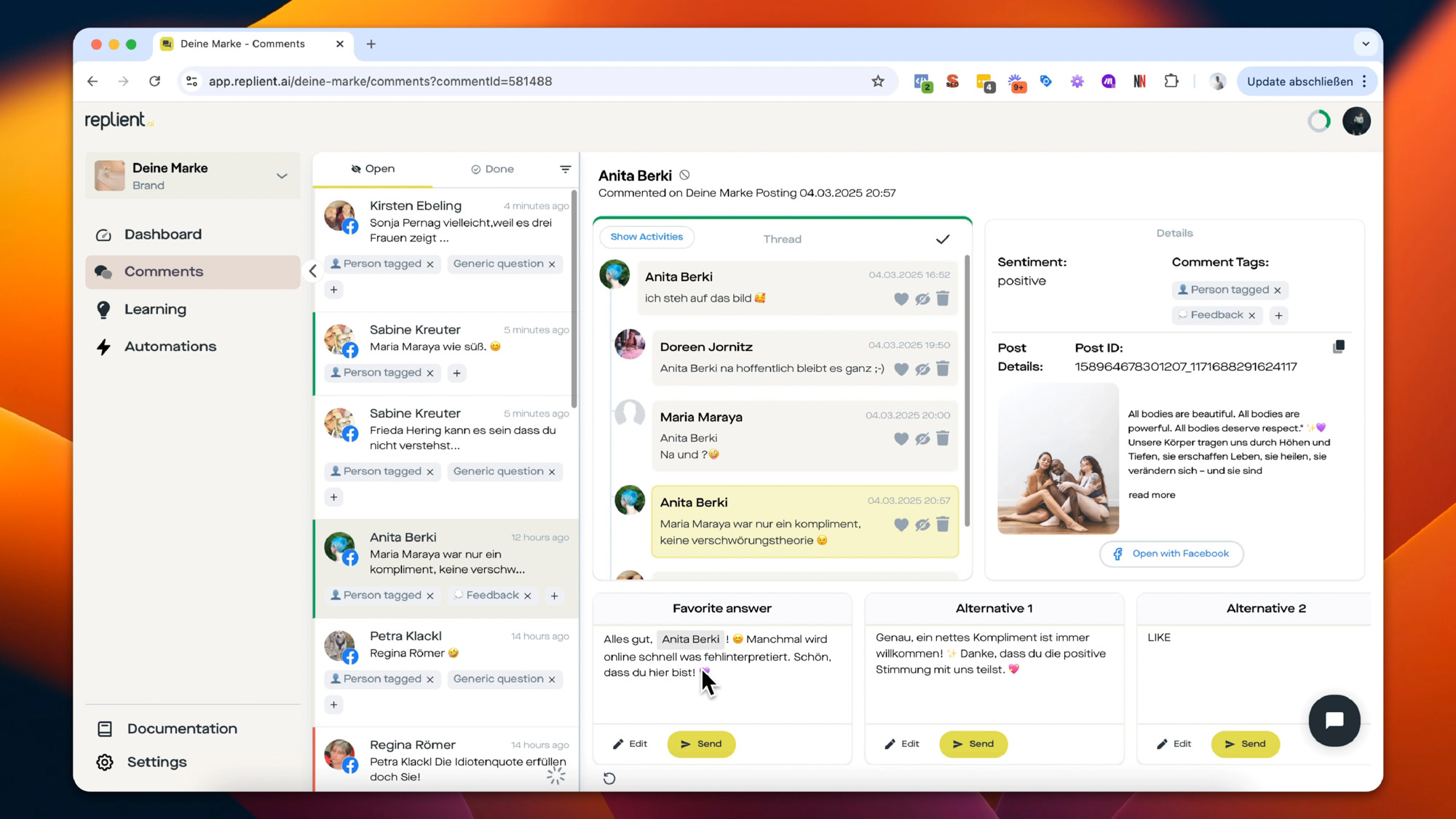
The core is the AI reply. For every review, the AI proposes several reply variants – if none fit, you regenerate, up to 15 times per review. What matters is what the AI is trained on: not generic marketing speak, but your website, uploaded documents (PDF, Word) and your past replies. That way the suggestion reads as if your support team typed it. You always keep the final click – the AI suggests, you approve. If you want to automate more heavily, you set up rules so that, for example, 5-star reviews automatically get a thank-you reply while tricky cases land with a human.
On top of that comes sentiment analysis: replient.ai detects the mood of every review and assigns tags you define yourself – for example "bug," "feature request" or "subscription question." Using automation rules, you filter specifically for low star ratings (say, all 1- and 2-star reviews) and tackle the critical cases first. At high volume you reach for bulk replies and send one AI response to an entire group of similar reviews at once.
How do you answer app reviews in languages you don't speak?
Globally available apps collect reviews in dozens of languages – and this is exactly where the manual process breaks down first. replient.ai translates both incoming reviews and your replies, mastering all languages and dialects the AI understands. You read a Portuguese review in English, write your reply in English, and have it translated back into Portuguese with one click.
How big this problem is in practice becomes clear from an observation out of our own work. My brother Markus describes it from an onboarding call like this:
"We had a brand that had plateaued in the DACH market and then said: let's add the Netherlands, let's add France. And suddenly you're getting 100 comments a day in French. That's when the whole thing really kicks off: you copy the comment, go into a translator, translate it into German, reply in German and then back into French. And the freelancer you bring in has no idea what your product can do. So it's almost impossible."
That exact triple hop – read, translate, write, translate back – is what the built-in translation takes off your plate. For app publishers launching in several countries at once, it's often the difference between "we only answer German reviews" and "we answer them all."
App Store vs. Google Play: what's different when you reply
Both stores work the same way in principle – one developer response per review, editable, publicly visible. The differences are in the details, and they matter if you're active on both platforms. replient.ai manages the Apple App Store and Google Play side by side in the same inbox, so you never have to switch between two backends.
| Feature | Apple App Store | Google Play |
|---|---|---|
| Responses per review | 1 (revisable) | 1 (editable) |
| Maximum reply length | 10,240 characters | 350 characters |
| Visibility | public beneath the review | public beneath the review |
| Connection in replient.ai | Apple API key | Play Console access |
| AI reply & translation | ✅ All languages and dialects | ✅ All languages and dialects |
In practice this means: on iOS you can explain at length, on Android you have to keep it short. The AI in replient.ai accounts for these limits automatically and writes more concisely for Google Play. If you want to read up on the full two-store workflow, you'll find it in the post on how to automate app reviews – it also includes the ROI math for teams with triple-digit review volume. And why every single reply pays off is explored in depth in the article on answering App Store reviews, complete with concrete reply frameworks.
Who is AI-powered app review management worth it for?
The break-even point is lower than most people think. Up to around 50 reviews per month, App Store Connect is enough. From roughly 100 reviews a month – especially across multiple languages – the manual process tips over. Three groups benefit most: app publishers with a growing user base, mobile dev teams who don't want to burn their product time on review copy, and agencies with an app portfolio managing several titles centrally.
The decisive difference from pure App Store tools: replient.ai doesn't treat reviews in isolation. Anyone advertising an app often gets the same complaints in parallel under Instagram or TikTok ads – and handling negative app reviews in the store alone isn't enough then. That's why in replient.ai the App Store, Google Play and every social channel run through one dashboard. Just how much a well-maintained comment and review channel affects revenue is shown by the Zauberfein case study, with +50% ROAS on the social side.
Frequently asked questions
Can I reply more than once to an App Store review?
No. Apple allows exactly one public developer response per review. But it can be revised at any time – you can update it, for example when a reported bug has been fixed. In replient.ai you simply overwrite the existing reply with a new version, without opening App Store Connect separately.
Can I delete negative App Store reviews?
No, neither you nor any tool can remove reviews. The only legitimate way is a strong reply that persuades the user to update their review. According to an academic analysis (Hassan et al., 2018), answered reviews improve their rating roughly six times more often than unanswered ones – 4.4% versus 0.7%.
How do I answer reviews in languages I don't speak?
replient.ai translates incoming reviews into your language and your replies back into the user's language – in all languages and dialects the AI understands. You read, write and check in English, and publishing happens in the review's original language. That way you answer Japanese, Turkish or Polish reviews just as consistently as English ones.
Is it allowed to answer app reviews with AI?
Yes, as long as the reply is personalized and relevant. Apple and Google require respectful responses that relate to the review's content. Copy-paste spam is not allowed. That's why replient.ai trains the AI on your website, documents and past replies – every reply addresses the specific case instead of repeating a canned line.
Does replient.ai manage Google Play and other platforms too?
Yes. replient.ai bundles eight platforms in one dashboard: Apple App Store, Google Play, Facebook, Instagram, TikTok, YouTube, LinkedIn and Google Reviews. App reviews and social comments run through the same inbox – with unified brand-voice training, sentiment tagging and translation.
Conclusion: One store, one reply, maximum rating lever
Answering App Store reviews with AI isn't a gimmick – it's the cheapest way to actively steer your iOS rating. Apple gives you exactly one shot per review – and reviews with a reply improve their rating six times more often. Anyone who wants to consistently use this lever at 100, 300 or 500 reviews a month can't get around an AI-powered solution trained on their own brand.
The key takeaways:
- 6× higher upgrade chance with a developer response – 4.4% vs. 0.7% (Hassan et al., 2018)
- +0.7 stars on average per answered negative review (Google Play Console)
- Only about 34% of apps reply at all – an open competitive advantage
- App Store responses can be up to 10,240 characters long (Google Play only 350)
- AI replies in all languages and dialects the AI understands, trained on your website, documents and history
Answer your app reviews before your competitor does.
Try replient.ai free for 14 days and manage the Apple App Store, Google Play and your social channels from one dashboard – with AI replies in your brand voice.
About the author

Co-Founder, replient.ai
Thomas is a co-founder of replient.ai and works on AI-assisted comment management for social media. He writes about automation, community management and efficient comment moderation for growing brands.