Summarize this with
 ChatGPT
 Claude
 Gemini
 Perplexity
You open App Store Connect in the morning, answer seven reviews in German, close the tab and log in to Google Play Console. Another twelve are waiting there, four in Portuguese, three in Turkish, one in Indonesian. By the fifth reply you already know, this is not how review management works in 2026 anymore. Two platforms, two logins, two character limits and five languages that no one on the team speaks fluently, that is not a process, that is a bottleneck. The good news: Automating app reviews no longer means sending blunt template replies, but AI-powered replies in brand voice, sorted by sentiment and stars, from a single inbox.
TL;DR: Apple and Google each allow only one developer reply per review, and according to Google Play Console this single reply lifts the rating by an average of +0.7 stars. Even so, the reply rate in the "Tools & Utilities“ category sits at 3.3% (AppFollow Benchmarks, 2025). Anyone who wants to automate app reviews does not need a second tool per platform, but a dashboard that handles App Store Connect, Google Play Console and social media comments from a single inbox feed, with brand voice training, automatic translation and sentiment-based prioritization.
Why aren't App Store Connect and Play Console enough?
Apple App Store Connect and Google Play Console are solid platform interfaces, but they are not built to respond to reviews at scale. Apple allows exactly one reply per review (ratings reset with new app versions), Google Play limits replies to 350 characters, but they are editable. Both tools have no built-in AI, no sentiment analysis, no automatic translation and no central feed across multiple apps.
The result looks the same for almost all publishers: German and English reviews get answered, everything in Portuguese, Turkish, Japanese or Polish gets left unanswered. That is exactly where download numbers then stagnate, because users in those markets see that no one ever replies.
What we saw at the agency: At Doppel N Marketing, Markus and I managed reviews and social comments for several app publishers in parallel. One client had 40% of their 1-star reviews in Spanish and Portuguese, unanswered. Only when we pulled App Store Connect and Google Play Console into a shared inbox and the AI prepared replies in the original language of the review did the rating in the LATAM market climb from 3.7 to 4.1. The code was the same. Only the communication changed.
The official tools have a second problem, no crossover visibility to social channels. App publishers running ads on Instagram, TikTok or YouTube get identical complaints there that should really end up in the app review ticket. If you don't bring these two worlds together, you lose not only time, you lose the context that good AI replies actually come from.
What does "automating app reviews“ really mean?
Automation in this context does not mean a machine blindly dumping "Thanks for your feedback 🙏“ under every 1-star review. That would be the app store equivalent of a classic Instagram bot, and it works just as badly. In their developer guidelines, Apple and Google have clearly defined that replies must be personalized, relevant and respectful. Template spam leads to visibility problems and, in the worst case, account warnings.
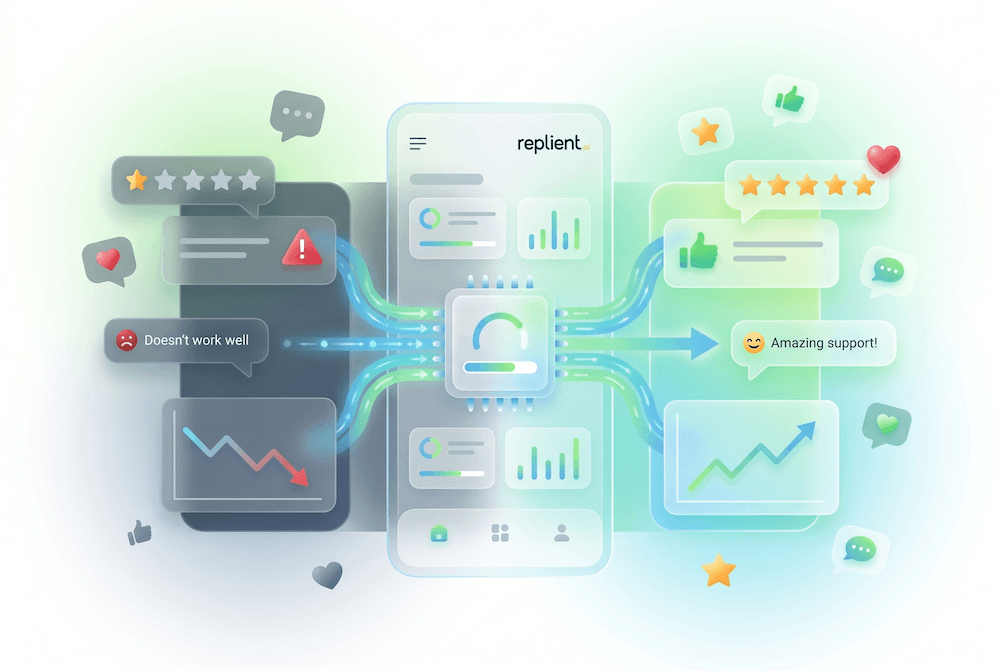
Real AI automation means instead: a large language model reads each review, understands the star rating, language and tone, pulls context from the app (changelog, support documents, past replies) and formulates a reply that sounds like the team would have written it manually. The human still has the final send button. But they no longer type a sentence.
A peer-reviewed study covering over a million reviews across 460 apps quantified this effect: teams with a systematic response strategy experience "substantial rewards“ in the form of higher ratings, while teams that ignore reviews receive "significant penalties“ (ScienceDirect, 2024). Automation is the only way to keep this strategy up across hundreds of reviews per week.
Rule of thumb from practice: Anyone answering more than 100 reviews per month manually burns an average of 6 to 8 hours of a developer's product time. At 500 reviews per month it's 30+ hours, the classic moment when teams suddenly stop replying because "no one has time“. That is exactly when the unanswered-review curve spikes upward.
The 5 components of a fully automated app review pipeline
A working app review pipeline is not magic. It is the combination of five layers that work together. If you omit one layer, you either get poor responses or a process that cannot scale.
1. Unified inbox for App Store, Play Store & social
The first and most important step: all reviews land in a single feed. Apple App Store and Google Play Store are connected once during onboarding, and from then on new reviews from both stores flow automatically and almost in real time into the same inbox, along with comments from social channels.
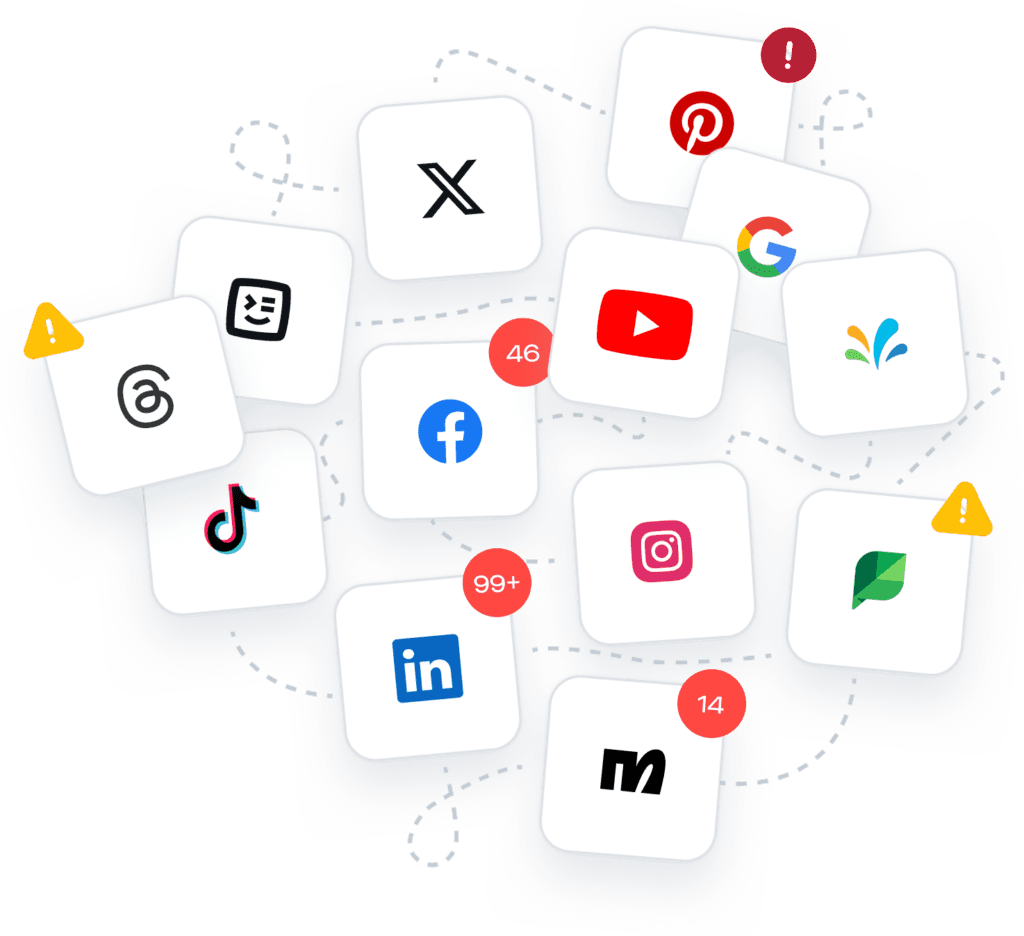
What matters is what happens afterwards: besides app reviews, the same feed also shows Instagram comments, TikTok replies, YouTube comments, LinkedIn posts and Google Reviews. For a mobile app publisher running ads on Meta and TikTok at the same time, that is invaluable, a bug complaint usually appears first under the ad post, long before users bother to write an app review.
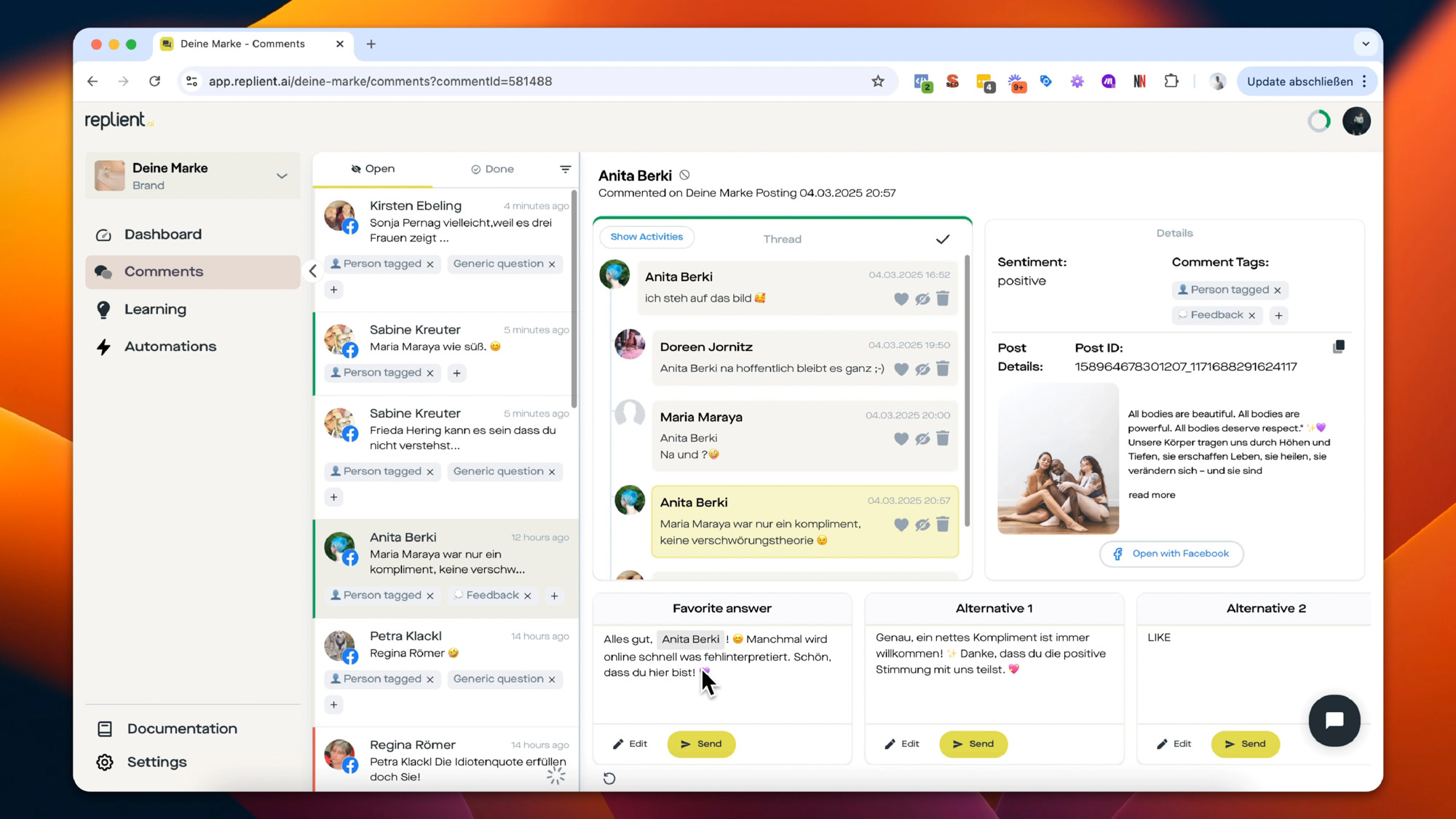
2. Sentiment prioritization: 1-star first
Every new review is automatically analyzed: the AI matches the star count against the text and assigns a sentiment label (positive, neutral, negative) plus tags like "Bug“, "Feature request“, "Price“ or "Onboarding“. The inbox then sorts automatically: 1- and 2-star reviews with negative sentiment at the very top, 5-star thank-you messages further down.
This matters so much because unanswered 1-star reviews cost a disproportionate number of downloads. According to Alchemer data, 70% of users change their rating after receiving a genuine developer response with a solution (Alchemer, 2024). Anyone who works through thank-you replies before the angry reviews is leaving rating points on the table.
3. Brand voice training instead of generic templates
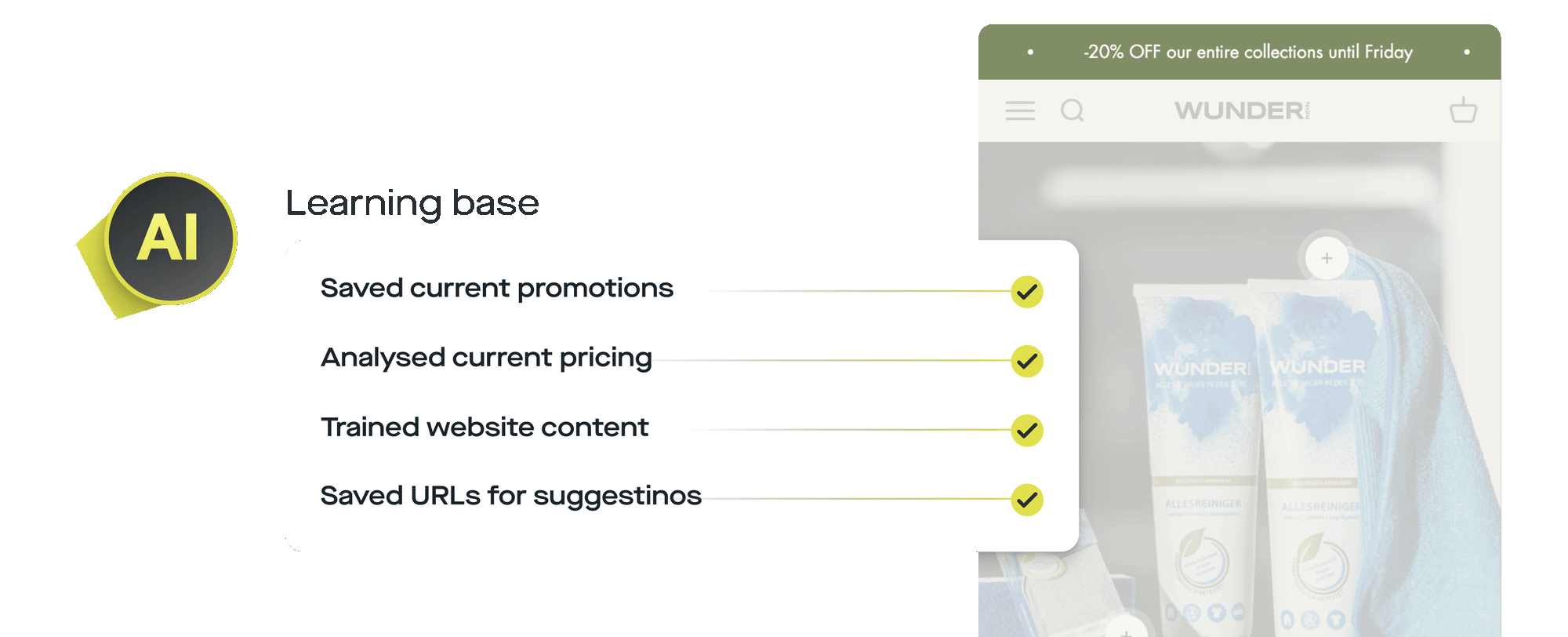
The difference between an "AI reply“ and an "interchangeable chatbot answer“ lies in the training. A good app review automation is fed on three levels: the changelog (so the AI can reference bug fixes correctly), the support documentation (FAQ, known issues) and the tone of previous manual replies (formal vs. casual, informal vs. formal address, emoji yes/no).
An example: for a review saying "The app keeps crashing on login since version 4.2″, a trained AI reaches for the apology tone, apologizes, names the specific fix from the version 4.2.1 changelog, and invites the user to update. For a review saying "I miss a dark mode option“, the same AI uses a product tone, thanks the user for the feature request, places it on the roadmap, and links the feedback page. Same app, same AI, two completely different replies.
4. Multi-language auto-reply
App Stores are global. If you publish in 30 countries, you have reviews in 20+ languages, and the official tools offer no built-in translation for replies. Apple does automatically list all reviews, but the reply must be written in the language of the original review. This is exactly where most teams lose the process.
A good automation detects the language of the review automatically, generates the AI reply directly in that language and simultaneously translates it into German or English so the team understands the context. That way you can approve a Portuguese review reply without speaking Portuguese, because you see the German translation alongside it.
5. If-then automations for volume & safety
Not every review needs individual human review. A 5-star review without text ("🙌“) can safely be given a generic thank-you reply and marked as done with no risk. A 1-star review with the keyword "refund“, on the other hand, should absolutely be escalated to a human.
That's exactly what automation rules are for: simple if-then conditions you click together in the interface. For example "If the review has 5 stars and contains no text → automatic thank-you reply“ or "If the word ‚crash‘ appears → flag the review and notify the team“. The team defines the safety rails once and then runs around 80% of the volume fully automatically, while the 20% that genuinely need clarification land neatly sorted in a priority list. If you want to dig deeper into the mechanics, the guide to AI in community management covers the foundational concepts that apply just as much to app reviews.
App Store vs Google Play: platform differences
Both stores allow developer responses, but the technical and regulatory details differ so much that a universal template makes no sense. If you really want to automate app reviews, you need to understand these differences.
The practical consequence: an AI reply written for Google Play can run on Apple too, but not the other way around. A good automation platform should therefore be able to respond platform-specifically: short responses for the Play Store, longer ones with changelog context for the App Store. Anyone who uses identical 350-character replies for both stores wastes the Apple quality niche entirely.
A second point that many underestimate: Apple allows an optional rating reset with a new app version, meaning bad reviews from old versions no longer flow into the average if you choose. Google Play does not have this option. The "bugfix release + review outreach“ strategy works considerably better on Apple, because you can explicitly invite users to update in the developer response, and the old 1-star rating then disappears from the visible rating afterwards.
How does replient.ai really bring both stores together?
During onboarding you connect your Apple and Google Play accounts once, and from then on the difference disappears completely. Reviews from both stores flow into the same feed, get the same sentiment analysis and the same AI reply suggestions as your Instagram or TikTok comments. No tab switching, no second login, no separate export.
Using the dashboard filters, with one click you can see only app reviews, only 1-star ratings, only Portuguese reviews or only reviews tagged "Crash“. In combination, this becomes the real time-saving magic: in two clicks you sort out exactly the reviews that need a reply, instead of hunting for them across two separate backends.
From the onboarding call: Thomas recently told me a story: during a tool demo, a gaming publisher said "It really can't be this easy to see app reviews and Instagram comments in the same inbox.“ Ten minutes later the Apple account was connected, and the next morning the first answered review from both stores was sitting in the dashboard. His comment afterwards: "I have three people who spend 2 hours in App Store Connect every Monday morning. I've just freed them up.“
Cross-channel effect: Why app developers should also automate social comments
App reviews are only half the equation. Almost every modern app also relies on paid ads on Meta, TikTok and YouTube. There a phenomenon occurs that official app store tools completely ignore: users complain about bugs and pricing first in the ad comments, because that's easier than writing an app review. A performance marketer who doesn't pull those comments into the same process solves the same problem twice.
This is exactly where the multi-channel dashboard becomes a strategic advantage. A negative remark under a TikTok ad can concern the very same bug that four Apple reviews are describing right now. When both channels flow together, the AI recognizes the pattern, and the engineering lead gets an aggregation instead of having to stumble between two tools. The Zauberfein A/B test scenario (+48% ROAS through clean ad comment maintenance, Zauberfein case study) mirrors almost 1:1 for app publishers: a well-maintained comment section under ads reduces CPI and stabilizes the rating at the same time.
If you want to dig deeper into the bigger picture, the guide to social media comment management covers the fundamental mechanics of why comments and reviews become a performance lever in 2026, instead of a support overhead.
The 3 biggest mistakes in app review automation
Mistake 1: Generic thank-you replies as the default If the AI generates the same sentence for 5-star reviews every time, it will be noticed quickly, either by users who read the same reply under multiple reviews, or by Apple, which flags near-identical responses. The solution: train at least 5 to 7 response variants with slight wording differences and rotate them randomly.
Mistake 2: Automation without brand voice training An AI that isn't trained on the changelog and the support docs writes generic marketing-speak. "Thank you very much for your valuable feedback, we will pass your suggestion on to our team.“ That's not a reply, that's a placeholder machine. Good tools allow you to upload PDFs (FAQs, tech docs), changelogs and historical responses, and use them as context for every single reply.
Mistake 3: No escalation rule for sensitive keywords Refund requests, data protection complaints, bug reports involving account loss, all of these must never be answered fully automatically. A healthy process has a clear escalation rule: as soon as sensitive terms like "refund“, "data protection“, "lawsuit“ or "security“ appear in a review, it lands in a separate priority list and is assigned to a human. Anything else is potentially a legal problem.
Is it worth it? A quick ROI check
Let's crunch the numbers briefly for a typical mid-sized app publisher with about 400 reviews per month (App Store + Google Play combined, multiple markets):
- Manually, two tools: 400 reviews × 3.7 minutes per review (incl. context switch) = approx. 24.7 hours / month
- With unified inbox and AI suggestions: 400 reviews × 0.9 minutes per review (95% automated, 5% manual) = approx. 6 hours / month
- Time savings: around 18.7 hours / month, so more than two full workdays
At a developer hourly rate of 65 €, that's 1,215 € / month in saved product time. The tooling for it costs a fraction of that. And that's just the arithmetic part, not counting the rating lift from the better response rate (per Hassan et al., ACM 2018: a 6× higher upgrade probability), which in turn boosts downloads. The Zauberfein measurement in the social space (+48% ROAS, case study) shows the order of magnitude in which a well-maintained comment/review track translates directly into revenue.
At the latest once you hit 100+ reviews per month, automation starts paying off immediately. If you want to know whether your own app is already at the tipping point, you'll find the decision aid in the blog post When do you need comment automation.
Frequently asked questions about app review automation
Which app or tool should you use to automate app reviews?
For pure app review management there are several specialized tools, most of which come from the ASO world and are either very US-centric or expensive to license. A DACH publisher who simultaneously handles social comments, Google Reviews and app reviews is usually better off with a single multi-channel platform like replient.ai, because here App Store Connect, Google Play Console, Instagram, Facebook, TikTok, YouTube, LinkedIn and Google Reviews all run from one dashboard, GDPR-compliant, with EU hosting and an AI you can train in German.
How can you automatically ask your app users for a rating?
This is the other side of the coin: Both Apple and Google offer native in-app prompts that you can show after positive events in the app, for example after a successful checkout or after the third login. Automation here means defining those moments cleverly, instead of asking every user for a rating on first open. This is a separate topic from review-responding, but both pillars complement each other: getting more reviews plus answering each review produces the most stable star trajectory.
Is it allowed to answer app reviews with AI?
Yes, as long as the reply is personalized and relevant and complies with the Apple App Review Guidelines and the Google Play Developer Program Policies respectively. What is not allowed: copy-paste template spam or replies that don't address the specific review content. That's why brand voice training and sentiment-based generation (instead of static templates) are the standard against which modern tools should be measured.
What does replying to every app review actually achieve?
The Google Play Console data shows an average rating lift of +0.7 stars per answered negative review (Google Play Console, 2024). In the peer-reviewed ACM study by Hassan et al. (2018), 4.4% of users raised their rating after a developer response, compared with 0.7% without a reply. That is a sixfold higher upgrade rate. Multiplied across hundreds of reviews, the average shifts visibly, and precisely within the range (4.0 → 4.2 stars) where Apple and Google feature apps more prominently.
Aren't my App Store Connect and Google Play Console enough?
For small publishers under 50 reviews / month: yes. From around 100 reviews / month in multiple languages, the process gets shaky to handle manually, above all because none of the official platforms come with sentiment tagging, auto-translation or brand voice AI. At the latest when social comments, paid ads comments and app reviews all have to be managed in parallel, the argument "we'll just do it in the native tool“ fizzles out completely. You'll find details on the threshold in the post When do you need comment automation.
Conclusion: One dashboard, two stores, no more context switches
Automating app reviews is in 2026 no longer an option, but a requirement, at least for any team operating in more than one market. The official backends from Apple and Google are solid data sources, but they are not a workspace for scalable review management. The distinction between bot spam and real AI automation lies in training on brand voice, in sentiment tagging, and in clear escalation rules.
Key takeaways:
- +0.7 stars average rating lift per answered negative review (Google Play Console)
- 6× higher upgrade rate after a developer response (Hassan et al., ACM 2018)
- 70% of users change their rating after a genuine solution (Alchemer, 2024)
- Reply rate in the "Tools“ category: only 3.3% (AppFollow Benchmarks)
- 95% of typical consumer app reviews can be drafted by AI, the 5% that require escalation are neatly separated
If you make the effort to think of App Store Connect and Google Play Console not as two tools, but as two data sources for a shared inbox, you immediately get back the hours currently lost to tab switching and searching for languages, and raise your rating in the process.
Try replient.ai for free and handle the App Store, Google Play and your social channels from a single dashboard.
About the author

Thomas Danninger
Co-Founder, replient.ai
Thomas is a co-founder of replient.ai and works on AI-assisted comment management for social media. He writes about automation, community management and efficient comment moderation for growing brands.