


Your app has 4.1 stars. Sounds fine, until you realize that 90% of apps featured in the App Store have at least 4.0 stars, and every tenth of a star can decide downloads. Most developers spend weeks on ASO, keywords and screenshots, but ignore the one lever that directly affects the star rating: their replies to user reviews.
TL;DR: Replying to App Store reviews measurably raises your rating: developer responses increase the likelihood of a rating change sixfold (Hassan et al., 2018). 79% of users check ratings before downloading (AppDNA/AppFollow, 2025). Yet in some categories over 96% of reviews remain unanswered. If you start here, you gain an immediate competitive advantage.
Why do users read app reviews so closely in the first place?
79% of users check an app's rating before they tap "Get" (AppDNA/AppFollow, 2025). For paid apps this figure rises to 80% according to Apptentive (Apptentive/Alchemer Mobile, 2021). This is not a niche phenomenon. This is the reality of your download conversion.
Since iOS 18.4, Apple even summarizes App Store reviews with AI and displays the summary prominently on the product page (TechCrunch, March 2025). Each individual review now contributes more visibly to the first impression than ever before. Leaving complaints unanswered gives Apple's AI exactly the material that creates poor summaries.
Do you know that feeling when you read a restaurant's Google reviews and swipe away as soon as you see an unfriendly owner reply? It works the same with App Store reviews, except potential users see your replies in the context of hundreds of other reviews. No reply is also a statement.
How much do replies really raise an app's rating?
According to official Google Play Console data, a developer response to a negative review improves that review's rating by an average of +0.7 stars (Google Play Console, 2024). This is not a marketing figure from some tool provider. It is the platform itself confirming it.
Academic research supports this effect: in a study by Hassan et al., 4.4% of users raised their rating after receiving a developer response. Without a reply it was only 0.7%, a sixfold higher upgrade potential (Hassan et al., ResearchGate, 2018). And AppFollow data show: apps that reply to at least 50% of their reviews see a 0.3 to 0.7 star rating lift over 90 days (AppFollow, 2026).
What we see with customers: An e-commerce app publisher that had responded to 12% of its app reviews before using replient.ai was able to increase the response rate to 85% within four weeks, and the rating rose from 3.8 to 4.2 stars. The difference? Not better code. Better communication.
Why are so many app reviews still left unanswered?
According to the AppFollow App Reputation Benchmarks 2025 the reply rate in the category 'Tools & Utilities' is just 3.3% (AppFollow Benchmarks, 2025). Even in the best category, Trivia Games, developers only respond to around 31.6% of reviews. Most of the App Store remains silent.
The reasons are almost always the same: lack of time, missing processes, and the language barrier. If you offer an app in 30 countries, you get reviews in 20+ languages. Replying manually in Japanese, Portuguese, and Turkish is simply impossible when the team consists of three developers in Berlin.
From our experience as an agency: At Doppel N Marketing we managed comments and reviews for several app publishers. The pattern was always the same, German and English reviews were answered, everything in other languages was left unanswered. One client had 40% of their 1-star reviews in Spanish and Portuguese. Unanswered reviews in exactly the markets where download numbers had stagnated. Only after we introduced automated, AI-translated replies did the rating there rise.
The 4-step framework for 1- and 2-star reviews
50% of mobile users will not even consider downloading a 3-star app. At 2 stars, willingness to download drops to 15% (Apptentive, 2021). Every negative review without a reply not only lowers your rating, it directly costs you installs.
Here is the framework we recommend at replient.ai and that our AI also uses in automated replies:
Step 1: Thank and show understanding
Sounds trivial, but the user took the time to give feedback. A simple "Thanks for your feedback" signals that someone is listening. Not a stock phrase, but a reference to the specific issue.
Step 2: Clearly identify the problem
Show the user that you read their review. "We understand that the crash when opening the camera is frustrating" sounds completely different than "We are constantly working on improvements".
Step 3: Offer a solution or next step
For a known bug: point to the current update with the fix. For a feature request: be transparent about whether it is planned. For a payment problem: offer a direct support channel.
Step 4: Invite the user to update their review
In the Apple App Store a user can edit their review at any time. 38% of users who receive a developer response actually update their review (AppFollow, 2026). A friendly "If our update fixes your issue, we'd appreciate an updated review" is not begging, it is a legitimate call to action.
Example templates for typical scenarios
Crash report (1 star):"Thanks for your feedback! The crash on launch on iOS 17.x is known to us, and we have included the fix in version 3.2.1 (available next week in the App Store). If the problem persists, you can reach us at support@[app].com. We'll be happy to help you directly."
Feature request (2 stars):"Thanks for the suggestion! Dark Mode is on our roadmap for Q3. We have forwarded your feedback to our product team. Once the feature is live, we will inform you via the release notes."
Payment issue (1 star):"We're sorry about that! Payment problems should not happen. Please contact us at support@[app].com with your Apple ID, and we will resolve it directly for you."
Apple App Store vs Google Play Store: The key differences when responding
Not every platform works the same. Anyone who wants to reply to App Store reviews needs to know the rules, and they differ significantly between Apple and Google.
| Characteristic | Apple App Store | Google Play Store |
|---|---|---|
| Responses per review | Exactly one (can be edited) | One (can be edited) |
| Character limit | 10,240 characters | 350 characters |
| User can edit their review | Yes, anytime | Yes, anytime |
| AI review summary | Yes, since iOS 18.4 | No (as of April 2026) |
| API access | App Store Connect API (JWT) | Google Play Developer API |
| Response status | Published / Pending Publish | Visible immediately |
The biggest practical difference: in the Apple App Store you have 10,240 characters, enough space to really address the issue. In the Play Store you have to limit yourself to the essentials with 350 characters. If you use templates, you therefore need two versions, a detailed one for Apple and a compact one for Google.
The App Store also has a "Pending Publish" status, your response is not immediately visible and is briefly reviewed by Apple. Usually this takes only minutes, but with sensitive wording it can take longer. In the Play Store the response appears immediately.
How AI makes answering App Store reviews scalable
50% of review responses in the app space are now generated automatically (AppFollow Benchmarks, 2025). This is not a future scenario, this is happening now. And the reason is simple: manual replying does not scale.
A mid-sized app publisher with 500 reviews per month in 15 countries quickly ends up spending 2+ hours per day if each response is manually written and translated. And that is a conservative estimate.
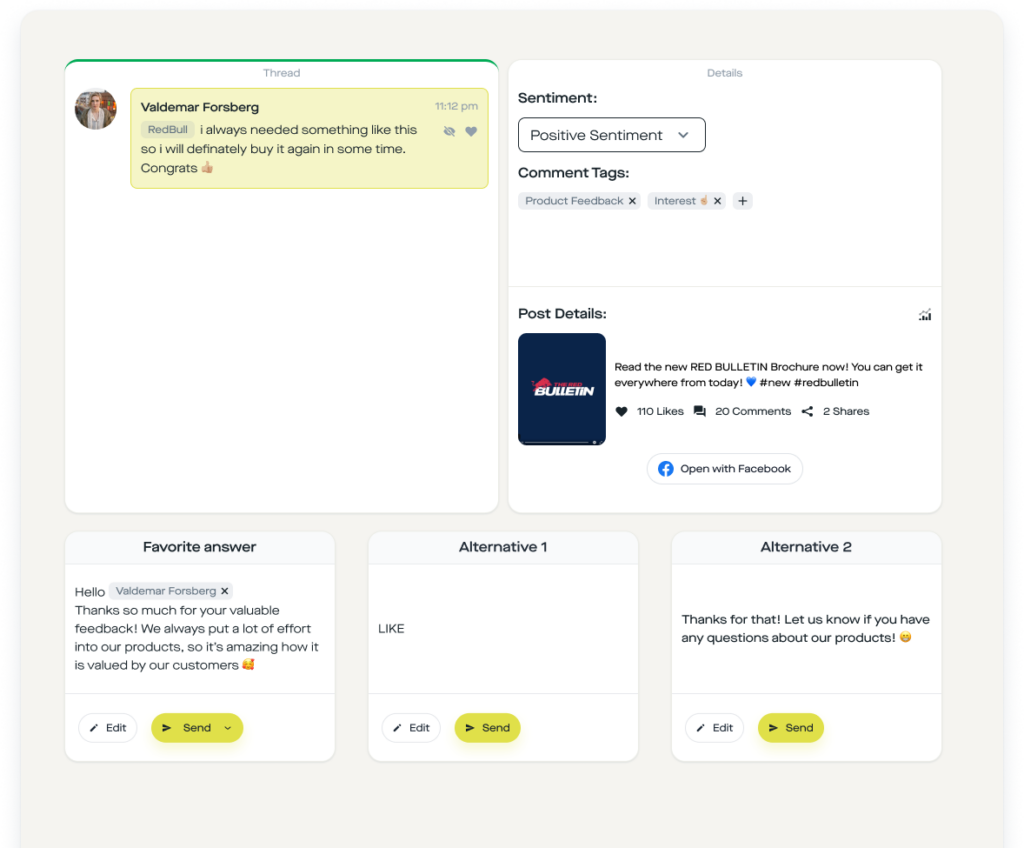
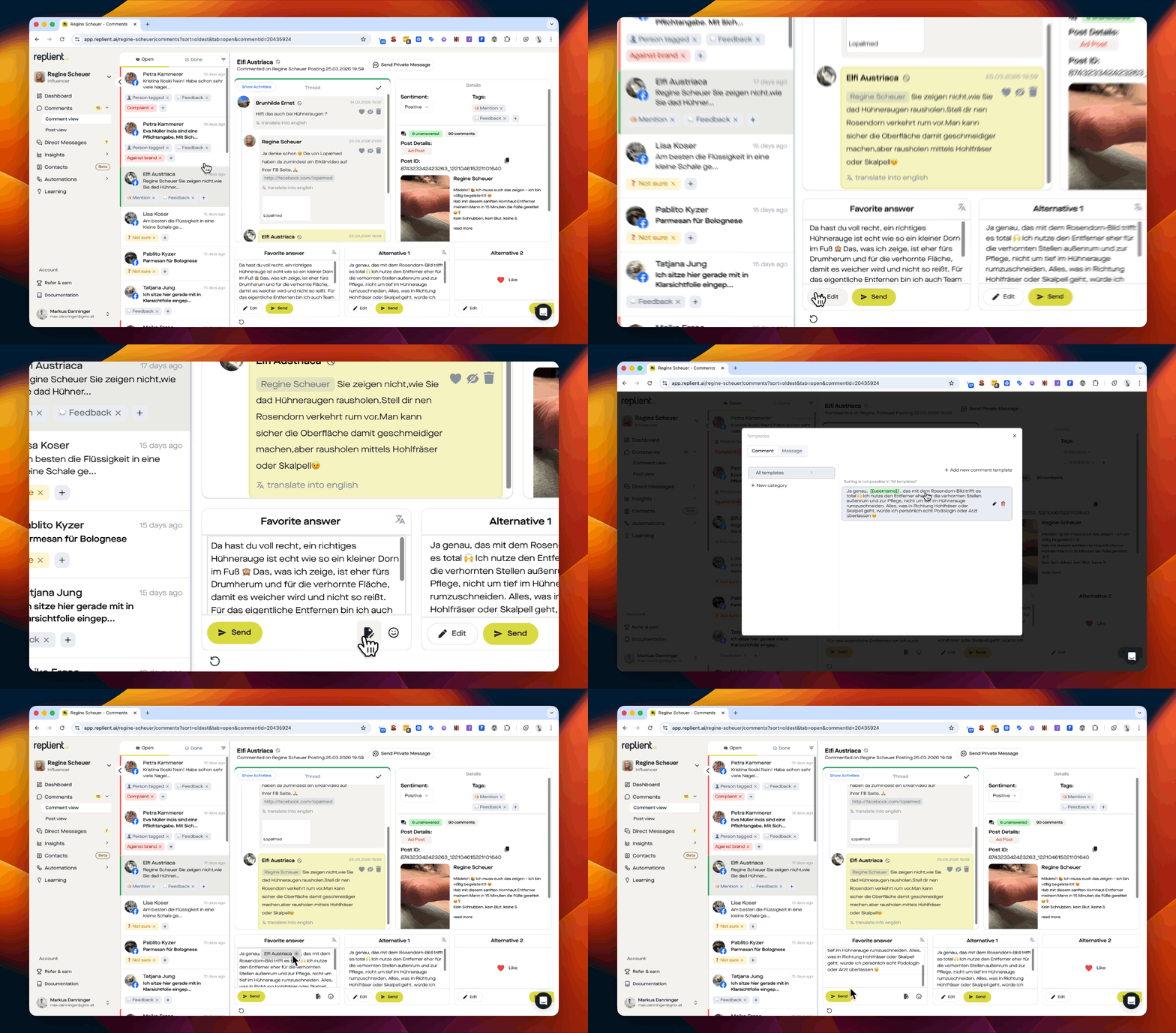
What AI-powered tools like replient.ai do differently:
Changelog integration: The AI knows your release notes. If a user reports a bug that was fixed in version 3.2, the reply automatically points to the correct update. No manual lookups anymore.
Brand voice training: The reply does not sound like the default ChatGPT, but like your brand. replient.ai learns from your past communications, how you respond on social media, what is on your website, which documents you upload. The result: consistent tone across thousands of reviews.
Automatic language detection and translation: Anyone working with replient.ai replies to Japanese, Spanish and Turkish reviews just as quickly as to German ones. The AI detects the language automatically and generates the reply in the user's language. Technically this happens via Google's Gemini models with support for 130+ languages.
Sentiment prioritization: 1-star reviews with purchase intent tags are automatically shown at the top of the queue. This way your team handles the most critical reviews first, not the newest.

What Thomas always says in customer onboardings:"Most app publishers treat reviews as a box-ticking exercise. But actually every review is a conversation with a user who took the time to give you feedback. When you reply, you not only show that one user that you are listening, you show it to everyone who looks at your App Store listing afterwards."
The rating loop: why replies trigger a domino effect
90% of apps featured in the App Store have a rating of 4.0 or higher (AppTweak ASO Benchmarks, 2025). If you are below 4.0, you practically do not get into curated lists, and you lose the App Store's strongest organic acquisition channel.
This completes the loop: replying to reviews → rating increases → more visibility in search and features → more downloads → more (hopefully positive) reviews → rating stabilizes at a higher level.
This only works if you reply consistently. A one-time sprint of 50 replies does little if silence follows. Data shows that the rating lift for apps that reply to 50%+ of their reviews increases gradually over 90 days (AppFollow, 2026). This is a marathon, not a sprint.
And this is exactly where automation makes the crucial difference: not because AI replies better than a human, but because it replies every day, in every language, in every market, to every review.
Frequently Asked Questions
Can you reply to App Store reviews?
Yes. Both in the Apple App Store (via App Store Connect) and in the Google Play Store (via the Play Console) you as a developer can reply to any review with a public developer response. In the Apple App Store you can post exactly one response per review, which is editable. With tools like replient.ai this can be automated via an API. According to AppFollow, 50% of app publishers now reply automatically (AppFollow Benchmarks, 2025).
How quickly should I respond to a negative app review?
Within 24 hours is ideal. The faster you reply, the higher the chance the user will revise their rating upward. 38% of users update their review after a developer response (AppFollow, 2026). For 1-star reviews with concrete bug reports, a reply within a few hours is worthwhile, especially if a fix has already been rolled out.
Does replying to a review really change the rating?
Yes. Google officially confirms that developer responses raise the rating of an individual review by an average of 0.7 stars (Google Play Console, 2024). Academic studies show that users are six times more likely to increase their rating if they receive a response (Hassan et al., 2018). The cumulative effect over 90 days is a total improvement of 0.3 to 0.7 stars.
How do I reply to app reviews in foreign languages?
AI-powered tools detect the language automatically and generate replies in the respective local language. replient.ai supports over 130 languages and trains the replies on your brand voice, so the tone remains consistent, whether the review is in Japanese, Portuguese or Turkish. For the App Store Review Management Guide we have covered the multi-language topic in detail.
Is there a difference between the Apple App Store and Google Play Store when replying?
Yes, a significant one. In the Apple App Store you have 10,240 characters per response, in the Google Play Store only 350. Apple reviews responses shortly before publishing (status: "Pending Publish"), in the Play Store they appear immediately. Both platforms allow one editable response per review. Since iOS 18.4 Apple summarizes reviews using AI, which increases the visibility of each individual review and makes thoughtful responses even more important.
Conclusion: Every unanswered review is a missed opportunity
The data is clear: If you respond to App Store reviews, you improve your rating, increase download conversion, and gain visibility in the store. If you don't, you're passing up the most cost-effective growth tool there is.
- 79% of users check ratings before downloading
- 6× higher likelihood of a rating improvement after a developer response
- +0.7 stars average uplift per answered negative review
- 38% of users edit their rating after a response
- 90% of featured apps have at least 4.0 stars
Der Einstieg ist einfach: Starte mit den 1-Stern-Reviews, in denen ein konkretes Problem beschrieben wird. Beantworte sie mit dem 4-Schritte-Framework. Und wenn das Volumen steigt, automatisiere mit einem Tool wie replient.ai, das App Store und Play Store Reviews in einem Dashboard bündelt, zusammen mit deinen Social-Media-Kommentaren auf Facebook, Instagram, TikTok, YouTube und LinkedIn.
Your rating won't wait. Your users won't either.


